9 Best Sales CRM Tools for 2026 (& How to Choose)
Compare the best sales CRM tools for 2026 on pipeline, activity capture, built-in calling, AI, and total cost. Find the CRM your reps will actually use.


Most sales CRM demos star the same hero: a gorgeous, fully updated pipeline. Every deal has a next step, every close date is in the future, and no one has typed "follow up" as a plan.
Then real life shows up. A sales rep wraps a great call, has three follow-ups to send, and absolutely no desire to write a small novel in the CRM. By Friday, the forecast is mostly vibes.
So the real question isn't which CRM looks best in a demo. It's which one sees what's happening in your deals and lets reps act on it without retyping their day.
The best sales CRM tools depend on how your team sells: Reevo is best for teams that want the CRM to run the whole sales motion on full context; Salesforce suits complex sales orgs; HubSpot fits inbound-led teams; Pipedrive is the pick for visual pipeline management; and Zoho CRM, Close, Freshsales, Monday CRM, and Attio round out the shortlist.
Let’s compare the top sales CRM tools on the work, the AI, and the bill, including the features that quietly live two plans upstairs.
What is a Sales CRM Tool?
A sales CRM tool tracks contacts, accounts, deals, and activity so reps can manage their pipeline and leaders can forecast with a straight face.
And reps need all the help they can get. In a 2026 State of Sales report (4,050 sales professionals), the average seller spends just 40% of their time actually selling. The rest goes to everything around it, including CRM updates.
That's the textbook version. In practice, a good sales CRM answers three questions without a scavenger hunt:
- What happened with this buyer?
- What's supposed to happen next?
- And is this deal actually going to close, or is it just emotionally attached to the quarter?
Sales CRM vs Sales Engagement vs Conversation Intelligence
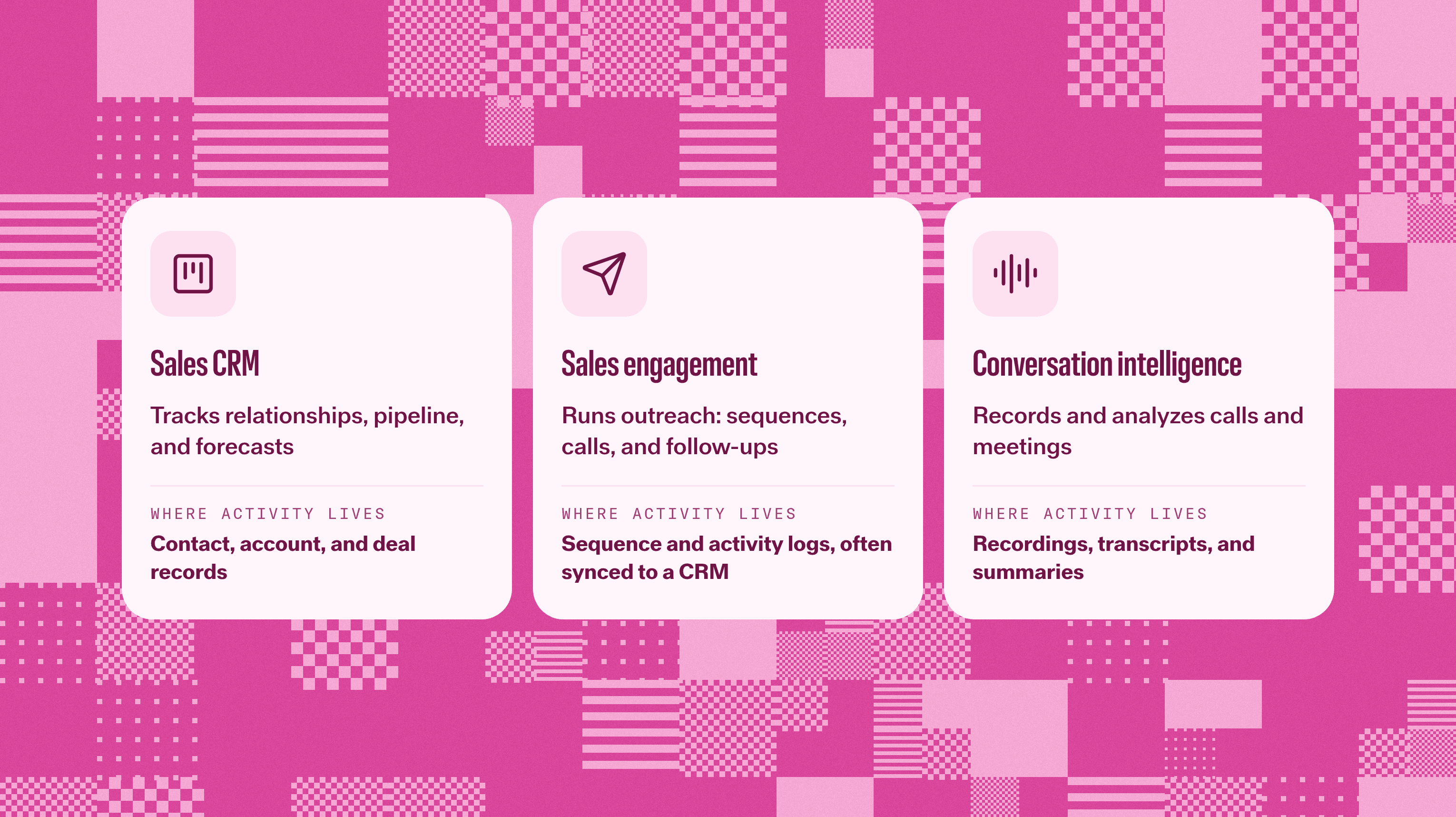
Sales CRM, sales engagement, and conversation intelligence get lumped together because vendors keep borrowing each other's features. But they do different jobs:
Category | What It Does | Where Activity is Recorded | Example Tools |
|---|---|---|---|
Sales CRM | Tracks relationships, pipeline, and forecasts | Contact, account, and deal records | Reevo, Salesforce, HubSpot |
Sales Engagement | Runs outreach: sequences, calls, follow-ups | Sequence and activity logs, often synced to a CRM | Reevo, Outreach, Salesloft |
Conversation Intelligence | Records and analyzes sales calls and meetings | Recordings, transcripts, and summaries, with varying CRM links | Reevo, Gong |
Is a CRM a sales enablement tool? Not really. Enablement is about content, training, and coaching. A CRM can support that work, but storing a contact isn't the same as teaching someone how to run discovery.
The catch with buying all three separately: The conversation happens in one tool, the follow-up in another, and the record in a third. Someone has to stitch them together, and that someone is usually a tired rep at 6PM.
Some platforms skip the stitching. Reevo, for example, has built-in sequences and calling in the same place as its CRM, so the conversation and the next action stay connected.
How We Evaluated These Sales CRM Tools
Best CRM lists say they tested tools and then never tell you what the test was. Here's ours: We compared public-facing capabilities and pricing against the jobs sales teams actually need done. The ‘best for’ labels are editorial picks, not lab scores.
- Pipeline and forecasting: Can managers inspect stages, forecast categories, and changes without commissioning another spreadsheet?
- Activity capture: What logs automatically from calls, emails, and meetings, and what still depends on a rep remembering?
- Built-in execution: Can reps call, run sequences, and schedule meetings from the CRM? Which plan unlocks that?
- How AI is built in: Does the AI work from what happened in the deal, or from whatever reps found time to type? Can you check where its answers come from?
- Integrations: Do the tools you keep exchange the right information, in the right direction, with clear ownership?
- Total cost: Seats, plus onboarding, implementation, calling, AI credits, and anything else you need to run your sales motion.
One more thing: An ‘AI-powered’ badge earns zero points on its own. Everyone has one, so always ask the vendor to show what happens after a real buyer conversation.
Best Sales CRM Tools at a Glance
Prices are in USD per user or seat, per month, billed annually unless noted, from each vendor's pricing page as of November 2026. The entry price and the plan with the features you want are often two different numbers, so read the "costs to check" column like the fine print it is.
Tool | Best For | G2 Rating (November 2026) | Pricing | AI Approach | Costs to Check |
|---|---|---|---|---|---|
CRM that updates itself + acting from one place | Custom quote (Core, Pro, and Enterprise) | Ask Reevo; works with full context from calls, emails, and meetings | Plan allowances for calling, meetings, and enrichment | ||
Complex, multi-team sales orgs | Starts at $25/user/month (Starter Suite) | Agentforce, by edition | Upgrades, implementation | ||
Inbound-led teams on HubSpot | Starts at $20/user/month (Starter) | Breeze, credit-based | Professional onboarding fee, AI credits | ||
Visual pipeline management | Starts at $14/user/month (Lite) | Reports, meeting intelligence | Telephony provider, add-ons | ||
Customization on a budget | Starts at $14/user/month (Standard) | Zia, by edition | Telephony, other Zoho apps | ||
High-volume calling and email | Starts at $9/user/month (Solo) | Credit-based AI | Usage-based calling and SMS, call assistant | ||
Built-in phone at a mid-market price | Starts at $9/user/month (Growth) | Freddy AI | Freddy AI Agent sessions, phone usage | ||
Teams already on Monday | Starts at $12/user/month (Basic) | AI credits by plan | Seat bundles, AI usage | ||
Flexible data model, product-led teams | Starts at $35/user/month (Plus) | Ask Attio, credit-based | Extra workspace credits |
The 9 Best Sales CRM Tools (November 2026)
Nine tools, one honest shortlist. Each pick below gets the same treatment: who it's best for, where it falls short, what it costs (as of November 2026), how users rate it on G2, and who's running on it today.
We put Reevo first because it's our product, and because it was built for exactly the problem this list is about: CRMs that only know what reps remember to type. You're welcome to be skeptical and grade us with the same criteria as the other eight.
Now let’s take a look at the top sales CRM tools.
1. Reevo
- Best for: Sales teams that want the CRM to update itself from calls, emails, and meetings, and act from the same place
- Limitations: Reevo is a full CRM, not a layer on top of another CRM, so plan to move
- Pricing: Core, Pro, and Enterprise plans come with custom quotes
- G2 rating: 4.9 out of 5
- Customers: Snap, Casca, Propel, SourceReady, GeneFab, PGL
Reevo is the AI-native sales platform with a built-in CRM. It's built on a simple premise: Sales reps shouldn't moonlight as data-entry clerks.
Calls, emails, and meetings log to the right records automatically, with transcripts and summaries for recorded calls and meetings. New contacts and companies are created straight from email and calendar activity, so the CRM fills in while reps sell.
When it's time to act, reps don't switch tabs:
- Sequences across email, calls, LinkedIn, and tasks
- Calling that logs itself
- Round-robin scheduling links for meetings
Ask Reevo answers pipeline questions and cites the conversation behind each answer. "Trust me" is no longer the source.
Managers get forecasting with forecast categories, plus stage criteria for deals (with an admin override for real life). When a deal that had at least one meeting is closed lost, Reevo digs through its activity and explains why it slipped.
2. Salesforce Sales Cloud
- Best for: Complex sales orgs with lots of teams, territories, and approval processes
- Limitations: Serious admin time and implementation work, and the features you want often live in a higher edition
- Pricing: Starts at $25/user/month for Starter Suite plan
- G2 rating: 4.4 out of 5
- Customers: BACA Systems, Crexi, Siemens
Salesforce is the CRM that can model almost anything. Five business units that sell five different ways? Custom objects for every product line? An approval process with more layers than a wedding cake? It can hold all of it, and its app ecosystem means there's usually a plugin for whatever's missing.
That power comes with homework. The question isn't whether Salesforce can do something. It's who's configuring it, how long it takes, and which edition you need to unlock it. Agentforce AI is available, with access tied to edition and purchase. Budget for an admin (or a partner) before you budget for the license.
3. HubSpot Sales Hub
- Best for: Inbound-led teams whose marketing already lives in HubSpot
- Limitations: Sequences start on Professional, and Professional comes with a required onboarding fee
- Pricing: Starts at $20/user/month for Starter plan
- G2 rating: 4.4 out of 5
- Customers: DoorDash, Eventbrite, Kaplan
If your leads already start their journey in HubSpot’s marketing arm, Sales Hub keeps the handoff tidy: one database and one timeline, from first form fill to active opportunity. Reps see which emails a lead opened and which pages they browsed before the first call, which makes "just checking in" a lot less necessary.
Calling, prospecting tools, and Breeze AI sit alongside the CRM. The catch is in the tiers. The Starter price is friendly, but the full follow-up motion (sequences included) starts on Professional.
Before treating familiarity as a buying strategy, compare it against the top HubSpot alternatives.
4. Pipedrive
- Best for: Teams that want a visual, deal-centered pipeline
- Limitations: Calling runs through Marketplace providers, and sequences sit on higher plans
- Pricing: Starts at $14/user/month for Lite plan
- G2 rating: 4.3 out of 5
- Customers: Railsware, Cascade Energy, Longhouse
Pipedrive is built around the board: drag a deal, see what's stuck, nudge it forward. That simplicity is the point. Reps get it on day one, managers can spot a pile-up in "Proposal sent" from across the room, and no one needs a certification to update a deal.
It's a strong pick when your main problem is keeping opportunities moving rather than modeling a complicated org. Just do the math on extras. Calling comes from a Marketplace provider, and add-ons like LeadBooster can make a modest seat price less modest.
5. Zoho CRM
- Best for: Teams that want deep customization without an enterprise budget
- Limitations: All that flexibility means someone has to own the setup
- Pricing: Starts at $14/user/month for Standard plan
- G2 rating: 4.3 out of 5
- Customers: IDT, Blue Star Limited, TAFE
Zoho CRM packs a surprising amount into a modest price: multiple pipelines, forecasting, workflow automation, and a deep bench of customization options. Zia, Zoho's AI assistant, gets more capable on higher editions. It's especially appealing if finance, support, or HR already runs on other Zoho apps.
The tradeoff is ownership. A long feature list won't decide which fields reps should actually fill in. Someone has to design the setup, and keep pruning it so it doesn't turn into a museum of abandoned picklists.
6. Close
- Best for: Teams whose day revolves around calling, email, and SMS
- Limitations: Calling and SMS are usage-based, and the AI call assistant costs extra
- Pricing: Starts at $9/user/month for Solo plan
- G2 rating: 4.7 out of 5
- Customers: Flatiron School, Printavo, Hownd
Close was built for teams that would rather pick up the phone than polish a dashboard. Calling, email, and SMS live inside the CRM; calls log automatically, and the whole thing is tuned for volume. It's the CRM equivalent of a well-organized call center desk.
Growth adds automated workflows and bulk email for teams scaling outreach. Just remember that built-in calling isn't unlimited calling. Price your real call volume before celebrating the number on the plan card.
7. Freshsales
- Best for: Teams that want a built-in phone at a mid-market price
- Limitations: Sequences start on Pro, and the Freddy AI Agent is priced separately
- Pricing: Starts at $9/user/month for Growth plan
- G2 rating: 4.5 out of 5
- Customers: Blue Nile, Sify, Humn
Freshsales gives you pipeline views, email, and a built-in phone from the entry plan, which is more than many CRMs offer at that price. Freddy AI runs across the platform, scoring contacts and surfacing deal insights so reps know where to focus.
The upgrade path is clear, which is both a feature and a warning. Pro adds sales sequences and territory management, and Enterprise adds more forecasting and AI. A team that needs sequences is really shopping for Pro, so compare at that tier.
8. Monday CRM
- Best for: Teams already organizing their work in monday
- Limitations: Calling setup needs a closer look, and sequences start on Pro
- Pricing: Starts at $12/user/month for Basic plan
- G2 rating: 4.5 out of 5
- Customers: Freedom Furniture, CarbonWeb
Monday CRM turns contacts and deals into the colorful, configurable boards Monday is known for. If the rest of your company already plans projects there, sales gets a familiar home, and handoffs to onboarding or delivery happen in the same place.
Look past the boards before you buy. Pro adds email sequences, while calling deserves its own walkthrough: opening a phone app from a board column isn't the same as a logged calling workflow. Check automation limits and seat bundles, too.
9. Attio
- Best for: Product-led teams that want a flexible data model
- Limitations: Flexibility means design work, and AI and workflow usage draws on credits
- Pricing: Starts at $35/user/month for Plus plan
- G2 rating: 4.3 out of 5
- Customers: Granola, Modal, Railway
Attio feels like a CRM designed by people who also love spreadsheets and databases. It syncs email and calendar, then lets you shape objects and relationships around how your business actually works, whether that's users, workspaces, investors, or something stranger.
Ask Attio and workflows bring AI into the mix, and Pro adds sequences and call intelligence. The tradeoff is the design work behind that flexibility. Agree on your objects and reporting early, and keep an eye on the credits your workflows consume.
How to Choose the Right CRM for Your Sales Team
Here's the most useful demo trick we know: bring one real, messy deal. Ask the vendor to walk it from first contact through next week's pipeline review. A request buried in an email thread is a better test than another perfectly populated dashboard.
Then ask five questions:
- Does it match how we sell? Inbound handoffs, outbound calling, and field sales put very different demands on a CRM.
- What stays current without a rep typing? Check activity capture separately from automatic field updates. Vendors love to blur the two.
- Can reps take the next step here? Have someone place a call, book a meeting, and start a sequence. Then watch what actually gets logged.
- Will it fit the systems we keep? For billing, support, enrichment, and RevOps tools, confirm sync direction, ownership, and what happens when a sync fails.
- What's the full annual cost? Seats, onboarding, implementation, calling, AI usage, and the extra tools needed to finish the job. Compare equivalent setups, not entry prices.
Measure ROI: Before rollout, baseline admin time per rep, missed follow-ups, and forecast prep time. Measure again after 90 days.
Rolling it out: Pilot with real records, check ownership and field mapping, and train reps on their actual daily workflow. Our CRM migration checklist covers the move step by step. And no, a launch-day login email isn’t a training program.
Pick the CRM That Sees the Most With the Least Typing
The best sales CRM isn't the one with the prettiest demo. It's the one that still knows what's happening in your deals on a busy Thursday, when no one had time to update anything.
Pick the tool that sees the most of each deal with the least typing, and lets reps act without switching tabs. Your reps have enough to remember without moonlighting as the CRM's memory.
See Reevo in the product tour and watch what a CRM looks like when it keeps up with your reps, not the other way around.
Sales CRM Tools FAQs
Salesforce, HubSpot, Pipedrive, Zoho CRM, and Freshsales are among the most common CRM tools sales teams compare. Close, Monday CRM, Attio, and Reevo serve more specific needs.
Popularity is a fine way to build a shortlist; however, your sales motion, adoption, and total cost should make the final call. It’s also why more sales teams are looking at AI-native CRMs like Reevo.
There's no universally easiest CRM, just the one your reps will actually open every day. Pipedrive is known for a simple visual pipeline, and Monday CRM feels familiar to Monday’s work management users. Reevo’s platform is worth a look, too; it’s an AI-native CRM that keeps records clean, current, and ready to act on.
The best test: Count the clicks it takes a real rep to find a conversation, update a deal, and finish a follow-up.
The classic framework splits CRM into four types: Operational CRM runs day-to-day sales, marketing, and service processes; Analytical CRM turns customer information into insight; Collaborative CRM shares context across teams; Strategic CRM focuses on long-term relationships.
Most sales CRM tools cover several of these at once.
This depends on what you want to change. Reevo is worth comparing if you want automatic activity capture and built-in execution; Close if your team lives on the phone; and Pipedrive for a simpler visual pipeline.
Use this best Salesforce alternatives guide to go deeper.
Pricing for sales CRM tools in this list ranges from $9 to $25 per user per month, while full-featured tiers run well past $100. Some vendors, including Reevo, quote pricing.
Budget for the tier you actually need, plus onboarding, migration, calling, AI usage, and any tools required to complete your sales workflow.
ChatGPT and other LLM-powered chatbots, like Claude and Gemini, can help you design a CRM, draft fields, or summarize deals. But it doesn't keep a live, permissioned record of your pipeline that updates as conversations happen. For that, you still need a real CRM.
AI is most useful when built into a CRM, where it works from what actually happened in each deal. That’s the idea behind AI-native CRMs like Reevo.
A force multiplier for sales teams.
Get startedKey takeaways
- The best sales CRM tool keeps deals current with the least typing, so reps spend their time selling.
- Compare tools on activity capture, built-in calling and sequences, grounded AI, and full annual cost.
- Bring one real, messy deal to every demo, then baseline admin time to measure ROI after 90 days.
On this page
Get our newsletter, The GTM Source


