What is Sales Automation? Definition, Examples, and How to Start
Learn what sales automation is, what to automate at each sales stage, how AI fits, and how to avoid mistakes that create more work.


The product demo went well. The buyer asked good questions. Now you’ve got notes to log, a follow-up to write, and a CRM field asking for information you definitely mentioned on the call.
That’s the work sales automation takes off your plate: finding contact details, routing leads, scheduling follow-ups, and keeping records organized. Software handles the repeatable steps using rules, AI, or both. You handle the conversations, judgment calls, and occasional “let me check with legal.”
In 2020, McKinsey estimated that roughly a third of sales and sales operations tasks could be automated. So think about your last week of copying notes and chasing answers. It’s easy to see where some of that potential lives.
The trick is choosing the right work to hand over. Here’s where sales automation helps, how to start, and where restraint pays off.
What is Sales Automation?
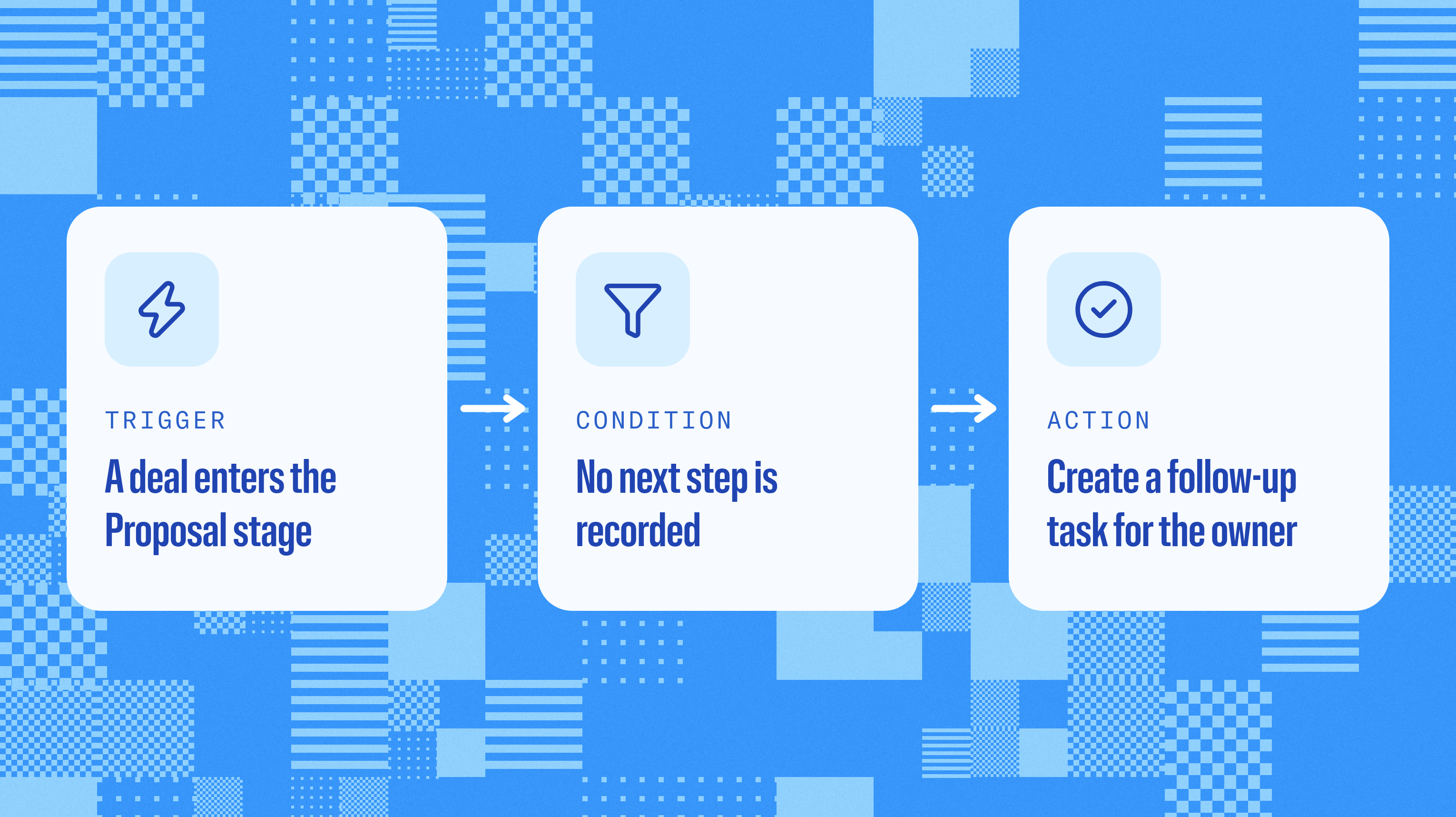
Sales automation uses software and AI to handle repeatable sales tasks, like routing leads, scheduling follow-ups, and updating customer records.
Most workflows start with a simple agreement: When this happens, check that, then do the next thing. In software terms, that’s a trigger, a condition, and an action.
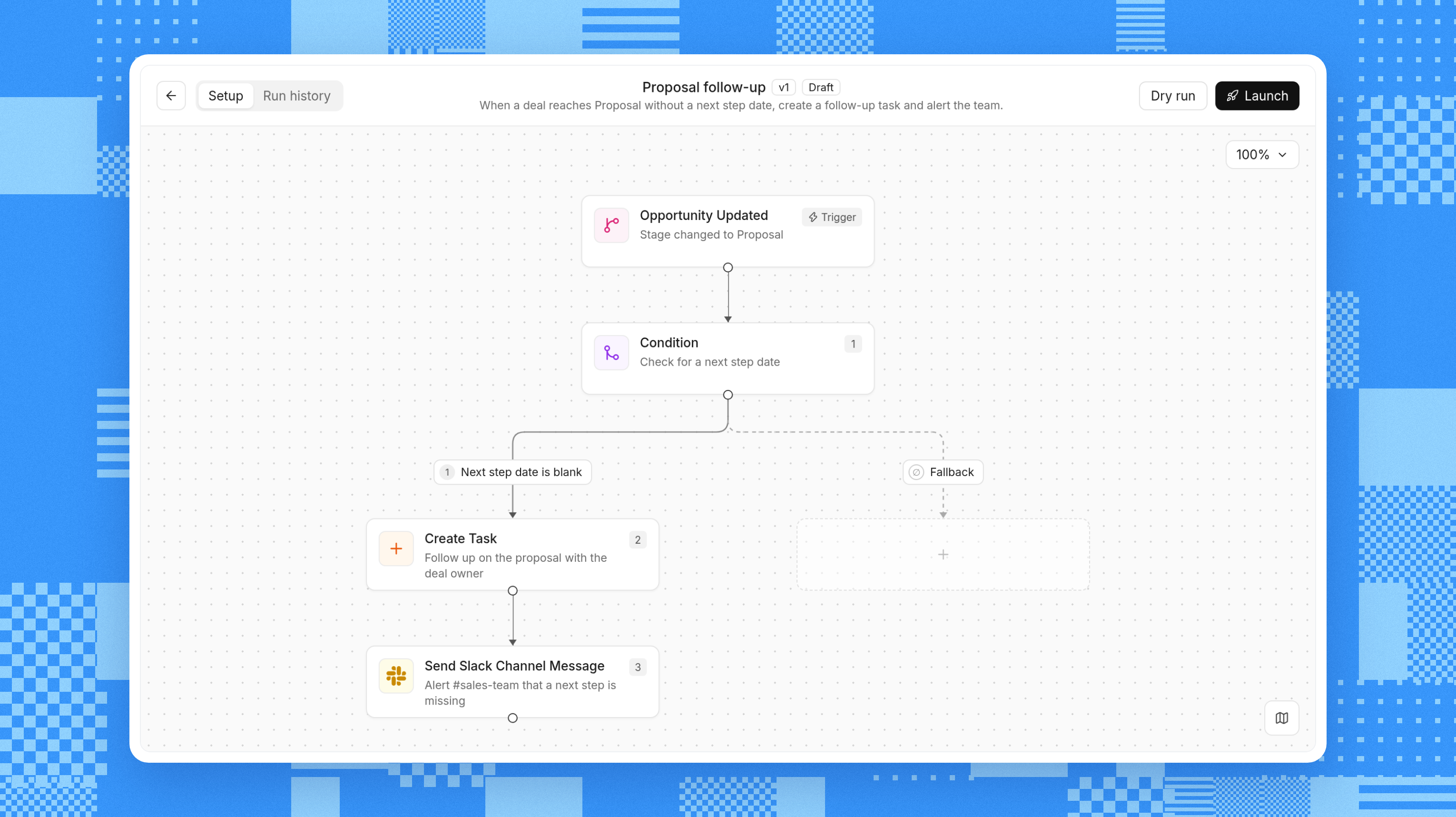
Say a deal enters the Proposal stage. You want the owner to follow up, but only if they haven’t already recorded a next step:
Workflow Part | Example |
|---|---|
Trigger | A deal enters the Proposal stage |
Condition | The deal doesn’t have a next step recorded |
Action | Create a follow-up task for the deal owner |
That middle check keeps the workflow useful. Skip it, and sales reps who already have a plan get another task anyway. Congratulations, you’ve automated nagging
Rules suit predictable work. AI can help with messier inputs, like summarizing a call or drafting a follow-up from what the buyer said. Those outputs need context and review, which we’ll get into later.
These workflows can sit alongside your CRM or within the same platform. What matters is whether the next step happens without someone having to remember it.
What Can You Automate in Sales? Examples by Stage
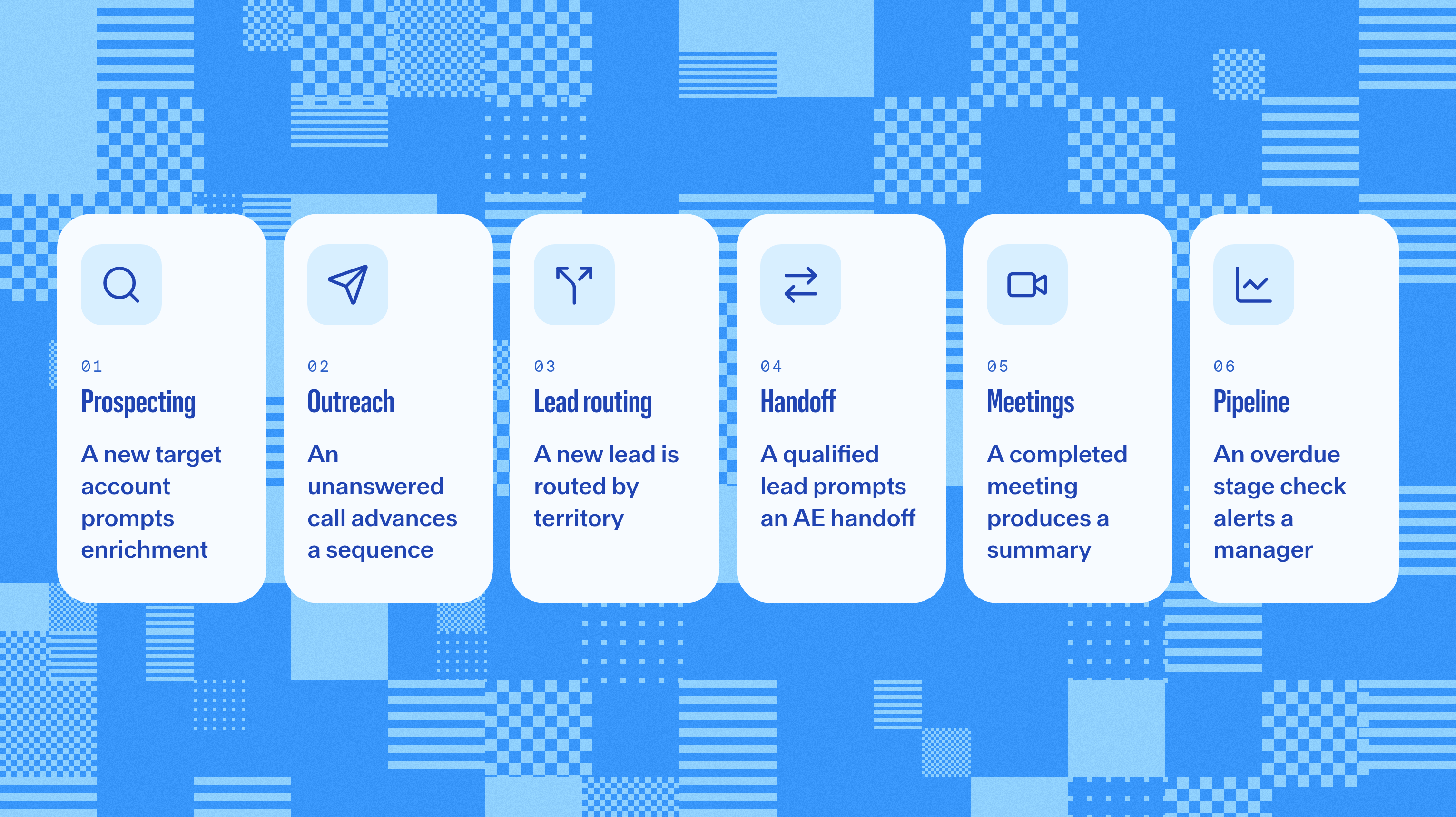
B2B sales automation helps bridge the gaps between headline moments: before the first call, after the demo, or as a lead moves between teams.
Follow a prospect through those gaps, and the use cases become easier to spot:
Stage | Task | Example Automation |
|---|---|---|
Prospecting | Fill missing details | A new target account prompts enrichment |
Outreach | Keep follow-ups moving | An unanswered call advances a sequence |
Lead Management | Assign an owner | A new lead is routed by territory |
Handoff | Carry context forward | A qualified lead prompts an AE handoff |
Meetings | Capture the conversation | A completed meeting produces a summary, action items, and follow-up email |
Pipeline | Surface stalled deals | An overdue stage check alerts a manager |
1. Prospecting and data enrichment
Before anyone writes a clever opening line, they need an account worth contacting. A new account can prompt enrichment of details, such as company size, to help check whether it fits the campaign.
The same goes for people. CRM data enrichment can add a business email or phone number so a sales rep can actually reach the contact. “Great prospect, no way to contact them” is a fairly limited sales strategy.
With those details available, you still have to make a judgment call: Is this the right person at a relevant account? A perfectly formatted phone number won’t fix a poor fit.
2. Outreach and follow-up
Once you’ve found the right prospect, sales sequences keep outreach moving without making “remember to follow up” your entire productivity system. They schedule steps such as an email, a call task, and a later message about the same business problem.
Those steps should change when the conversation does. In Reevo, by default, “No Answer” or “Left Voicemail” moves a contact to the next sequence step, and the dialer can create a follow-up task. “Interested” or “Meeting Scheduled” ends the sequence.
Teams can adjust those outcome rules for each sequence step. That keeps follow-up aligned with how they sell, with fewer awkward nudges after the buyer has already booked.
3. Lead scoring and routing
As leads come in, you’ve got two decisions to make: which ones deserve attention first, and who should take them? Lead scoring tackles the first, using agreed criteria such as account fit, engagement, and buying signals.
Routing handles ownership. A newly created contact can go to a rep based on territory or company size, or be distributed through round robin. That gets the lead out of the shared queue and onto someone’s actual to-do list.
Both depend on the information available. A blank country field needs a routing fallback. Scoring criteria need regular checks so a busy, poor-fit lead doesn’t outrank a likely buyer.
4. Marketing-to-sales and SDR-to-AE handoffs
Ownership gets more interesting when a lead changes teams. At an agreed qualification point, automation can assign the next owner, notify them, and carry the relevant context.
That handoff should explain why the lead is ready: the business problem, qualification notes, relevant activity, and any promised next step. “New lead assigned” is a notification. It leaves a lot to catch up on.
For SDR-to-AE handoffs, shared history helps the next call pick up where the last one ended. Buyers shouldn’t have to repeat their story because your teams changed seats. Agree on qualification and exception handling to make that continuity possible.
5. Meetings, call notes, and CRM updates
Then the meeting happens, and another round of admin threatens to eat the gap before your next call. Transcription and summarization can capture the discussion, then share a recap with the relevant team afterward.
CRM updates take a little care. Creating a contact from calendar activity is one thing; deciding that a buyer’s comment should change a deal field is another. The second requires reviewing what was said.
Reevo can create contacts and companies automatically from email and calendar activity. When field-update suggestions are enabled, reps review AI-suggested changes to existing records, getting help with the paperwork while staying in control of the record.
6. Pipeline hygiene, forecasting, and reporting
As conversations turn into deals, automation can catch the ones that stop moving. A recurring check might flag a deal after 14 days in one stage and alert its manager. Another workflow can update the account and contacts to Customer when it closes.
Stage gating helps earlier in the process by requiring qualification information before a deal advances. That gives “Proposal” a shared meaning across the team. It shouldn’t just mean the rep had a particularly encouraging Tuesday.
Consistent stages give forecasts better inputs. Pipeline management software surfaces the signals, while reps and managers judge what’s likely to close.
Benefits of Sales Automation
Together, these small changes cut a lot of admin work that eats into selling time. The benefits are less glamorous than a dashboard full of fireworks, but much more useful on a busy Tuesday:
- More customer time: With less preparation and cleanup around each call, sales reps have more room to listen, research, and follow through.
- Faster responses: A lead gets an owner without waiting for someone to notice it in the shared inbox.
- Cleaner records: Consistent rules help keep ownership and updates straight, as long as the source data is usable.
- Reliable follow-through: The next step lives in the workflow instead of in someone’s memory.
McKinsey reported 10 to 15% efficiency improvements among early sales automation adopters in its 2020 analysis. Your baseline will show whether a workflow is delivering value for your team.
How automation can shorten the sales cycle
A shorter sales cycle often starts with less waiting: A lead reaches its owner sooner, a follow-up happens, and the AE gets context before the handoff call. Each fix removes a delay your team controls
Qualification checks also bring awkward questions forward. A missing decision process can be flagged before the rep spends an afternoon building a proposal for a buying process nobody understands. In Reevo, when a required stage criterion isn’t met, you can see exactly which one is blocking the deal.
The buyer still has a budget, stakeholders, and their own calendar. You can’t automate those into cooperation. You can make sure your process isn’t adding another week of waiting.
How to Automate Your Sales Process
Start with a problem your team can describe without a slide deck. “Inbound leads sit without an owner” gives you something to fix. “Let’s automate everything” gives you a committee.
1. Map the process your team actually follows
Walk through a recent deal with the sales reps involved. Where did it come from? Who took over? What did they need, and where did it wait? Those answers beat the process diagram nobody’s opened since onboarding.
2. Find repetitive tasks and messy handoffs
That walkthrough usually reveals repeat offenders: assignments, reminders, or handoffs with a predictable next step. Pick one that happens often and causes trouble when missed. A routine reminder is an easier first experiment than a negotiation.
3. Fix the data and ownership rules
Before building anything, check the information that step depends on. Routing by company size won’t work reliably if half the records are missing it. Clear fields, matching identifiers, and an owner for exceptions give the workflow a fair shot.
4. Start with one workflow and test the awkward cases
Define what starts the workflow, what happens next, and when it stops. Test duplicates, blank fields, reassigned owners, and replies alongside ordinary records. Perfect test data is polite. Your actual CRM may be less accommodating.
5. Decide where people review the output
Some outputs need a human's judgment, including email drafts and proposed qualification changes. Routine automated actions need clear limits and exit rules. Everyone should know what runs on its own, what needs review, and how to pause it when something looks off.
6. Measure the result, train the team, and expand
Record a baseline and give the team a walkthrough: what happens automatically, what they still own, and where to report problems. Then check whether you’ve fixed the issue that started all this.
A few measures can help you see the difference:
- Speed-to-lead: Time from a lead arriving to the first response.
- Follow-up completion: Whether agreed next steps happen on time.
- Sales cycle length: Time from qualification to close.
- Activity logging: The share captured automatically and its accuracy.
- Rep adoption: Whether people use the workflow and trust its outputs.
Use the measures that match the problem. More emails sent won’t tell you much if replies are falling and your sales reps are quietly switching the workflow off.
AI Sales Automation: From Rules to Context
A stage change tells you less than the conversation behind it. Maybe the buyer liked the proposal but questioned implementation time. That detail changes the next step.
With that context, AI sales automation can summarize the concern or draft a relevant follow-up. Without it, you may get a beautifully written email that misses the entire point.
Qualification has the same problem. The buyer may have explained the decision process while the CRM field sits blank. Bringing that evidence forward helps reps capture what they know without repeating the conversation.
How Reevo connects context to the next step
Reevo brings calls, emails, and deals together. Ask Reevo links claims to sources, including meeting timestamps. “The buyer said this” comes with somewhere to check.
That evidence also appears with AI suggestions to update a record. Depending on your plan and enabled features, qualification details pulled from calls and emails can show up as suggestions with evidence attached. Reps accept or reject those suggestions, one at a time or in bulk, before they update the CRM.
Email drafting keeps the sales rep involved, too. Ask Reevo writes inside the composer, where you can edit the draft and send it. If a sentence doesn’t sound like you, it doesn’t have to leave as you.
Configured workflows follow a different path: most run without individual approval. They can start from record creation or updates, linked records, meeting events, incoming emails, form submissions, recurring schedules, or messages from tools such as Zapier or Clay.
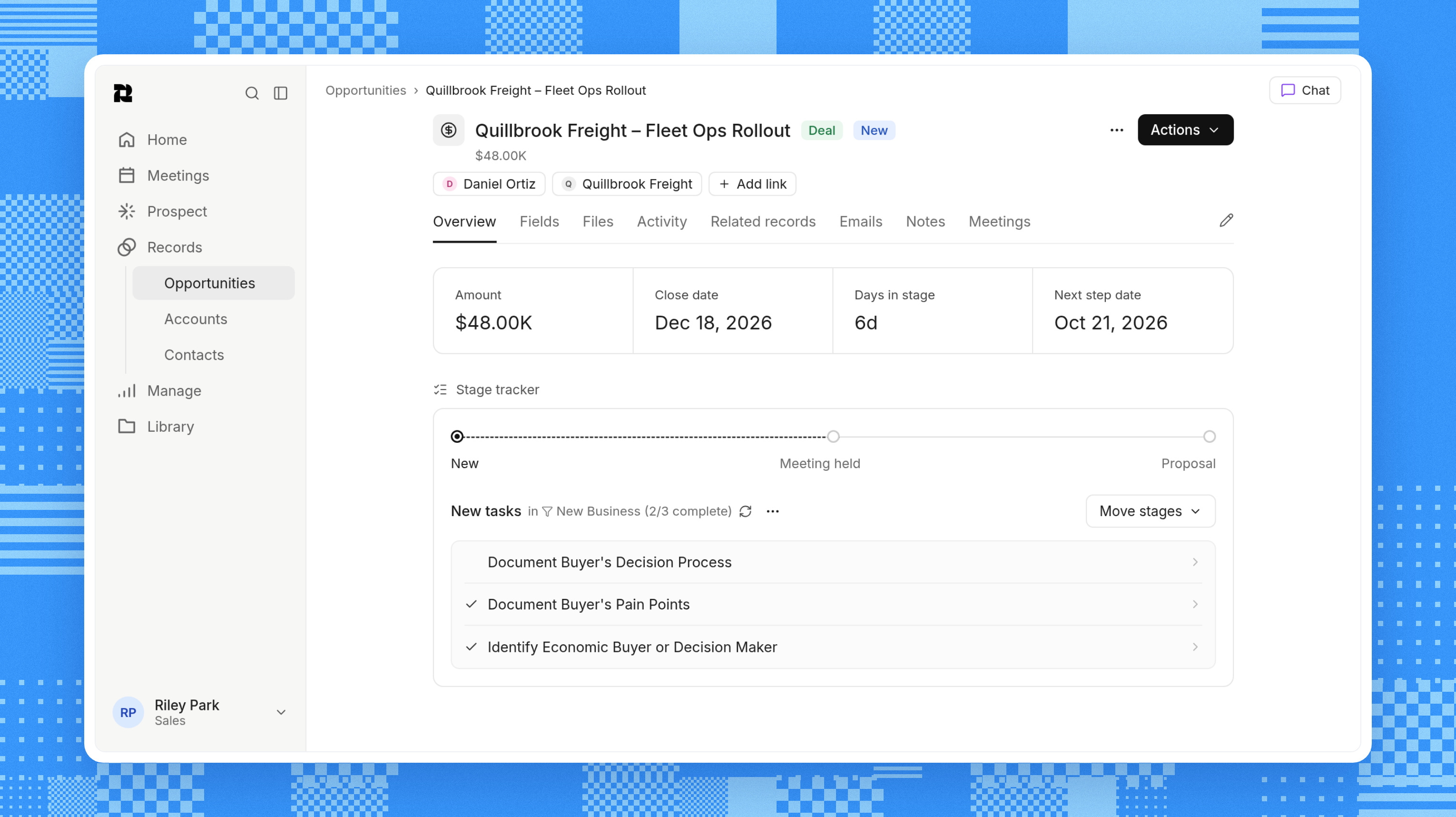
Reevo’s sales automation software can gate stages against captured MEDDPICC requirements. That connects progress to qualification, giving managers more than a stage change and a hopeful forecast.
MEDDPICC covers metrics, economic buyer, decision criteria, decision process, paper process, identified pain, champion, and competition. It helps check what you know about a deal. Pulling details from calls and emails makes that less of a typing exercise.
The boundary stays clear: AI suggestions are reviewed before changing your CRM, and drafts are yours to edit. Configured workflows follow their rules. Knowing what you’re setting up helps you decide where to focus your attention.
6 Common Sales Automation Mistakes
Automation follows instructions, including the ones you’ll wish you’d thought through. Check the surrounding process before turning a workflow loose.
These sales automation mistakes are where the extra work sneaks back in:
Mistake | What Goes Wrong | Better Approach |
|---|---|---|
Automating a broken process | The same confusion happens faster | Clarify the steps and handoff first |
Using unreliable data | Records are misrouted or missed | Fix required inputs and define fallbacks |
Over-automating outreach | Irrelevant messages keep arriving | Use relevant context and exit rules |
Disconnecting the context | Actions miss replies or deal changes | Connect the information needed for the decision |
Leaving review unclear | People assume someone else checked | Define what runs automatically and who reviews |
Skipping adoption | Sales reps work around the workflow | Teach it, gather feedback, and fix friction |
Missing context is a common culprit. If outreach keeps going after a buyer replies, the team looks like it wasn’t listening. If an alert relies on a field nobody updates, managers learn to ignore it. Neither problem gets better with more notifications.
The next useful question is often “Does this workflow know enough?” In Reevo, calls, emails, and records live together to help support decisions that fit what’s happened.
How to keep the human touch
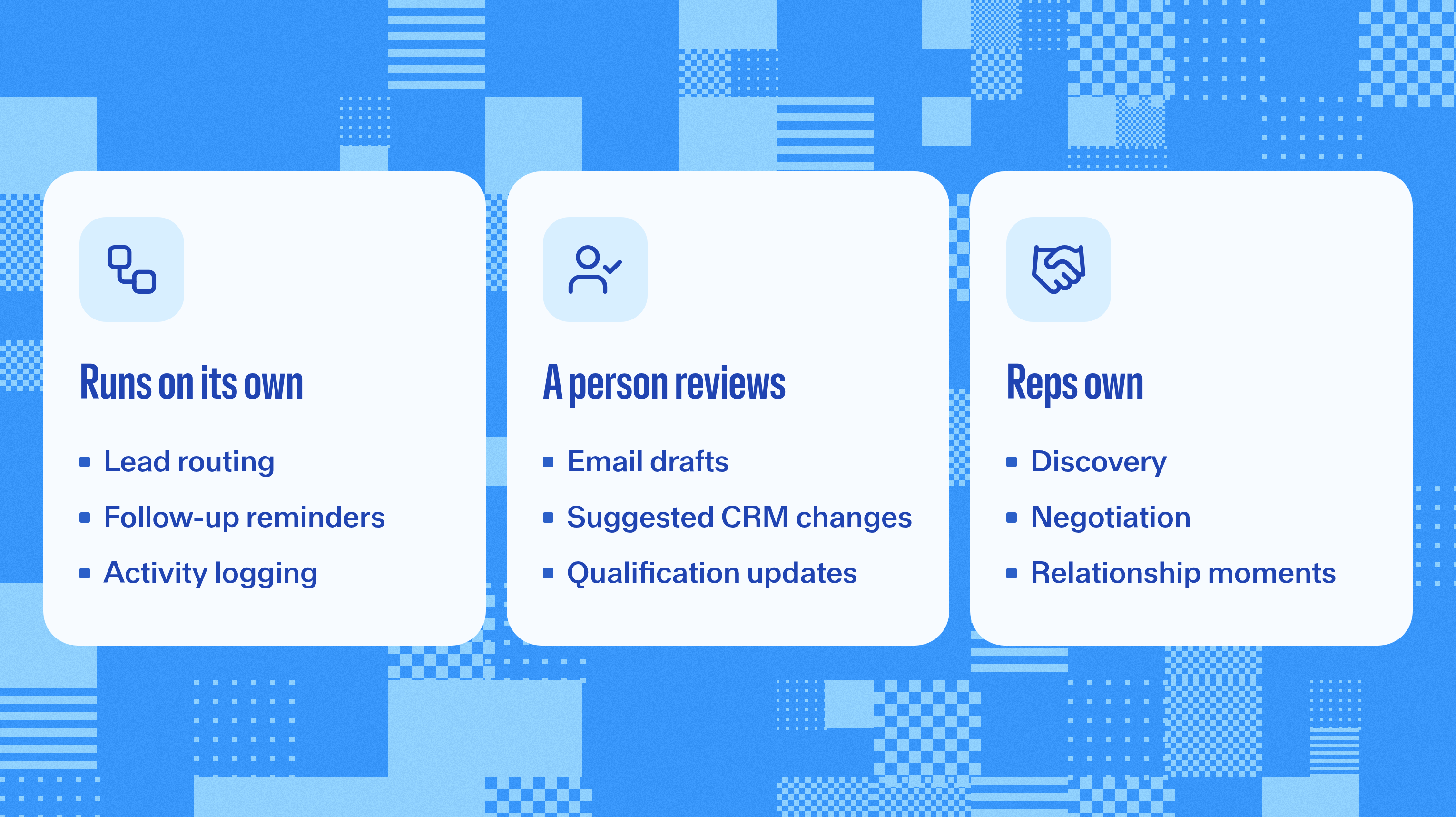
Once that groundwork is covered, let automation handle preparation, notes, and conversation reminders. Sales reps own discovery, negotiation, and the moments when a good follow-up question changes what they understand about the buyer.
Outreach needs that same attention. A draft should have a real reason for being sent, and a scheduled sequence should stop when the conversation moves on. Buyers can tell when your process is listening and when it’s just counting touches.
If you’re wondering whether AI will replace sales jobs, think about the last complicated deal your team worked through. Someone had to earn trust, interpret a hesitation, or ask the awkward question. A perfectly timed reminder creates space for that work.
Start With the Task Everyone’s Tired of Chasing
You probably already know where to start. There’s a lead waiting for an owner, a follow-up someone’s chasing, or a set of notes that hasn’t made it into the CRM.
Pick that task, agree on what should happen, and test the workflow with real records. When the team can trust the result, you’ve earned the next step. No grand automation manifesto required.
Want to see what that looks like with customer context behind it? Take Reevo’s product tour to explore workflow automation, AI assistance, and CRM in the same platform.
Sales Automation FAQs
A force multiplier for sales teams.
Get startedKey takeaways
- Sales automation uses software and AI to handle lead routing, follow-ups, and CRM updates.
- Start with one repetitive task, clean the data, and test the workflow before scaling it.
- AI sales automation needs customer context and clear review steps. Sales reps still own the conversation.
On this page
Get our newsletter, The GTM Source


