Sales teams are Going StacklessSee why
Log inGet started

Release Notes

CC Email Support

CC stakeholders and create better visibility on your deals.

Reps can now CC additional email addresses on outbound emails sent through Reevo, giving stakeholders better visibility on customer conversations.

What's new?

  • CC in sequence email steps: add CC recipients when configuring email steps in a sequence.
  • CC in manual task composer: when drafting emails from manual tasks, you can add additional CC’d recipients.
  • CC in email templates: save CC’d recipients directly on email templates, so they carry over automatically when the template is used in sequence steps.
  • CC reply guard: replies from CC’d recipients won’t affect reply stats or terminate the sequence — only replies from the TO recipient will.

Reporting Updates

Get the reports you need, when you need them.

  • Clickable Record Names: Name fields in reports are now clickable on their own to open the record in the side drawer, so reps no longer need to add a noisy ID column just to navigate to a record. Demo link.
  • Reorderable Drill-Through Columns: Columns in the drill-through modal, and that order persists across all chart segments in the same report. Demo link.
  • Improved Empty State: Table headers now appear even when a report returns no data, making it easy to tell apart a zero-result filter from a loading error. Before, it was hard to tell if a report wasn't loading because there was no underlying data (e..g no records met the filters) vs. if there was a loading error

Custom Field Variables in Email Templates

Insert custom fields using personalized variables and email templates.

Sequence authors can now insert CRM custom fields like ICP Tier or Industry as personalization variables in email templates, and they resolve automatically at send time just like standard variables.

  • Custom fields in the variable picker: Click { } in the email editor → custom fields appear under Contact and Account groups alongside standard fields.
  • Drill-down picker redesign: Variable picker now shows category groups with counts → click to drill in → scoped search within each group.
  • Chip click picker: Click any variable chip in the editor to swap it for a different variable using the same grouped picker.
  • CSV import overwrite warning: Importing a CSV that overwrites custom fields used in active sequences shows affected sequences and requires confirmation.
  • Contact/account edit warning: Editing a custom field on a contact or account in an active sequence shows a warning before saving.
  • Field deletion warning: Deleting a custom field that’s used in email templates shows which templates are affected.
  • Admin settings page: Settings → Engagement → Custom field variables — shows available fields by object type with copy-to-clipboard variable syntax.

Google OAuth Mailbox Import

Sales reps can now connect their Gmail account via one-click Google sign-in instead of app passwords or SMTP setup.

You can now connect your Gmail account to Reevo for sequence and outbound using Google's standard "Sign in with Google" flow — no more app passwords or SMTP/IMAP setup.

How it works:

  • One-click Gmail connection - connect your mailbox through Google sign-in.
  • More reliable sending, sequences and outbound emails now send through the Gmail API directly, meaning fewer deliverability issues and smarter retry handling.
  • Better sync & threading - replies and follow-ups stay properly threaded.
  • No workflow changes needed - your existing sequences and outbound flows work exactly the same, just routed through the improved path automatically.

Sequencing revisited

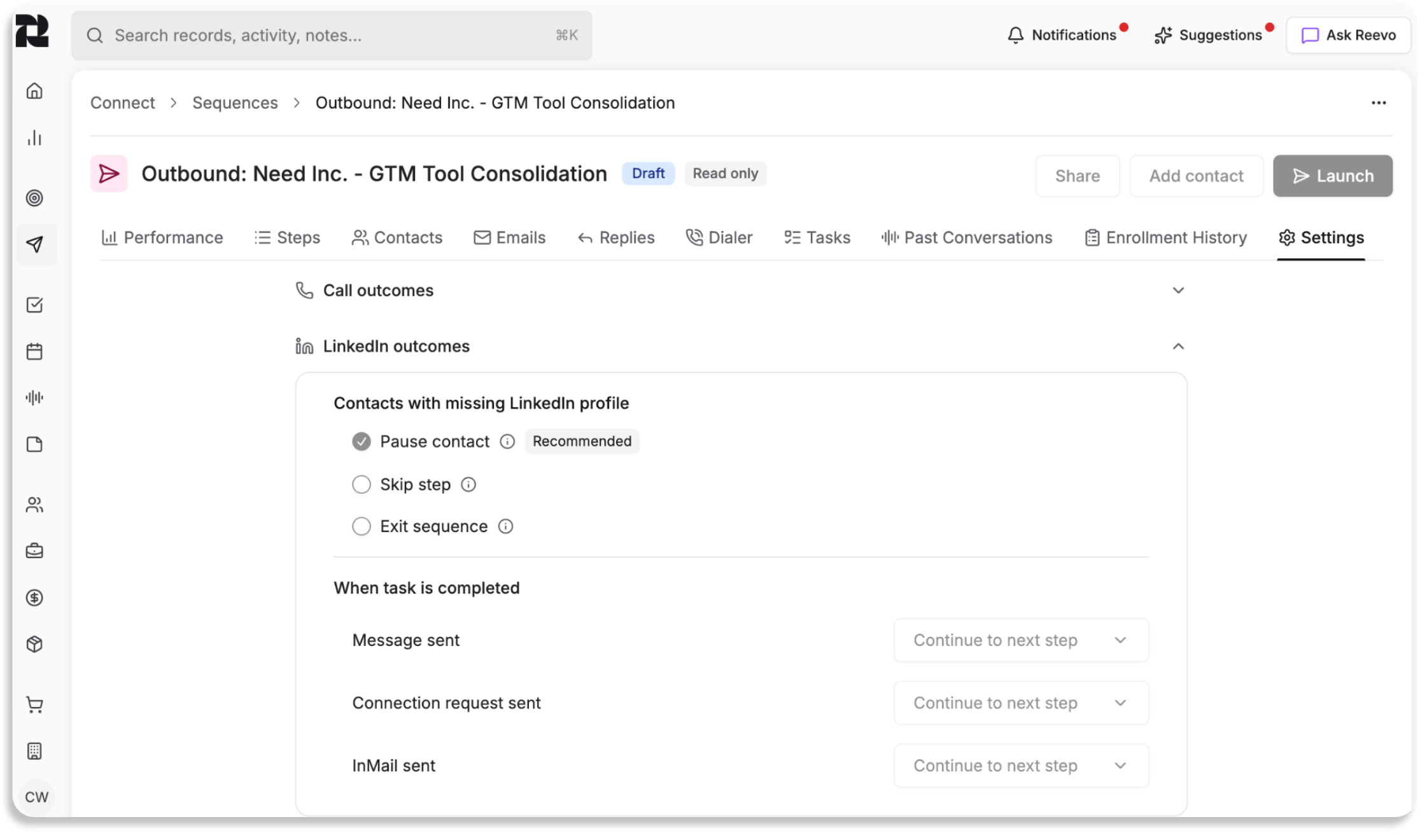
Configure what happens when a contact is missing required fields (email, phone, LinkedIn)

In Sequencing, choose Pause, Skip, or Exit per step type if a contact is missing. This includes a "Need attention" filter in the Contacts tab, clearer status badges, and a redesigned Settings tab.

Try it out

  • Open a Sequence → Settings tab → expand Email/Call/LinkedIn outcomes to see fallback configuration.
  • Enroll a contact missing an email → verify they show as Paused with “Missing email” in the Contacts tab.
  • Click “Need attention” filter → verify only Paused contacts appear.
  • Change a setting and switch tabs → verify the unsaved changes dialog appears.

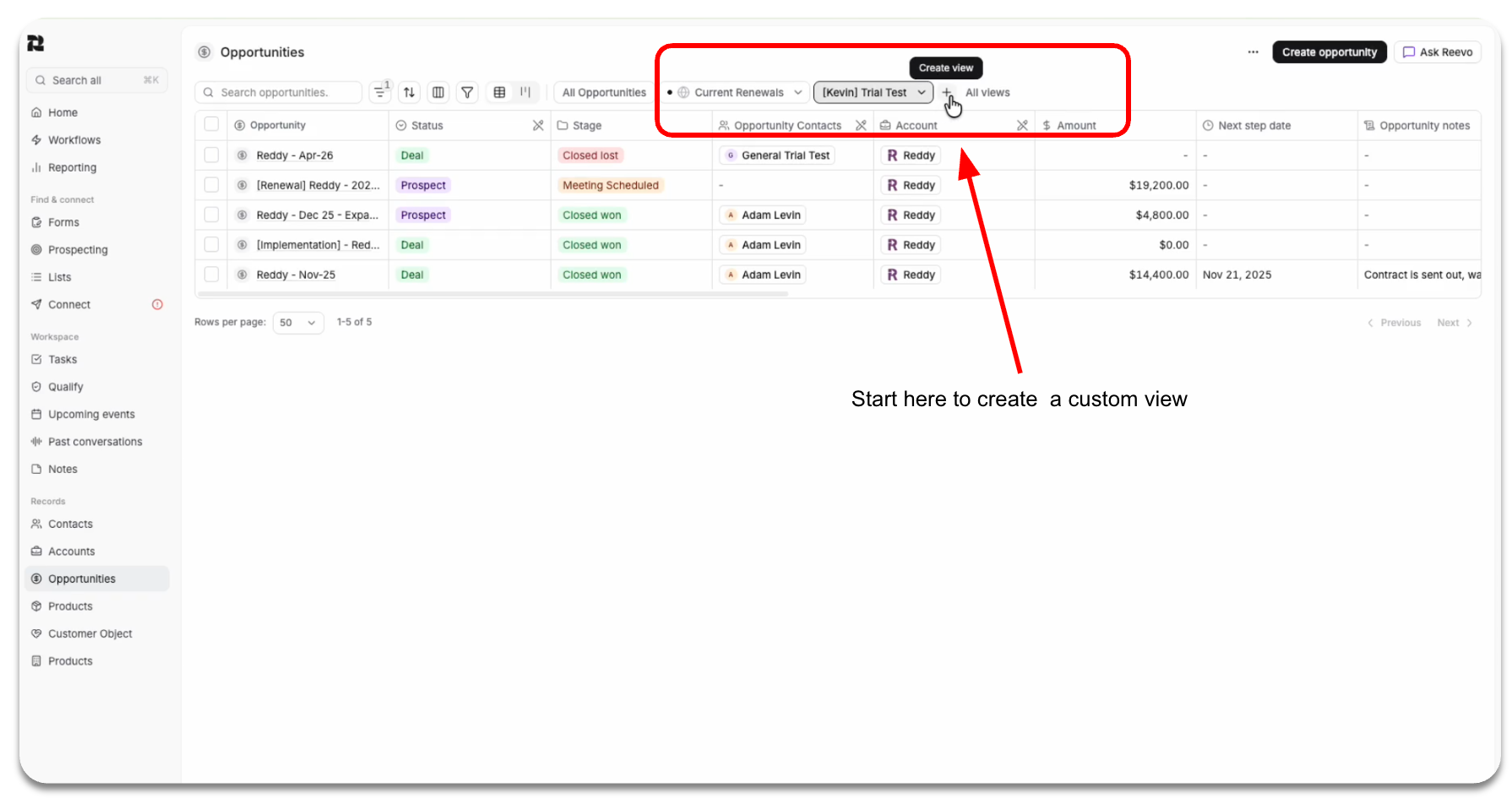
Reminder Sequences can be accessed via this tab under Connect in Reevo.

Example of how the UI functions in an Opportunity in the Settings tab under Connect.

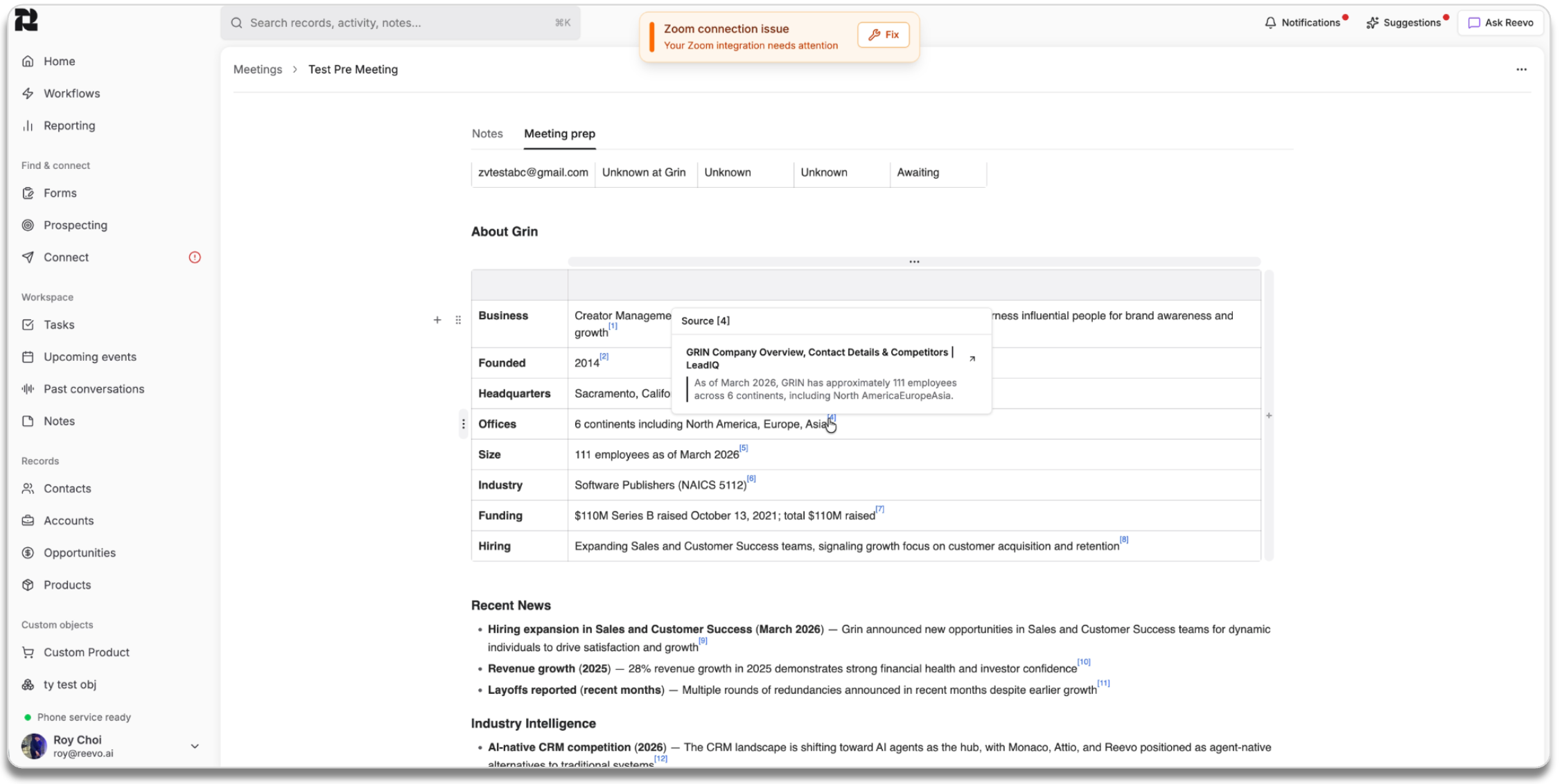
Expanded Citation Sources

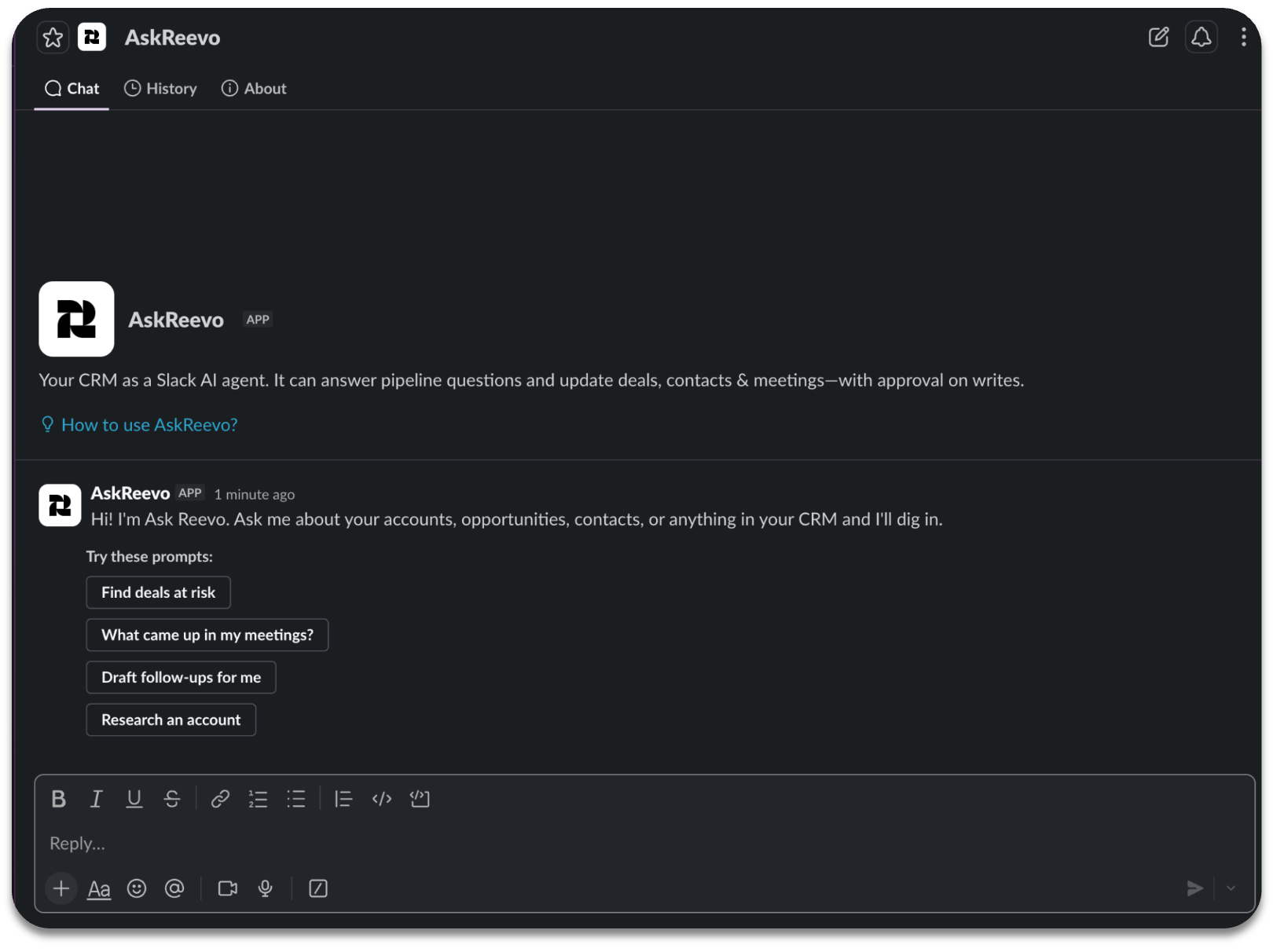
Ask Reevo can now cite multiple data sources.

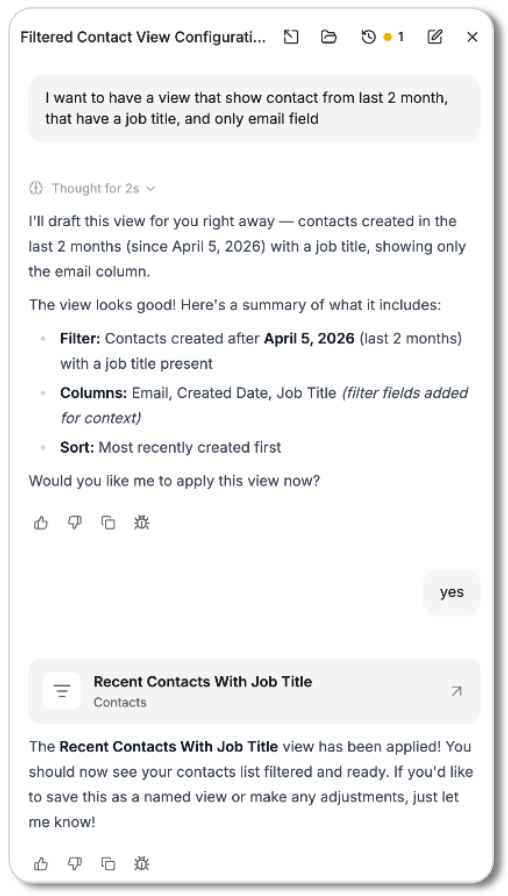
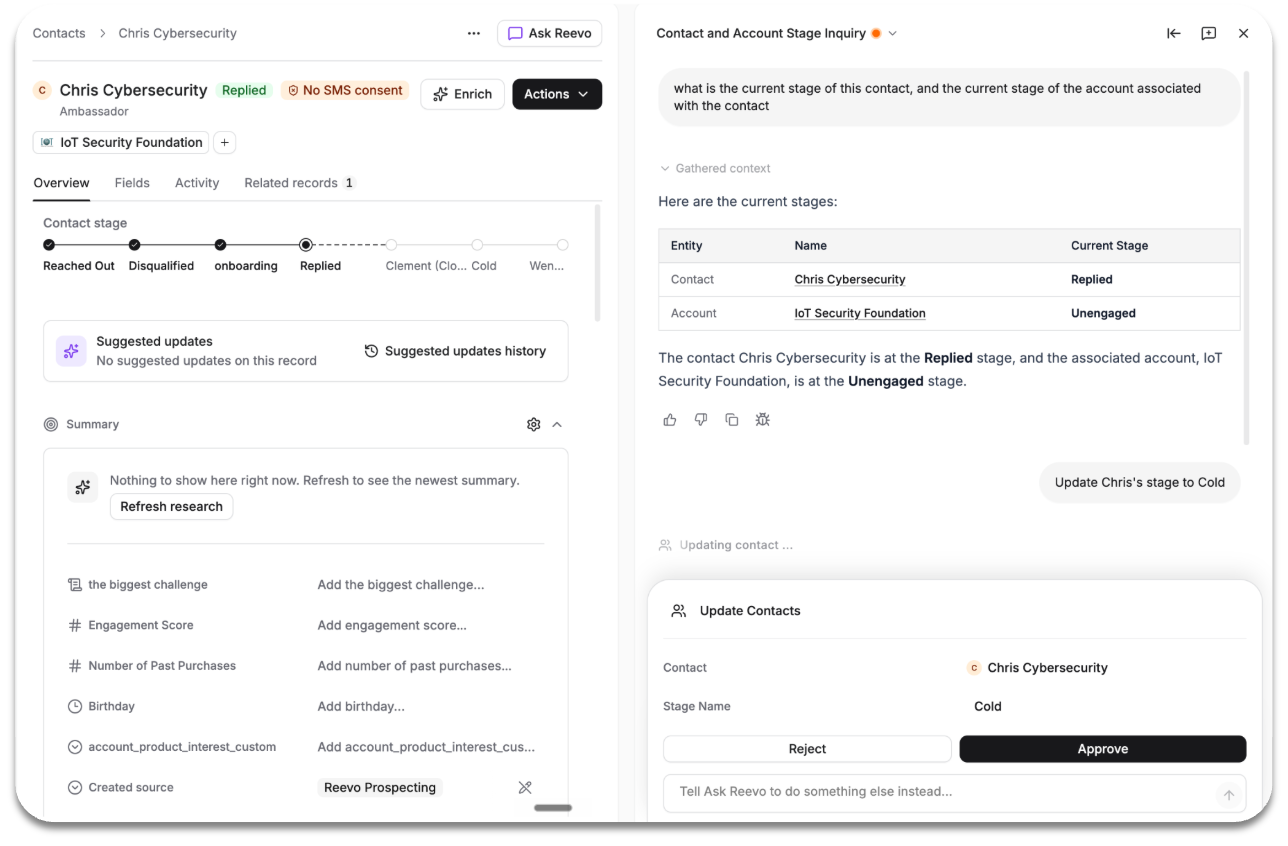
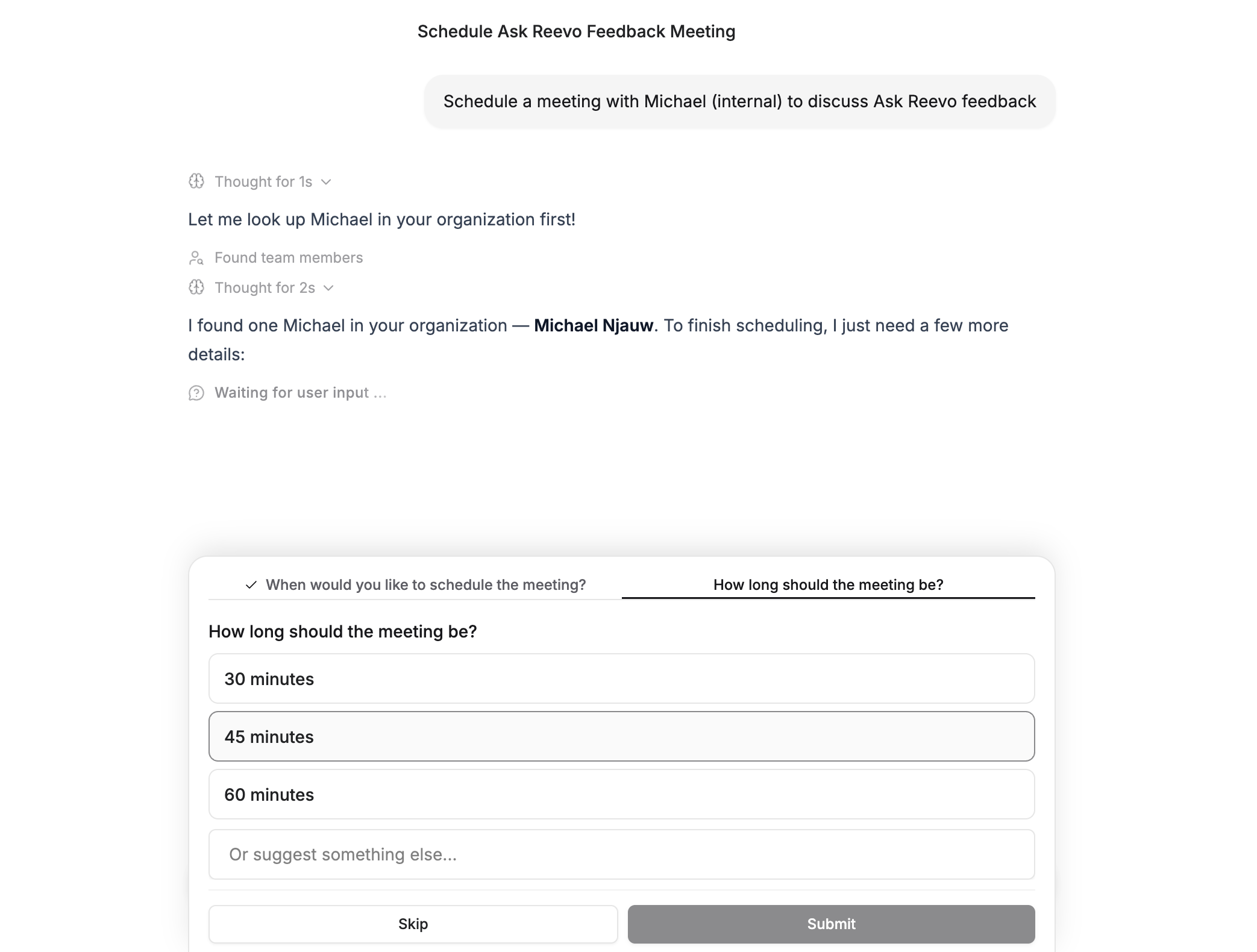
Ask Reevo is now smarter and can now ask users questions.

What does this mean:

  1. Ask Reevo can answer questions on intent, creating a sequence, or an opportunity.
  2. Clarify duplicate contacts in the CRM (i.e. user Michael vs. a contact Michael)
Get the details you need and book with confidence.

Expanded Citation Sources

Ask Reevo can now cite two new data sources in addition to transcript lines

Expanded Citation Sources has been released.
Ask Reevo can now cite two new data sources in addition to transcript lines:
• Email messages (new)
• Web pages (new) - specifically product help documentation

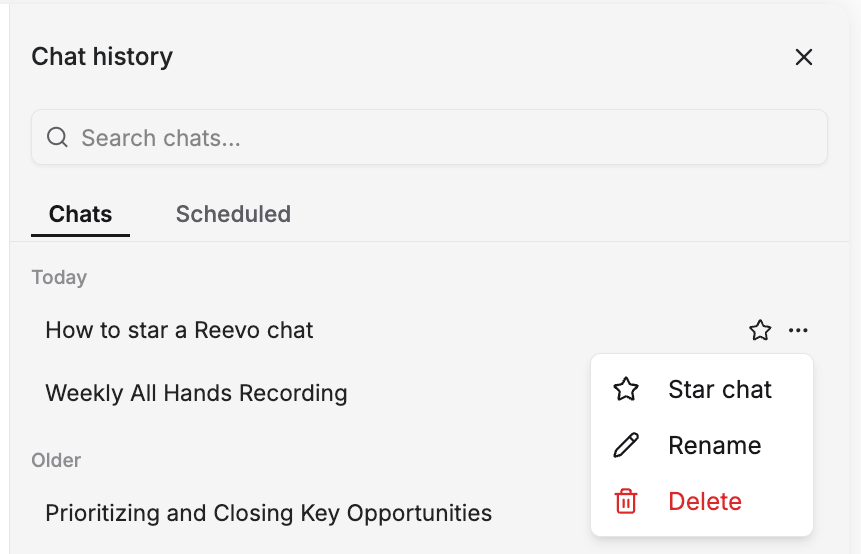
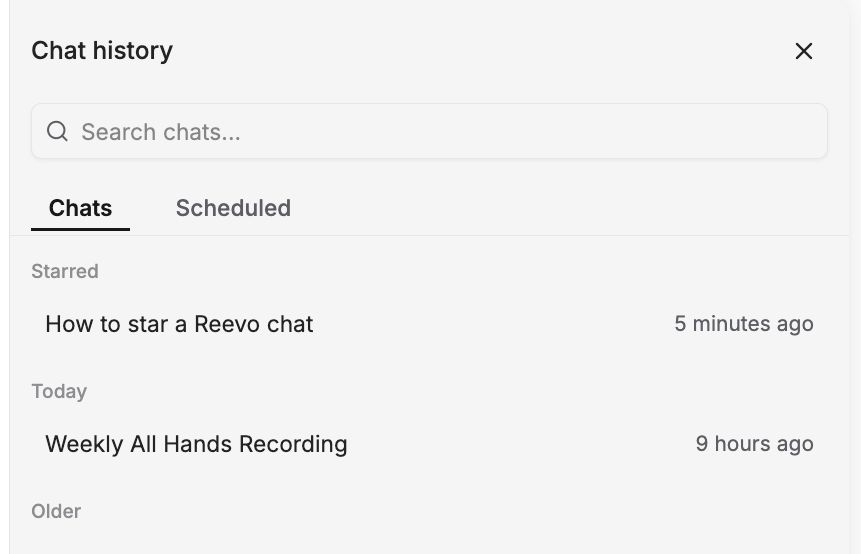
Search Chat Messages

Search across previous chat messages directly within Reevo

Search chat history within Ask Reevo easily to pull records, conversations, or reports you have previously generated. Use this to avoid repeat work, prompting, and save time for accessing historical conversations.

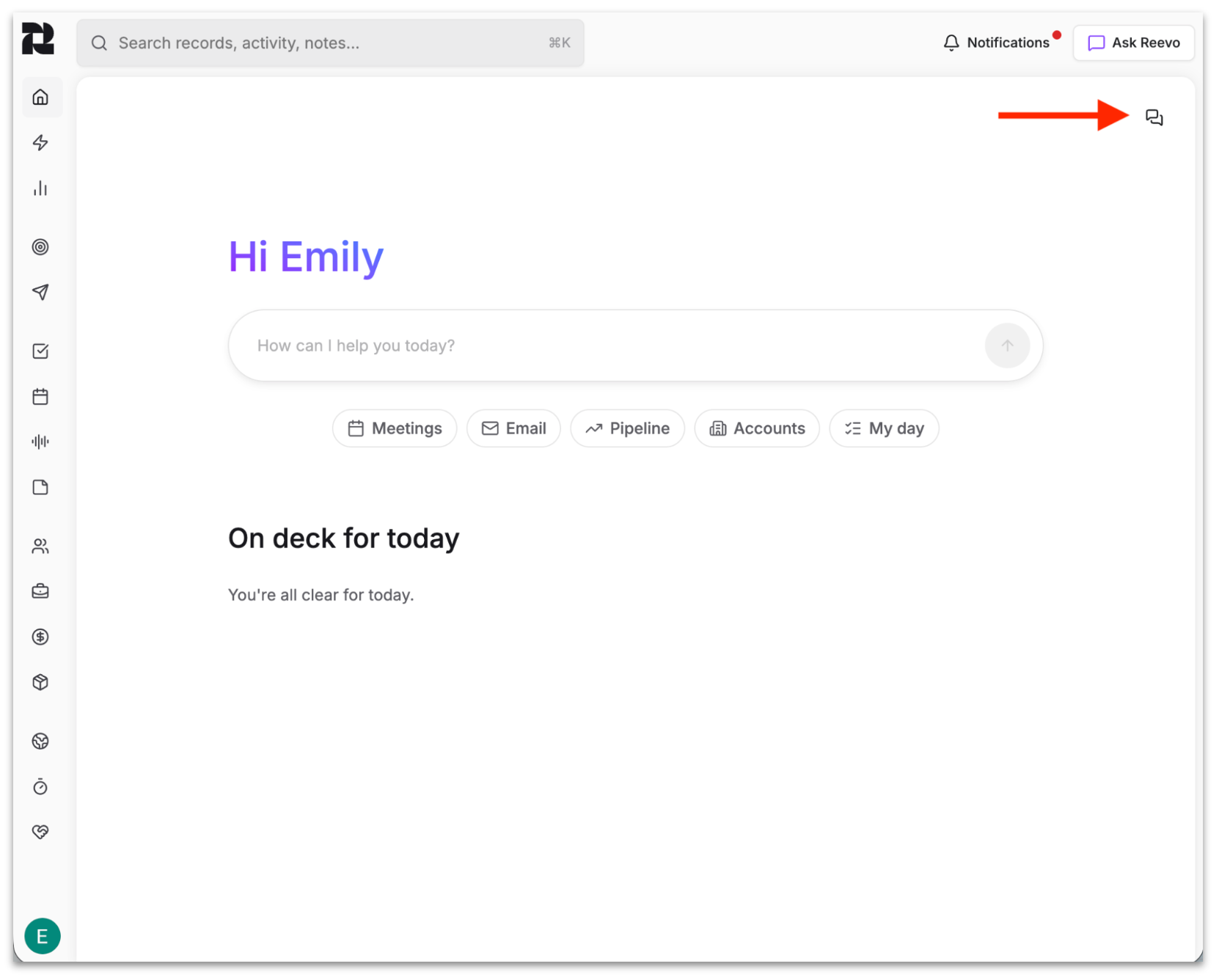
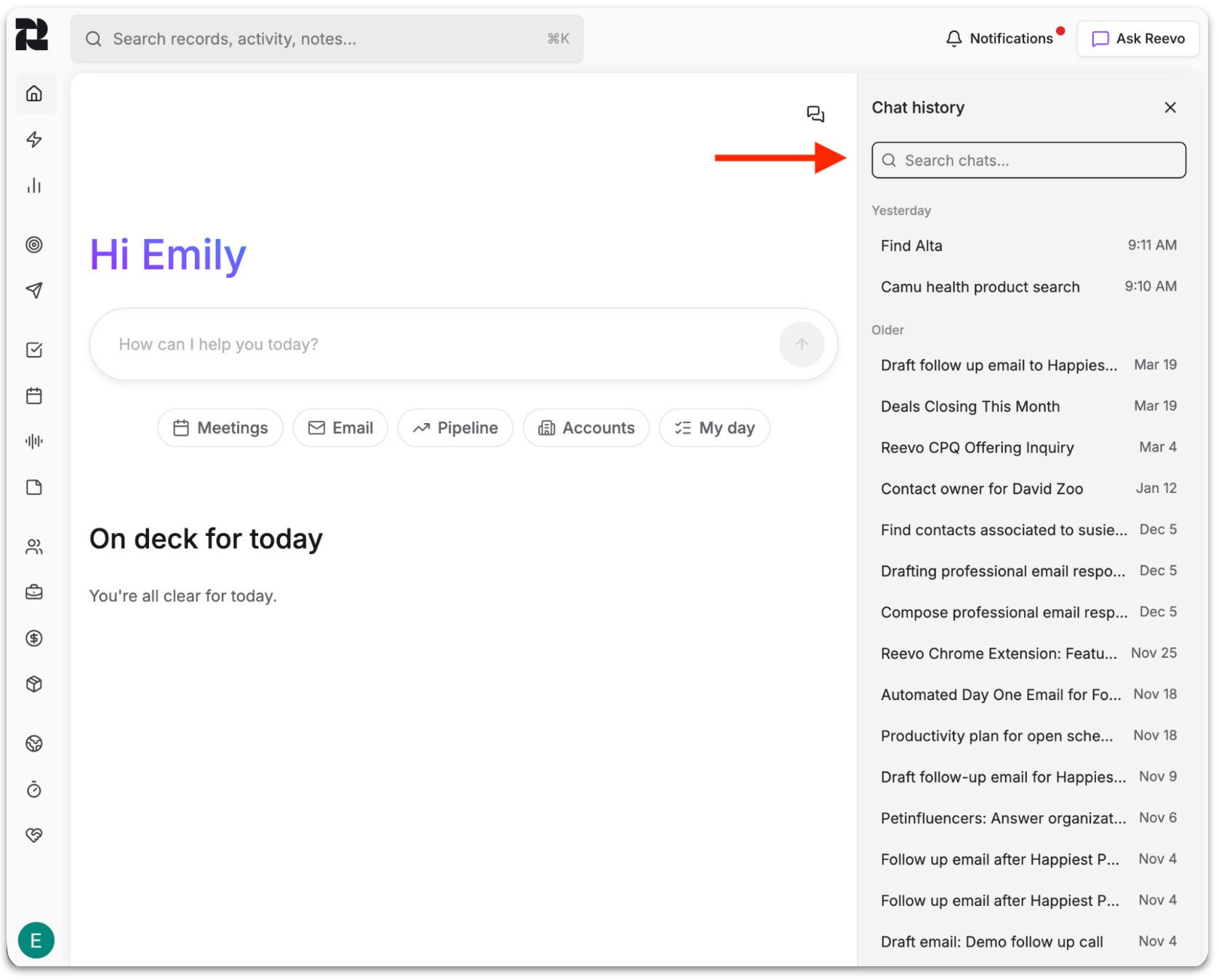
See below for how to access this new functionality.

Access the search function via this icon in Ask Reevo.
Execute queries via this search bar, results are displayed below, which you can click into.

Last Activity Fields

Access new inbound/outbound last-touch fields (email, call, meeting) on contacts, accounts, and opportunities

New fields expand capabilities to track engagement that include:

Engagement fields

  • Last engaged meeting: Last time contact set a meeting or contact attended a user invited meeting.
  • Last inbound call: Last time a contact called a user and the user picked up.
  • Last inbound email: Last time a contact sent an email to a user.

Outreach fields

  • Last outreach at: The most recent timestamp across the three outreach fields below.
    • Last attempted meeting: Last time a user set a meeting with a contact.
    • Last outbound call: Last time a user called a contact and the call went through — includes voicemails, but not unanswered or failed attempts.
    • Last outbound email: Last time a user sent an email to a contact that was successfully delivered

Have question? Learn more here.

Bulk Sequence Enrollment and filtering

Capitalize on pre-built sequences faster with fewer clicks

We just released the ability to do Sequence Enrollment and Sequence filtering from the Contacts view. Simply access this from the "Add Filter" drop down in the top left of this view.

This will allow you to filter contacts by Sequence enrollment (e.g., "enrolled in the last 7 days" or in a specific sequence you have programmed) and take bulk actions directly from the Contacts view.

Execute new queries and get new views to move pipeline faster with bulk actions and automations.

Global Search in Reevo

Get answers faster with Global Search.

Global Search lets you find records or information across Reevo from a single search bar.

Search across contacts, accounts, meetings, notes, opportunities, and custom objects from one place. Instead of navigating to each section individually, you can now search once and get the results you need from across all relevant parts of Reevo.

This applies to existing accounts and opportunities within your system.

It gets better! Ask Reevo now has the same capability to search across all these elements at once.

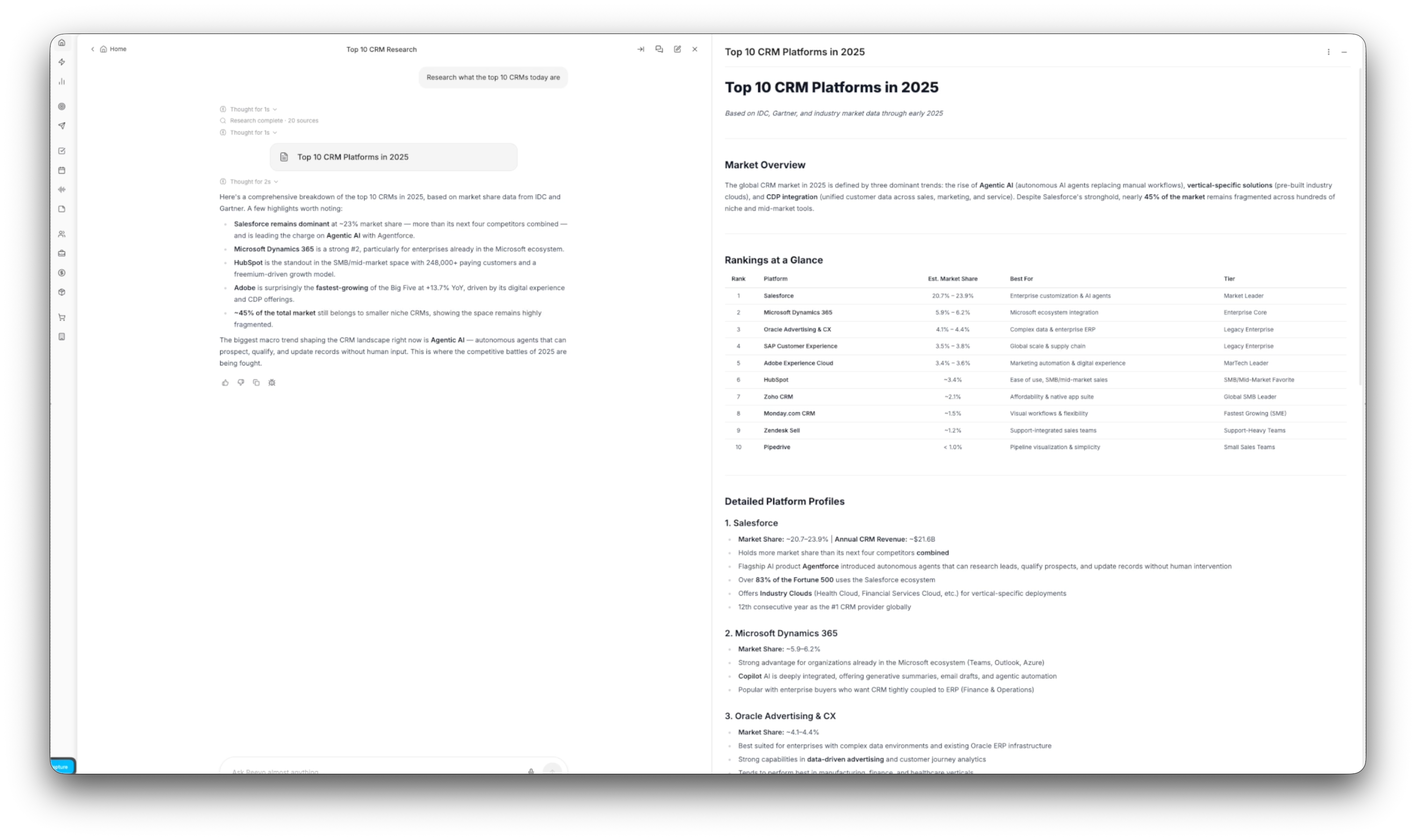
Canvas for all your exporting needs

Ask Reevo just got even better with new functionality

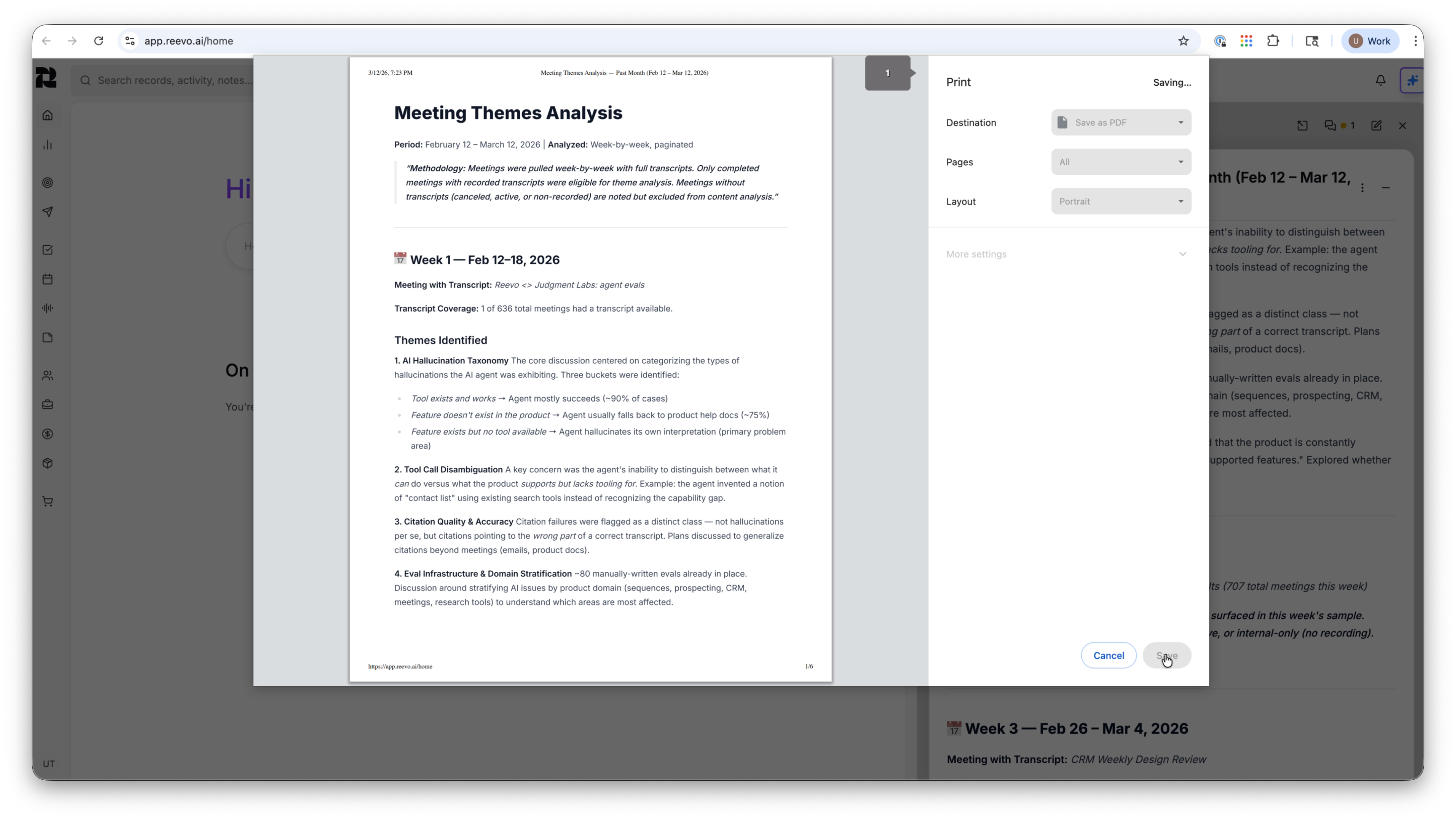
With Canvas. Ask Reevo responses can now open in a dedicated document—style panel. Easily export to PDF, share with anyone, or save as a note.

When you ask Ask Reevo to create, write, or draft structured content, the response is displayed in a dedicated side panel—the Canvas—rather than inline in the chat. This makes the content easier to read, reference, and use.

Once you have a Canvas, you can do the following:

  • Export to PDF with ease
  • Share PDFs with others
  • Save the content directly (as a note)
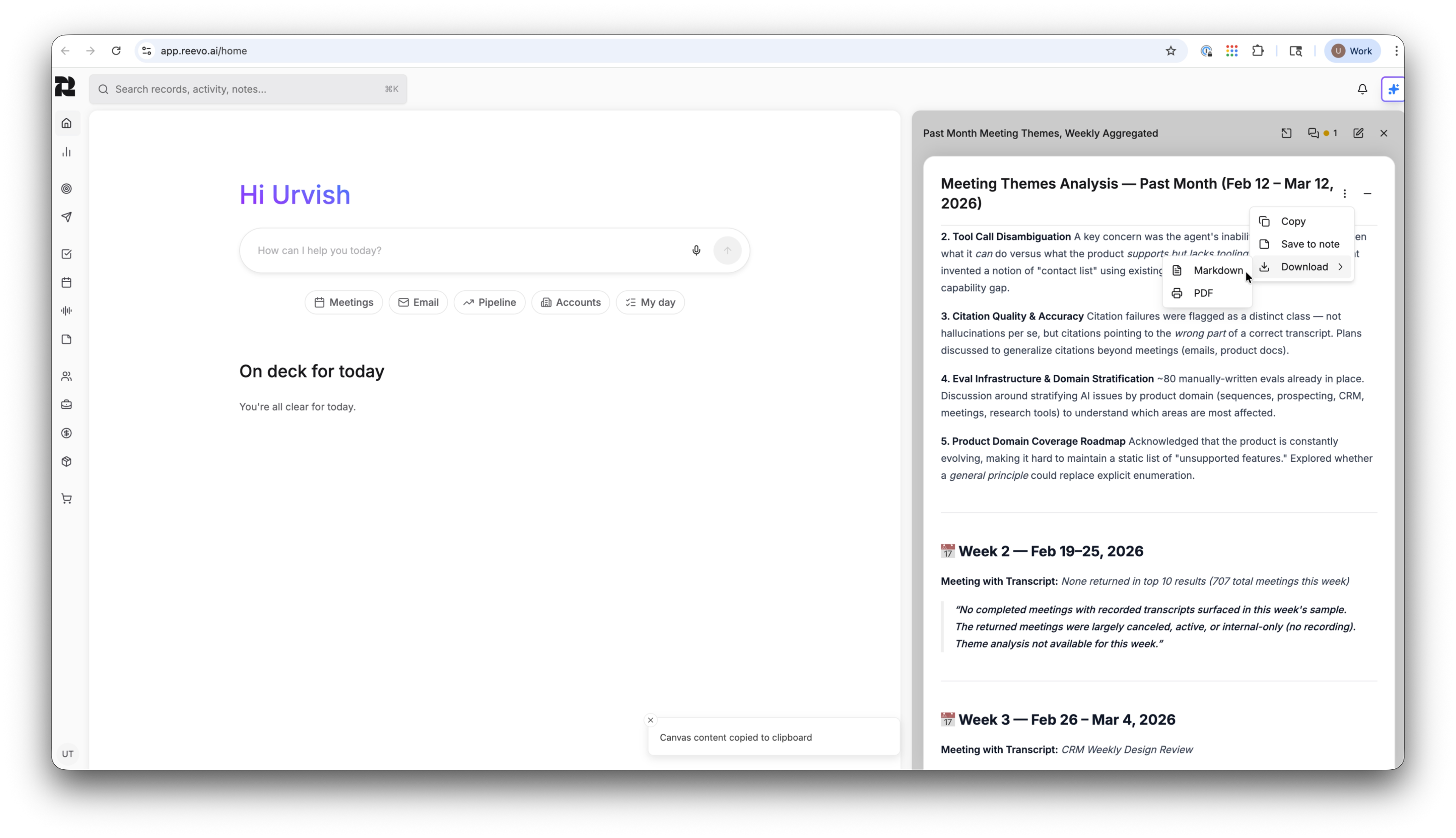
See how a Canvas generated by Ask Reevo can be exported or shared.
Canvas assets from Ask Reevo export in PDFs in this format.

Forecasting is here

Greater visibility, greater understanding of pipeline

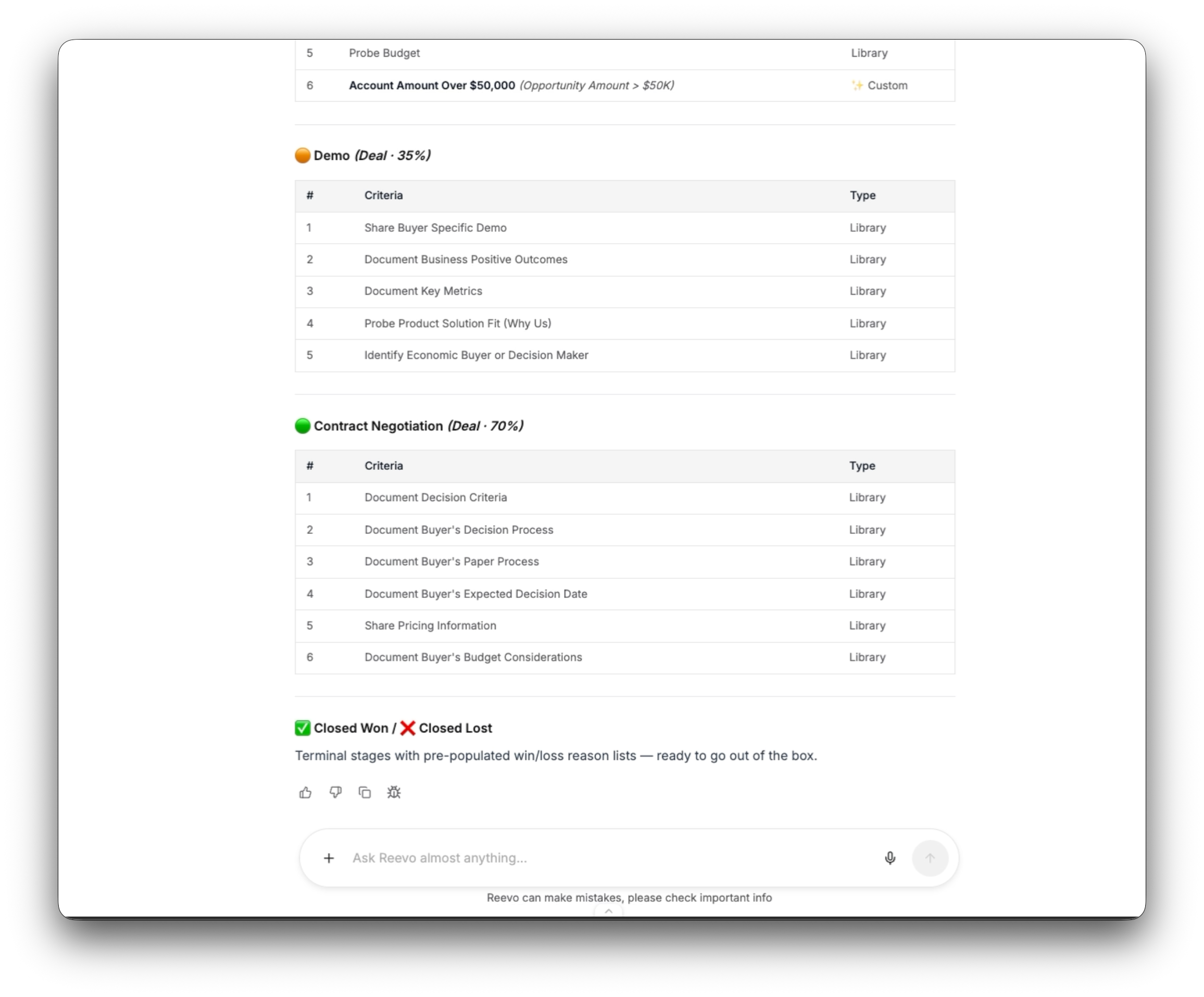
In the stages of each pipeline, you can now configure:

  • Closing probability—percentage a 0-100 scale
  • Stage forecast category—select probability given the stage

Opportunities now have fields that include:

  • Forecast category—a field for sales reps to build a bottoms-up view for categorizing each deal.
  • Forecast leadership category—an optional field if sales leaders/managers want to capture a separate forecast category on each deal
  • Forecast system category (same as stage default forecast category)—shows the stage-based forecast category you have configured
  • Weighted Amount—applying the stage probability to the Opportunity's current amount to calculate a stage-weighted amount

This allows you to compare multiple views of your forecast (by representative category, leadership category, or system category). Reevo now allows you to compare Amount vs Weighted Amount for deals.

All this paints a more holistic picture of your business and pipeline.

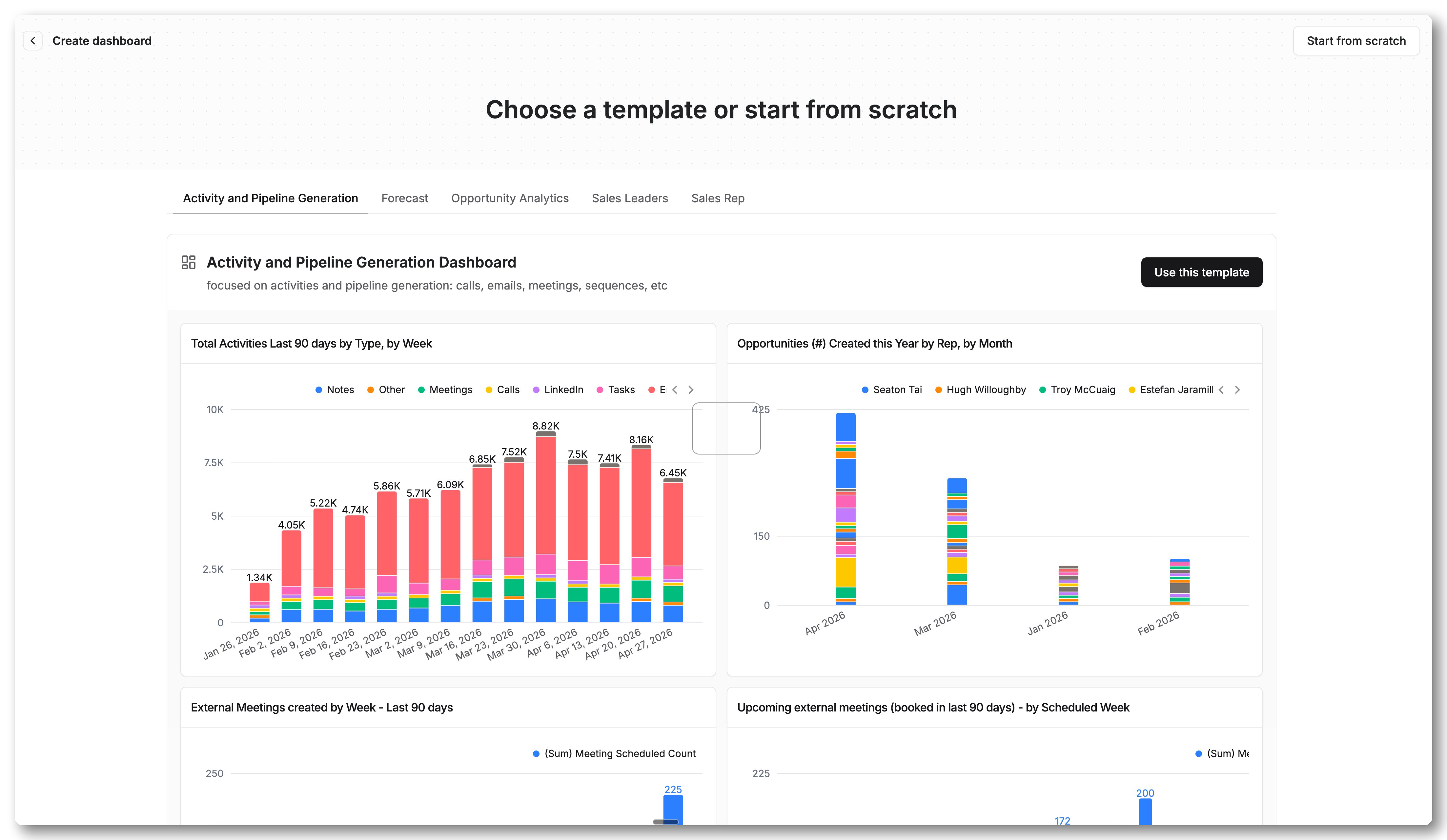
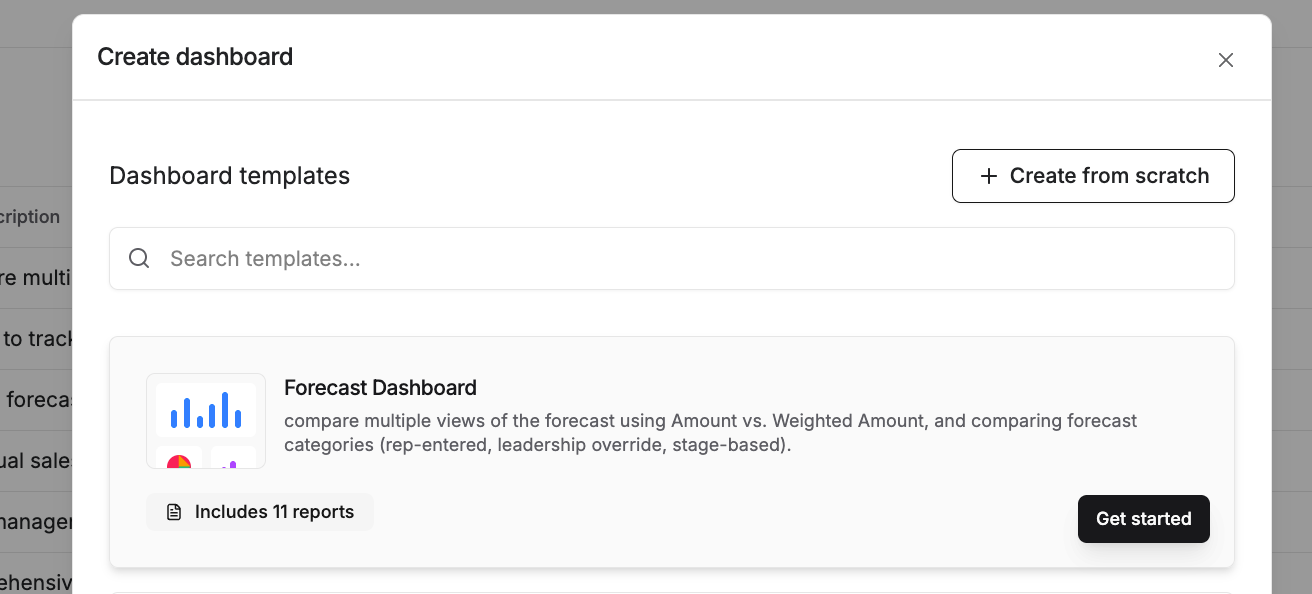
To get started fast, we built a Forecasting Template dashboard so you can see how all these new fields and forecasting come together. Learn more about creating and using dashboards here.


Workflow Editing

Make workflows your own with new customization capabilities.

Here are the new possibilities to make workflows fit your needs:

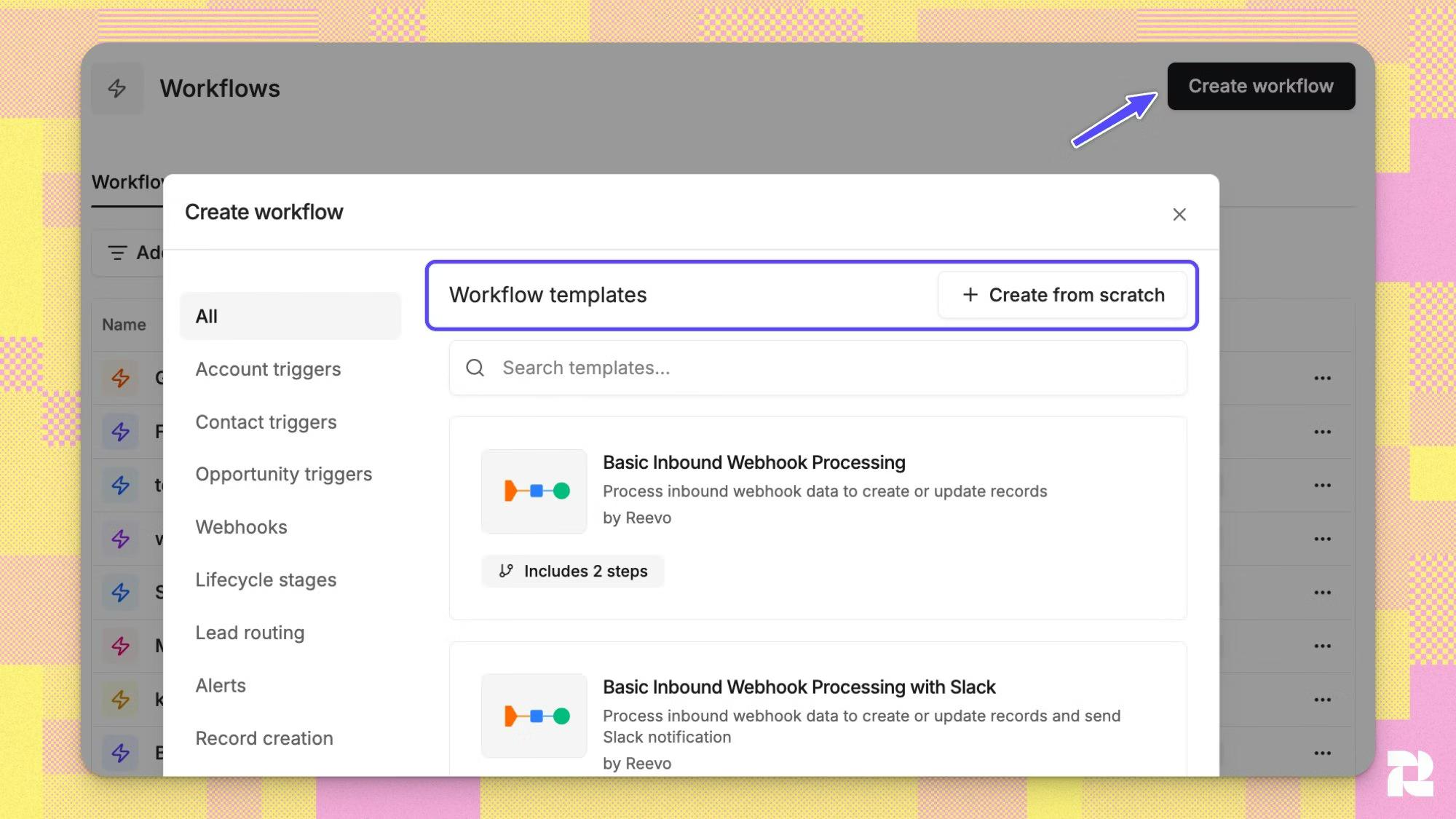
  • Build or edit workflows from scratch - change nodes, drag and drop nodes, delete nodes, and swap nodes
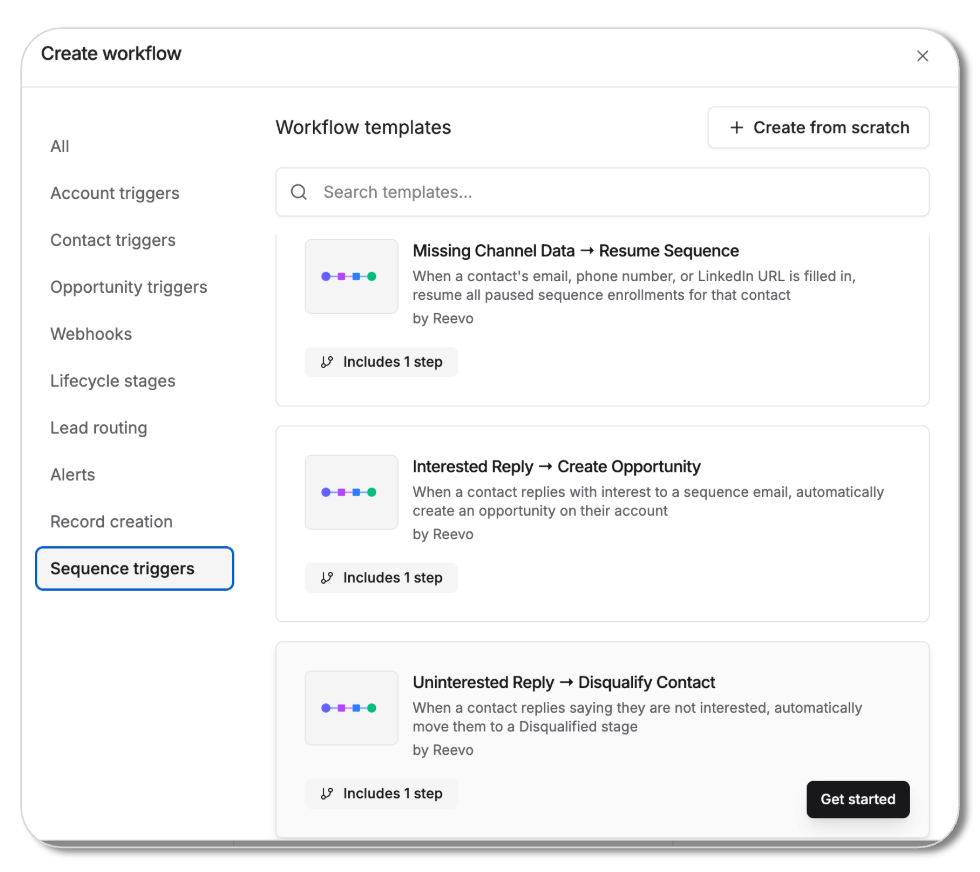
  • Explore our new nodes, including search, delay, and expanded triggers.
  • Use the new condition node to define multiple conditions and complex logic within your workflows.

Reevo has new templates for lead routing, closed won alerts, and more.
Together, all of this will help you manage your opportunities and customer interactions the way you prefer.

Together, all of this helps manage opportunities and customer interactions the way you prefer.

Learn more here to get started editing workflows.

New in Sequences: Mailbox Assignment & Bulk Tasks

Email sequencing and bulk editting made easy

You can now choose exactly how emails are sent when enrolling contacts into a sequence.

Two sending methods:
Use CRM owners — emails send from each contact's owner's mailbox automatically
Use specific mailboxes — hand-pick which mailboxes to send from, distributed evenly

Operate in a new way with the ability to:
• Multi-select tasks in bulk
• Apply call tasks
• Mark tasks as complete or re-open them.

Learn more or try it yourself!

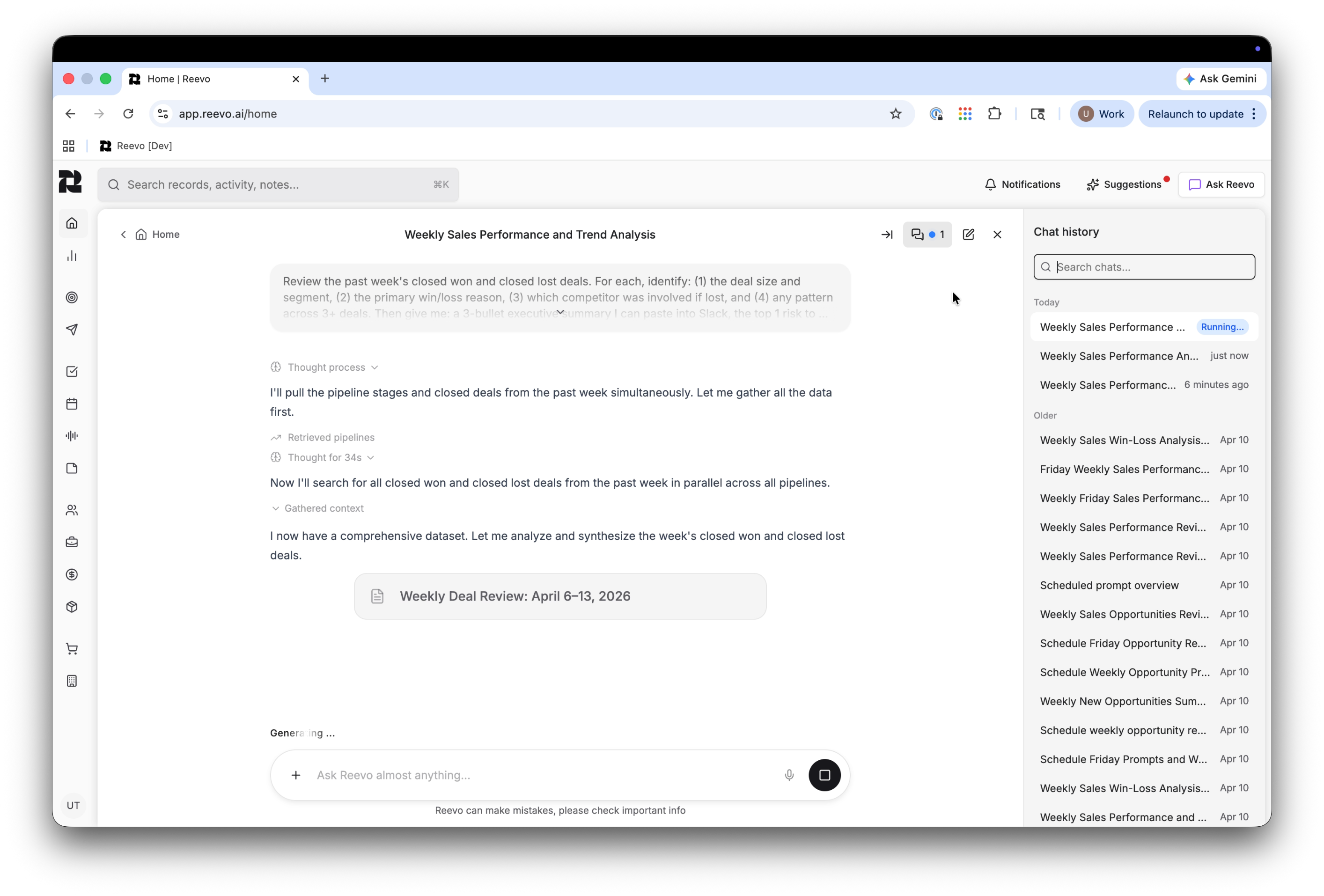
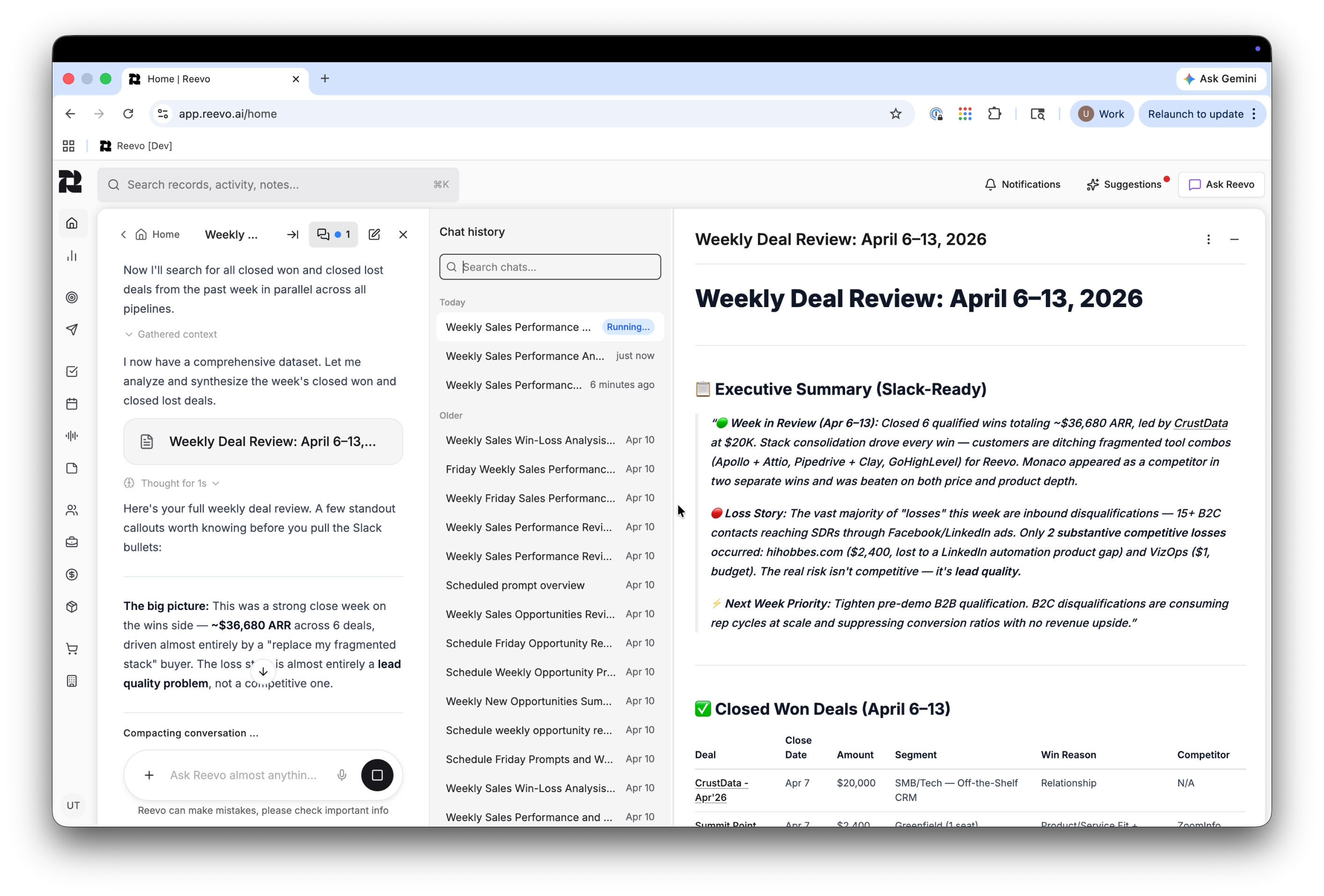
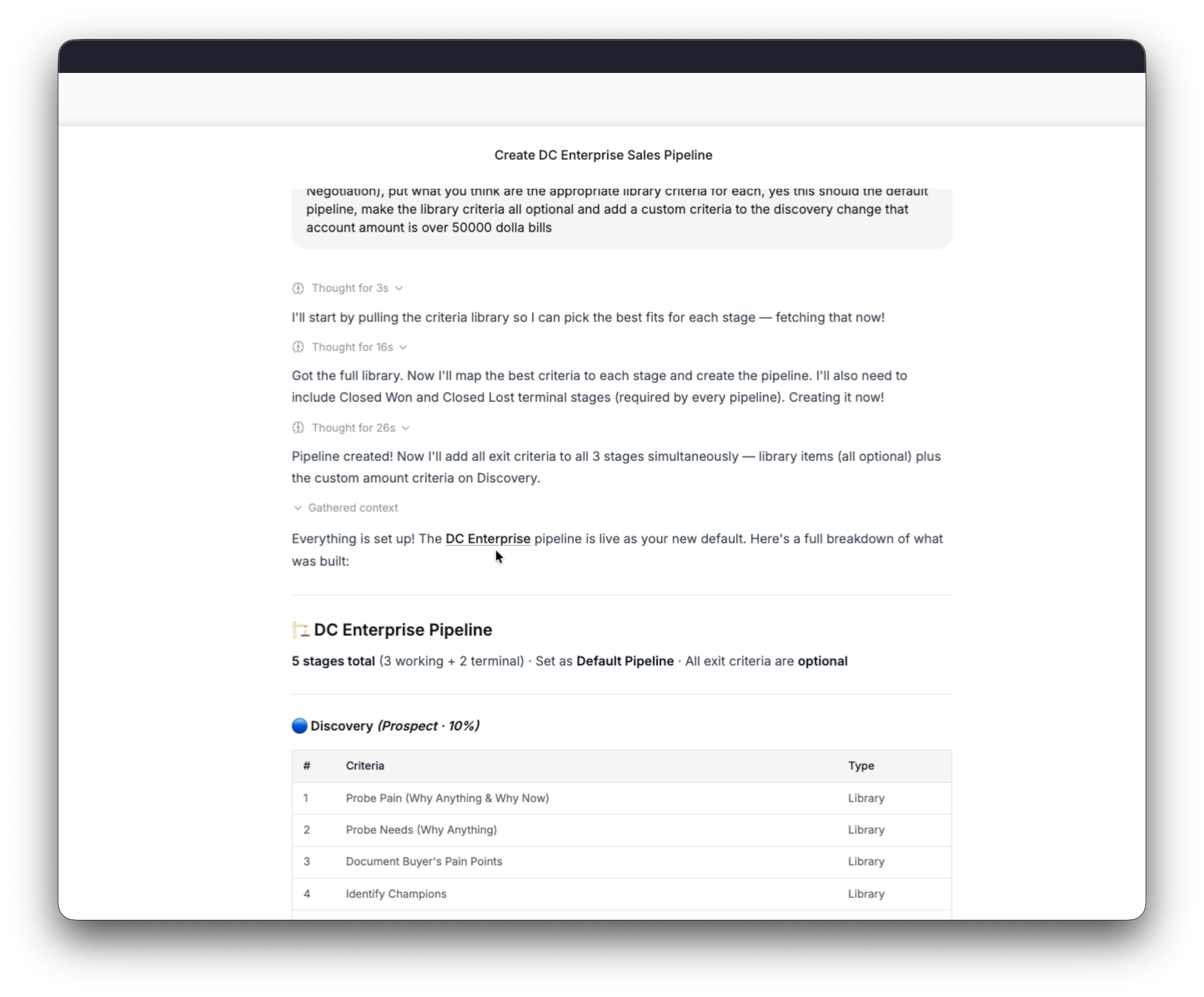
Ask Reevo: Multi-Chat & Stream Resume

Juggle multiple conversations, accelerate your workflows

Run up to 5 conversations simultaneously now within Reevo — start a new chat anytime, even while another is still generating in the background. Switch between chats freely without losing progress or momentum.

Each conversation runs independently and finishes on its own. If your internet drops or you refresh your browser, the full response(s) will be waiting for you when you get back.

Stay up to date and view status updates for every conversation in your history at a glance with visual indicators:

Running (blue dot) — Reevo is actively generating a response.
Action needed (orange dot) — A Reevo conversation is waiting for your approval on a tool action.
Unread (yellow dot) — A conversation has a new response you haven't seen yet.

Additional enhancements to Ask Reevo's chat history include:

Infinite scroll — Load your full history and smooth scroll through it based on recent activity.
Date headers — Use pinned indicators to understand if a message was from "Today", "Yesterday", or "Older" for easy orientation.
Rename & delete — Rename any conversation, or delete ones you no longer need.

Learn more about Ask Reevo here.

Centralized sequence management

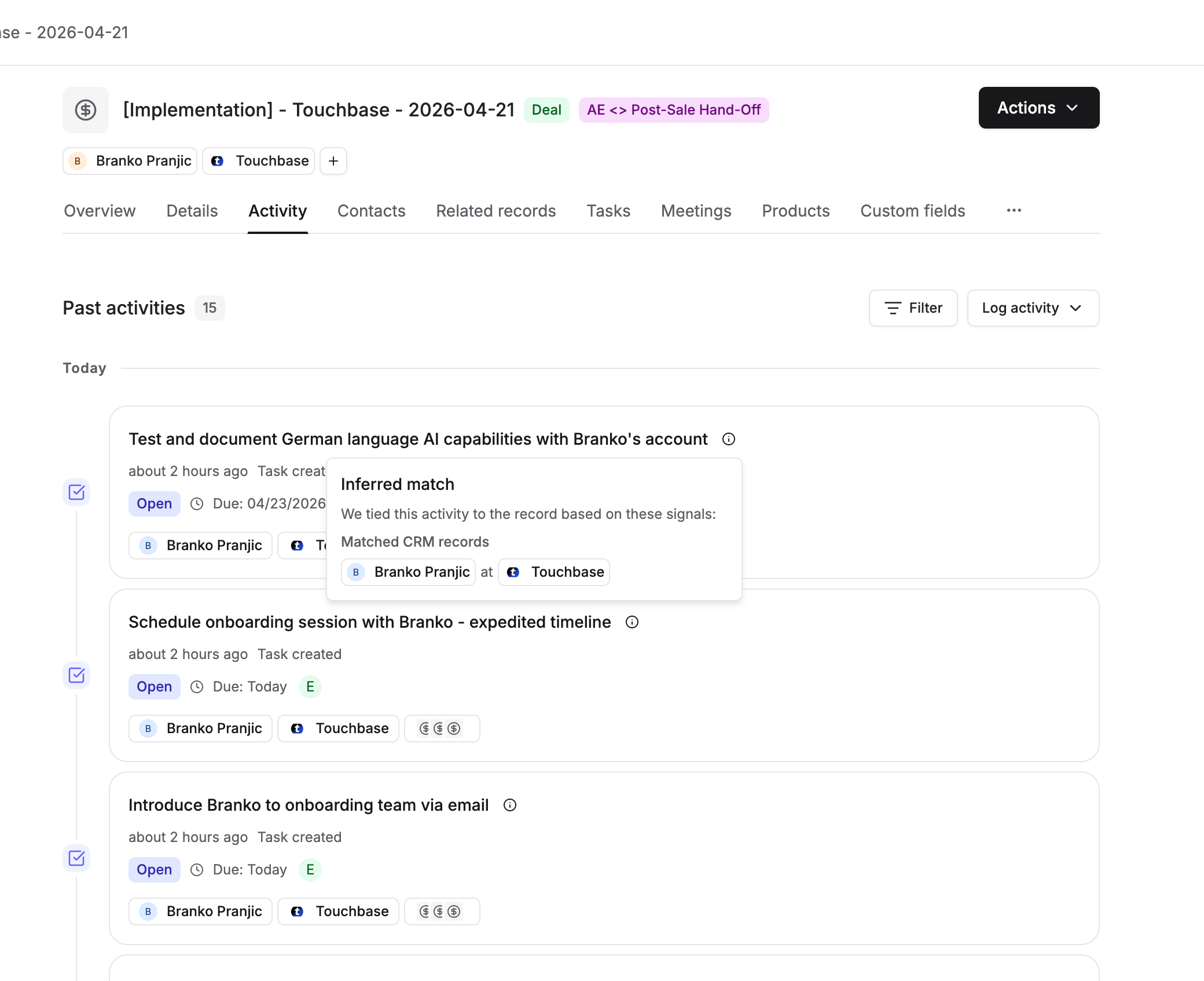
Explore your contact details page

We enhanced our sequence details feature in the contact details page.

As a reminder, this displays information about sequences (email and outreach campaigns) that a contact is enrolled in.

Let’s get to the exciting part—you can now configure and modify individual steps within a sequence (an automated outreach campaign) with more dexterity. This includes:

  • Step Properties Updates
  • Step Content Updates
  • Active Sequence Safeguards
  • Step Reordering

Learn more about sequences and editing here in our Knowledge Base or here in our blog on best practices.


Step setup updates

Get set up faster and make your life easier

Make workflows easier with the ability to duplicate variants. This will make it easier to create, duplicate, and modify your sequences.

Duplicating a variant will allow you to preserve everything you’ve already built, including steps and general configuration.

Our recommendation is you use this feature to double down on sequences or variants that are working for you today.

Learn more about multi-channel outreach campaigns with Reevo here.
Contact management made easier

You can now manually control where contacts are in your sequences. Move prospects or contacts between phases or remove them from various phases in your process.

This gives you the ability to move between steps, skip steps, or execute a global opt-outs for customers. This is a new feature and we welcome feedback.

Microsoft Integration

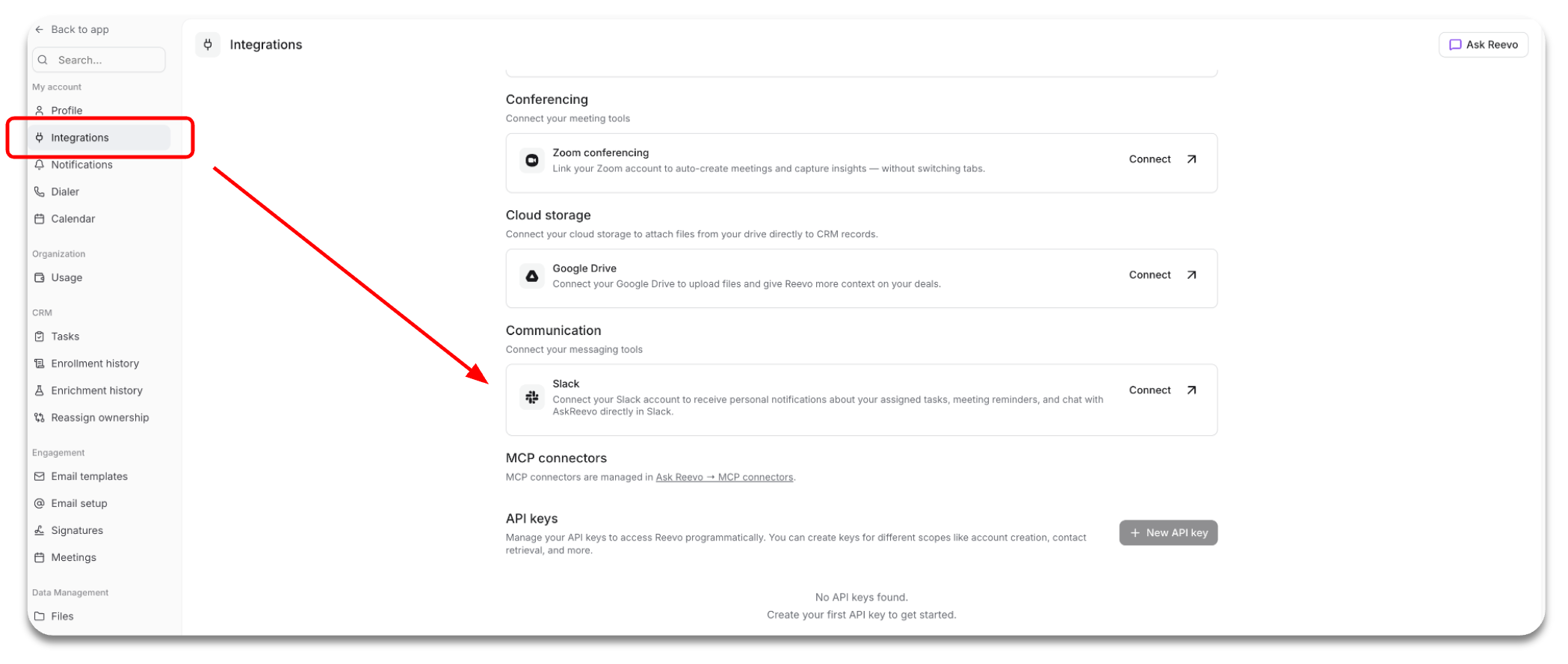
Our new integration with Microsoft enables users to connect either Microsoft or Google accounts to make the entire experience more seamless. The integration supports both personal (outlook.com) and work/school accounts with different OAuth scopes for Microsoft accounts.

You can add Teams conferencing and enable or disable recording for upcoming events directly in Reevo.

We previously only supported Google account integrations. These two integrations are currently mutually exclusive - users are not able to have both Google and Microsoft email/calendar connected simultaneously

Learn more about our Microsoft integration here.

Stop managing software. Start showing up human.

Onboarding is easy. Get up and running in minutes.