Log inGet started

Release Notes

Workflow Editing

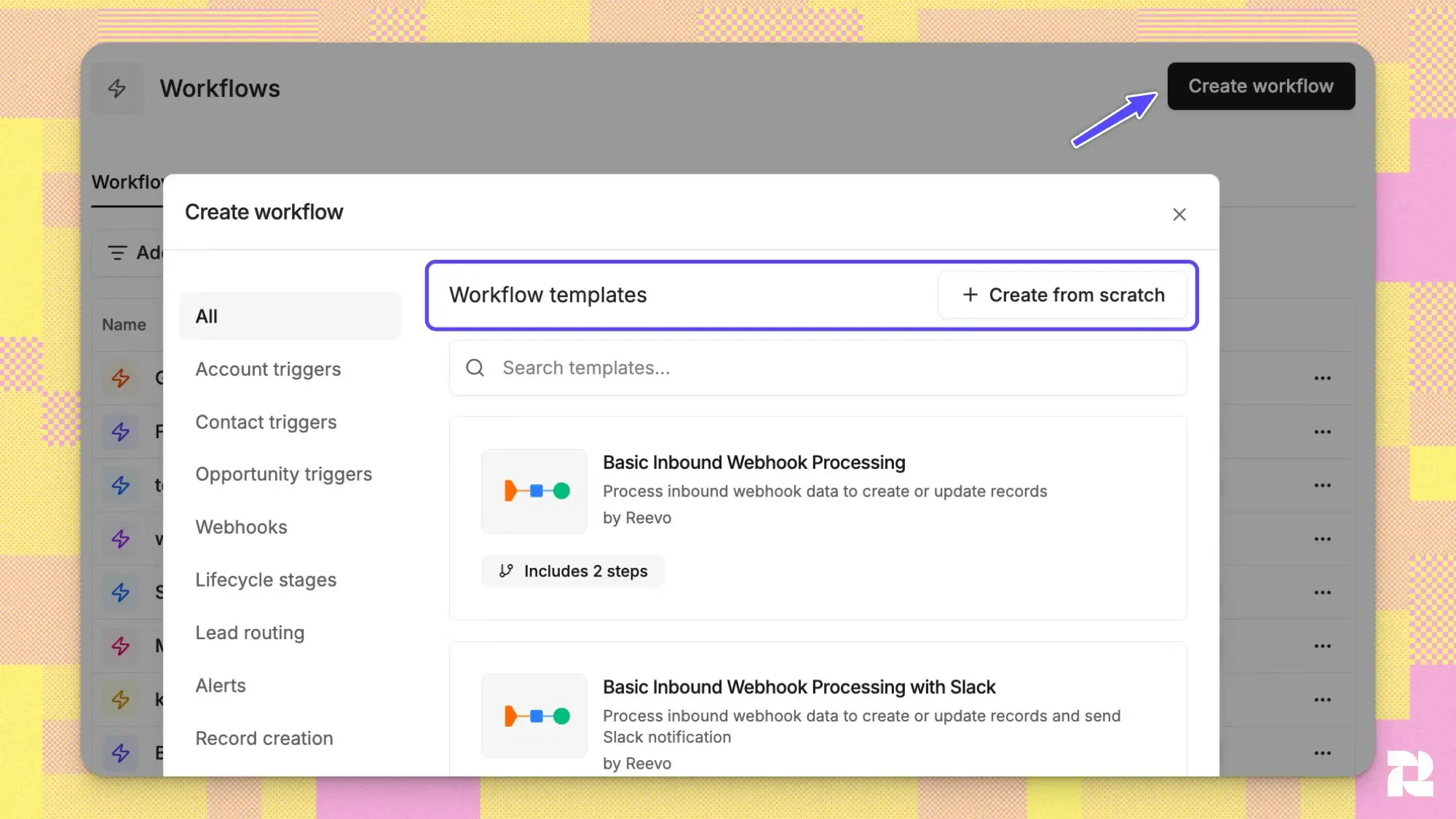
Make workflows your own with new customization capabilities.

Here are the new possibilities to make workflows fit your needs:

  • Build or edit workflows from scratch - change nodes, drag and drop nodes, delete nodes, and swap nodes
  • Explore our new nodes, including search, delay, and expanded triggers.
  • Use the new condition node to define multiple conditions and complex logic within your workflows.

Reevo has new templates for lead routing, closed won alerts, and more.
Together, all of this will help you manage your opportunities and customer interactions the way you prefer.

Together, all of this helps manage opportunities and customer interactions the way you prefer.

Learn more here to get started editing workflows.
New in Sequences: Mailbox Assignment & Bulk Tasks

Email sequencing and bulk editting made easy

You can now choose exactly how emails are sent when enrolling contacts into a sequence.

Two sending methods:
• Use CRM owners — emails send from each contact's owner's mailbox automatically
• Use specific mailboxes — hand-pick which mailboxes to send from, distributed evenly

Operate in a new way with the ability to:
• Multi-select tasks in bulk
• Apply call tasks
• Mark tasks as complete or re-open them.

Learn more or try it yourself!

Ask Reevo: Multi-Chat & Stream Resume

Juggle multiple conversations, accelerate your workflows

Run up to 5 conversations simultaneously now within Reevo — start a new chat anytime, even while another is still generating in the background. Switch between chats freely without losing progress or momentum.

Each conversation runs independently and finishes on its own. If your internet drops or you refresh your browser, the full response(s) will be waiting for you when you get back.

Stay up to date and view status updates for every conversation in your history at a glance with visual indicators:

• Running (blue dot) — Reevo is actively generating a response.
• Action needed (orange dot) — A Reevo conversation is waiting for your approval on a tool action.
• Unread (yellow dot) — A conversation has a new response you haven't seen yet.

Additional enhancements to Ask Reevo's chat history include:

• Infinite scroll — Load your full history and smooth scroll through it based on recent activity.
• Date headers — Use pinned indicators to understand if a message was from "Today", "Yesterday", or "Older" for easy orientation.
• Rename & delete — Rename any conversation, or delete ones you no longer need.

Learn more about Ask Reevo here.


Centralized sequence management

Explore your contact details page

We enhanced our sequence details feature in the contact details page.

As a reminder, this displays information about sequences (email and outreach campaigns) that a contact is enrolled in.

Let’s get to the exciting part—you can now configure and modify individual steps within a sequence (an automated outreach campaign) with more dexterity. This includes:

  • Step Properties Updates
  • Step Content Updates
  • Active Sequence Safeguards
  • Step Reordering

Learn more about sequences and editing here in our Knowledge Base or here in our blog on best practices.


Step setup updates

Get set up faster and make your life easier

Make workflows easier with the ability to duplicate variants. This will make it easier to create, duplicate, and modify your sequences.

Duplicating a variant will allow you to preserve everything you’ve already built, including steps and general configuration.

Our recommendation is you use this feature to double down on sequences or variants that are working for you today.

Learn more about multi-channel outreach campaigns with Reevo here.

Contact management made easier

You can now manually control where contacts are in your sequences. Move prospects or contacts between phases or remove them from various phases in your process.

This gives you the ability to move between steps, skip steps, or execute a global opt-outs for customers. This is a new feature and we welcome feedback.

Microsoft Integration

Our new integration with Microsoft enables users to connect either Microsoft or Google accounts to make the entire experience more seamless. The integration supports both personal (outlook.com) and work/school accounts with different OAuth scopes for Microsoft accounts.

You can add Teams conferencing and enable or disable recording for upcoming events directly in Reevo.

We previously only supported Google account integrations. These two integrations are currently mutually exclusive - users are not able to have both Google and Microsoft email/calendar connected simultaneously

Learn more about our Microsoft integration here.

Every workflow. Full context. Compounding results.

Onboarding is easy. Get up and running in minutes.