Ask in Slack. Move the deal.
Your team already talks about every deal in Slack. Now Reevo does, too. Tag @Reevo for the latest on any account, update a deal without opening a tab, and get recaps and alerts in the channels you already watch.
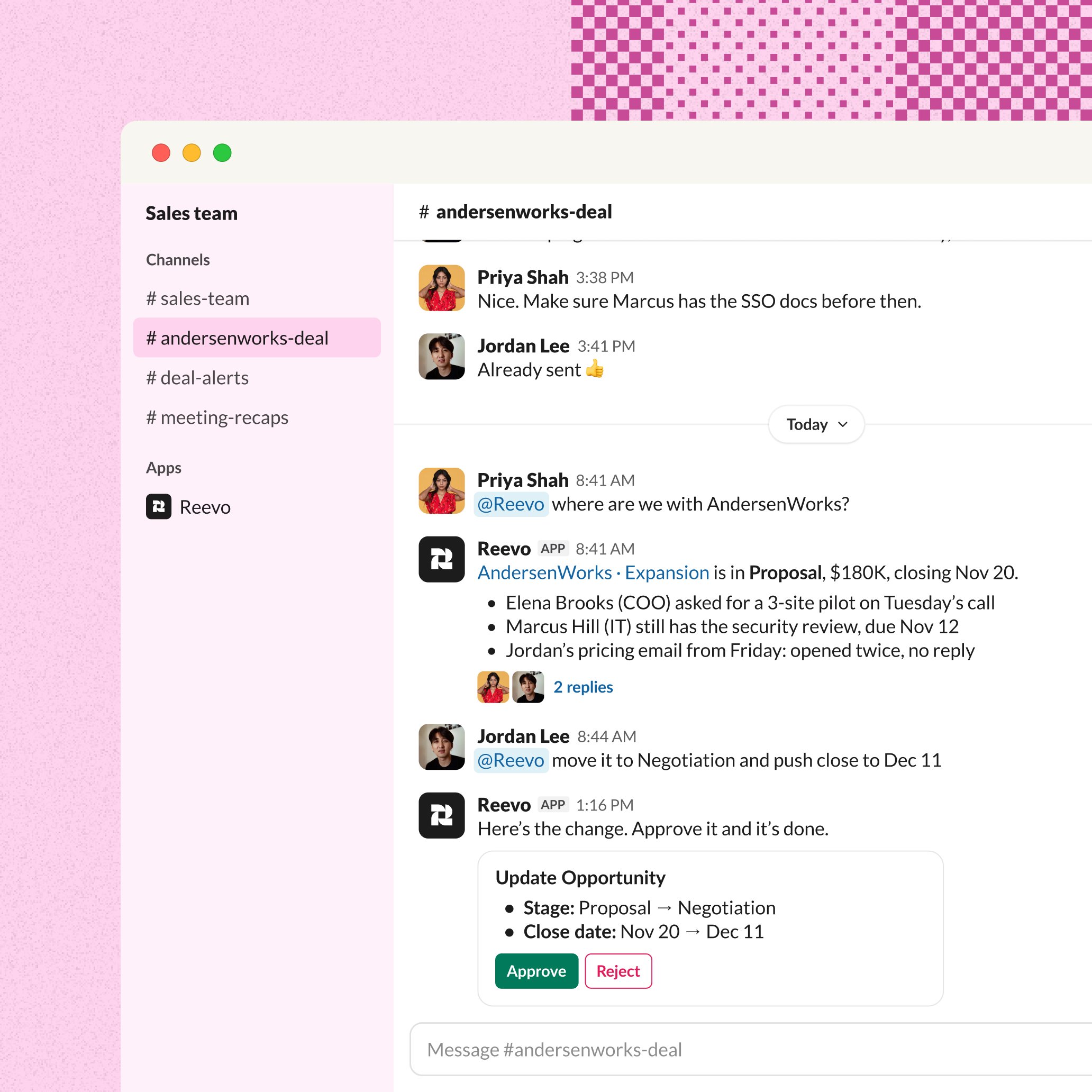
Ask where the conversation is.
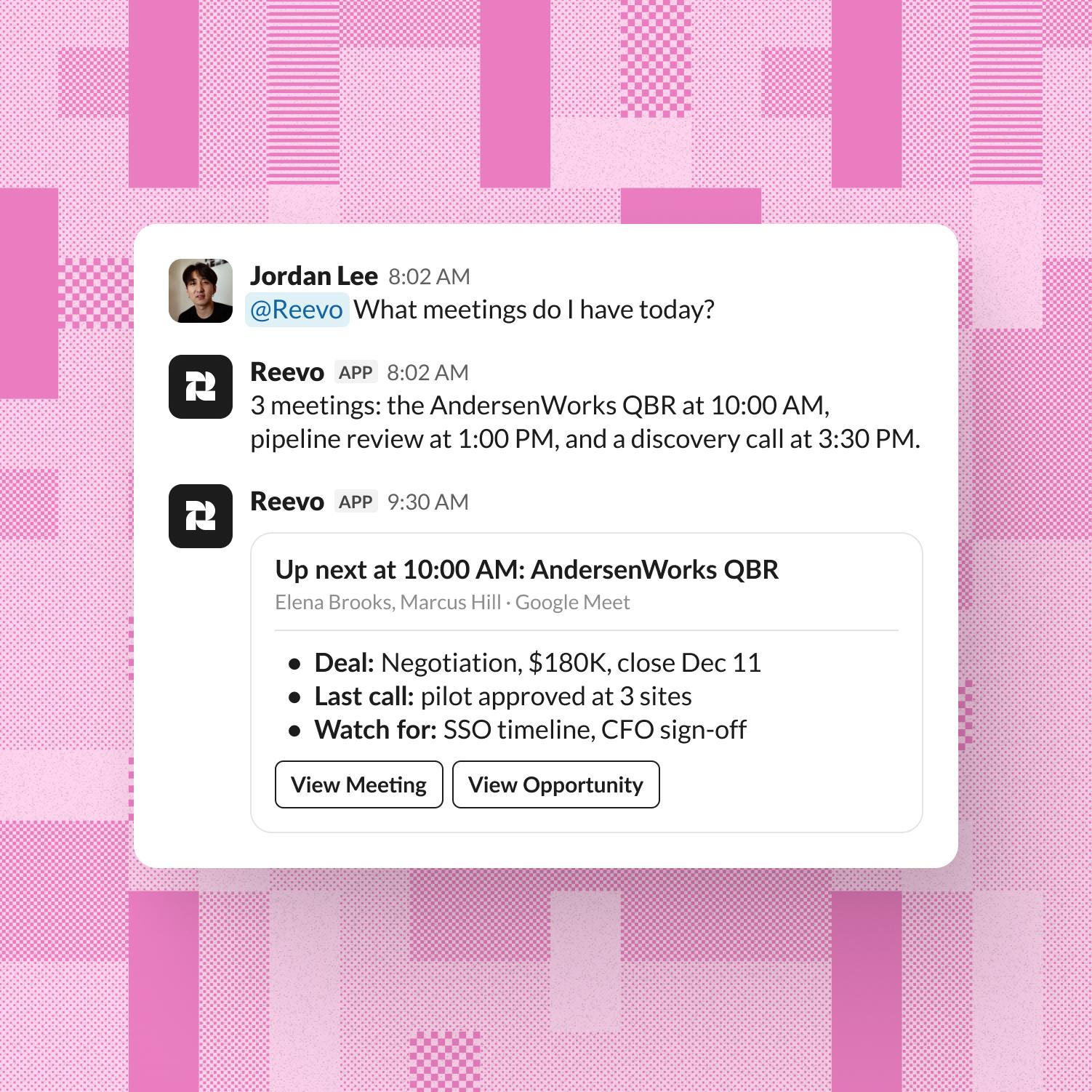
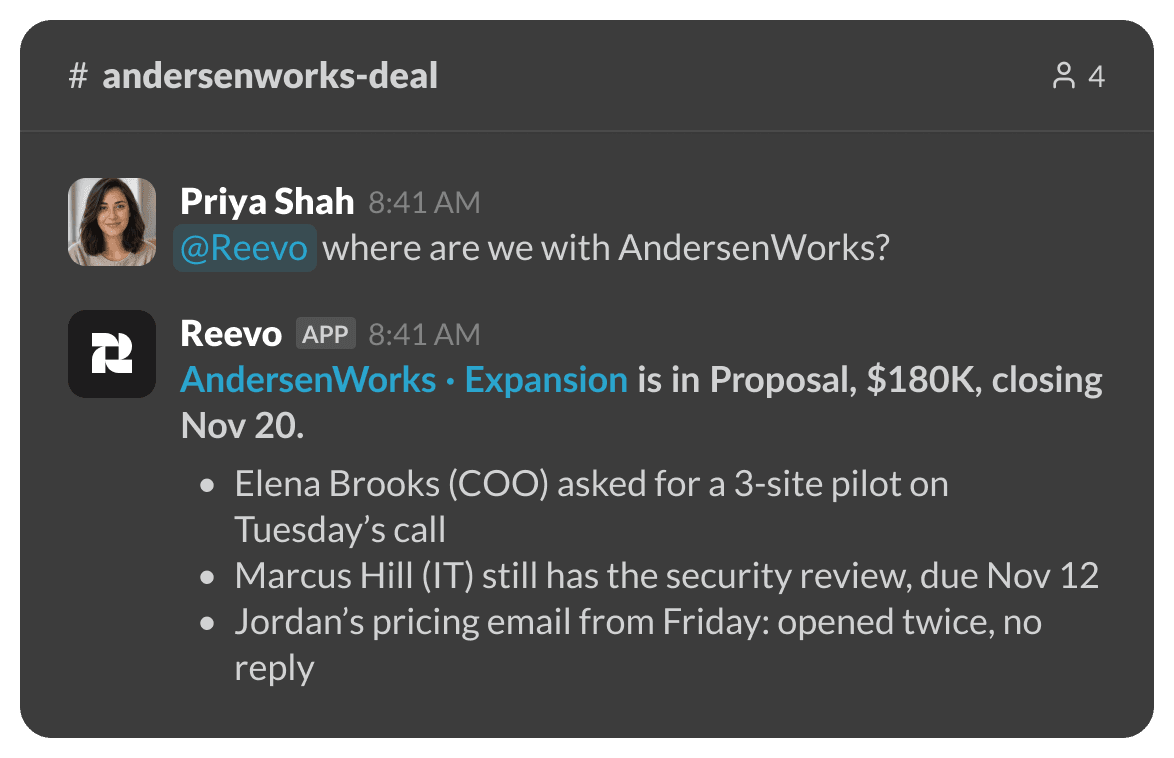
When someone asks “where are we with AndersenWorks?”, no one has to go dig through the CRM. Tag @Reevo and the answer lands in the thread.

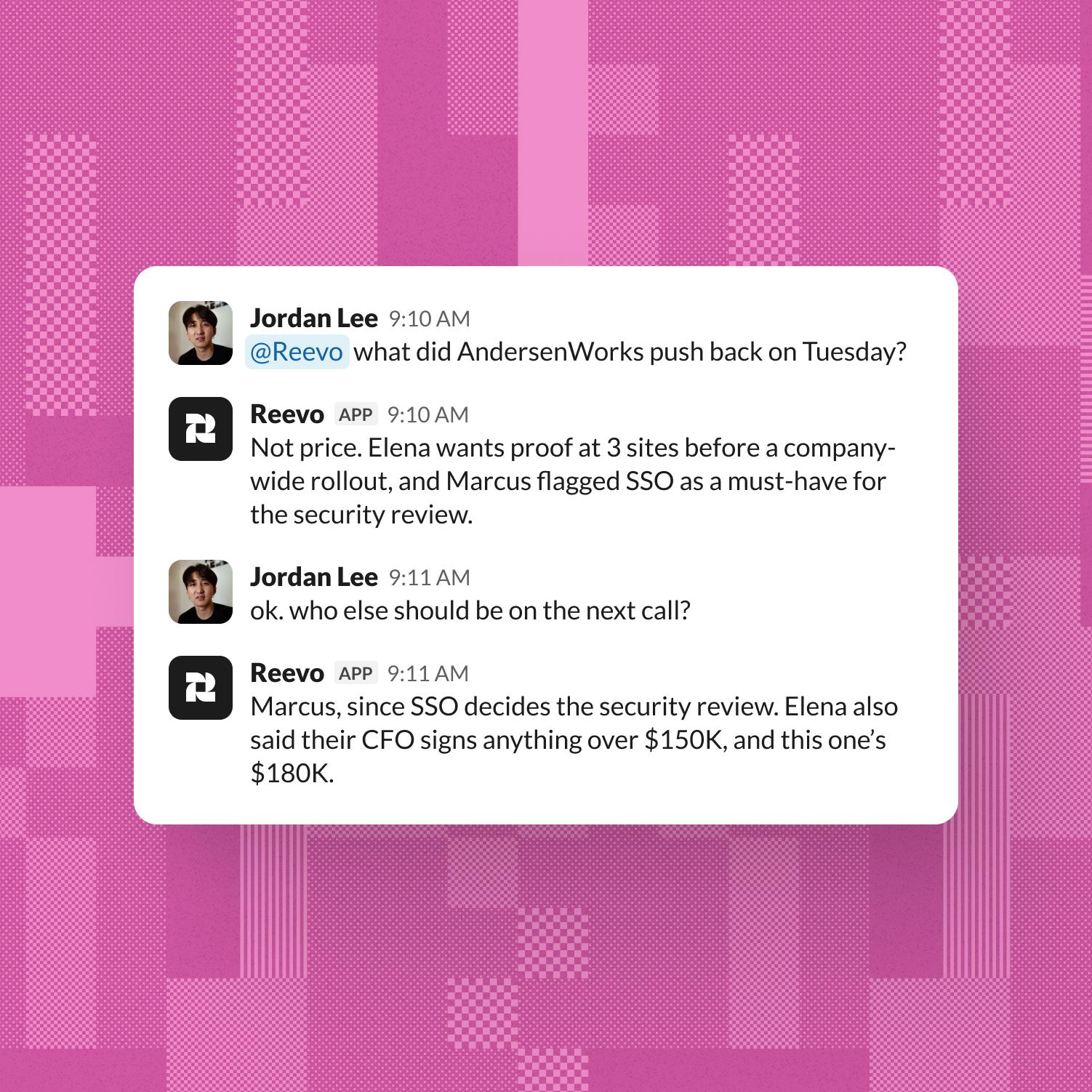
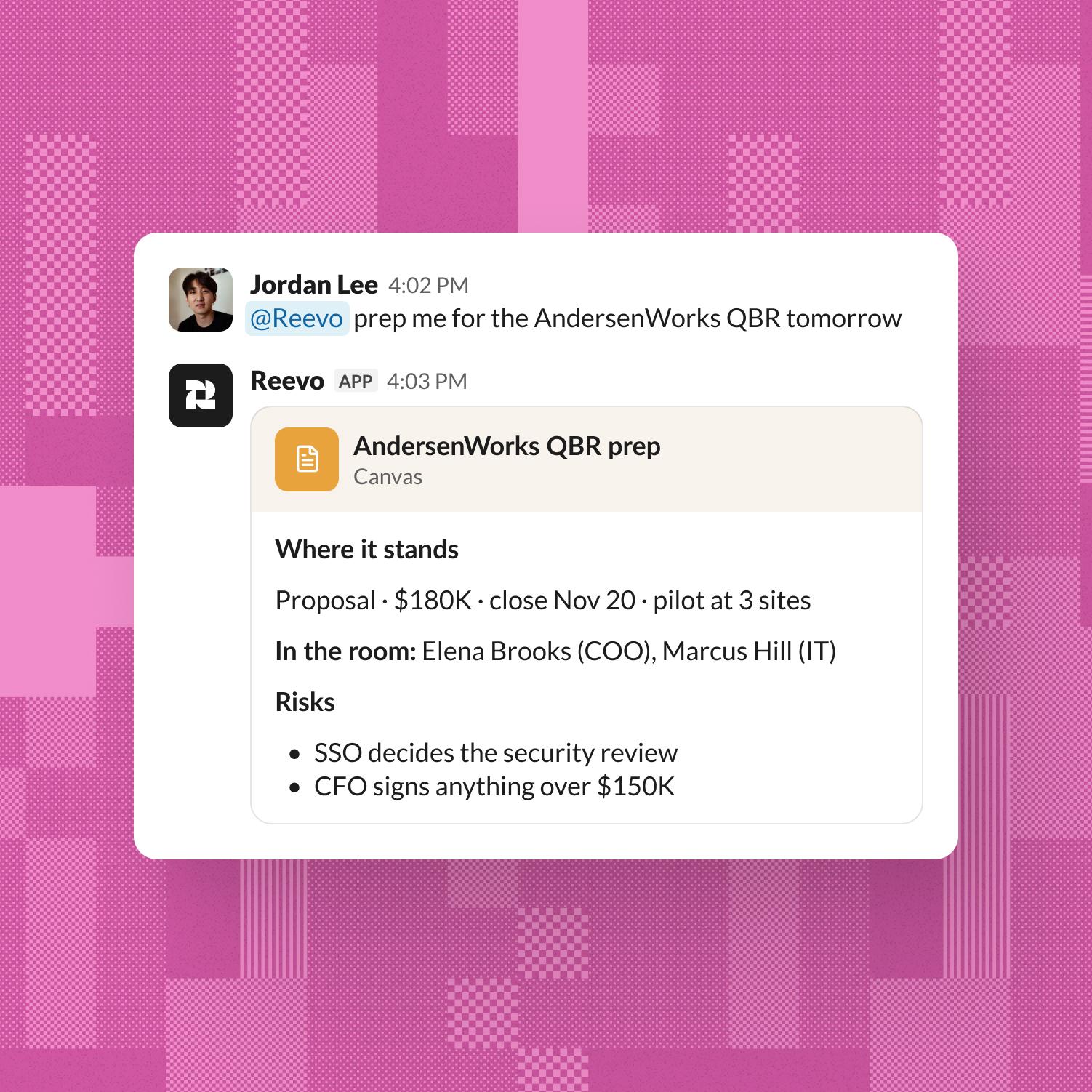
Ask Reevo writes, too.
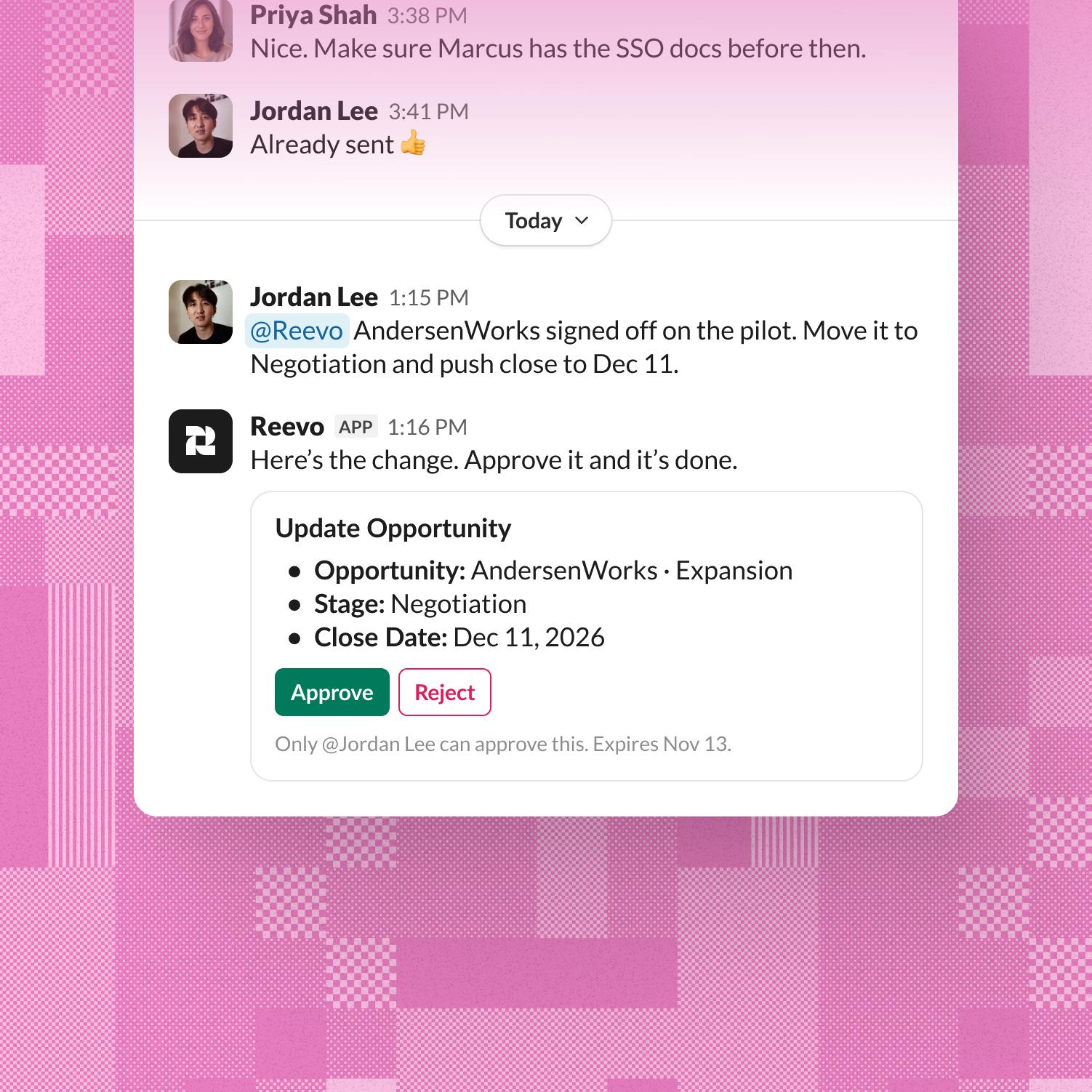
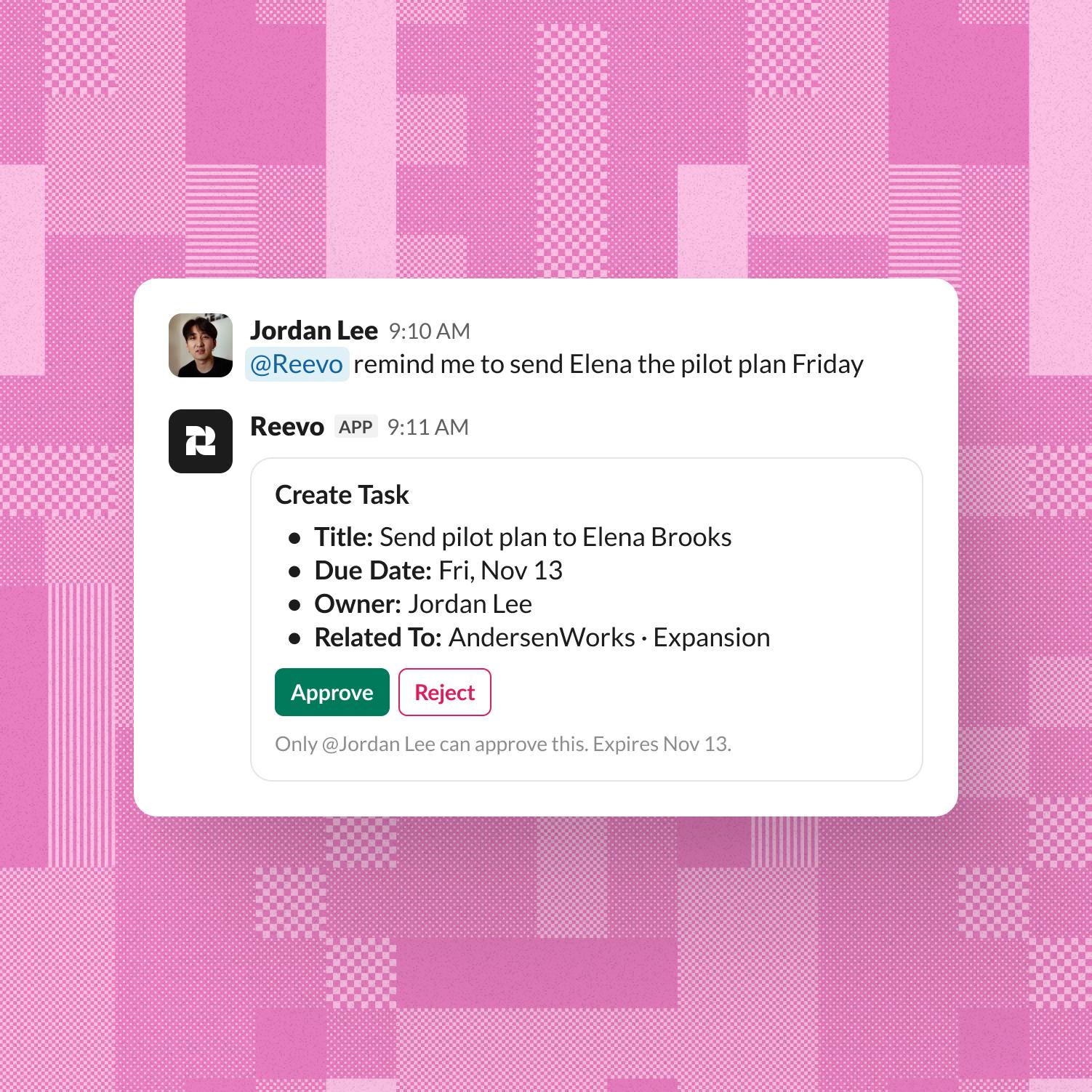
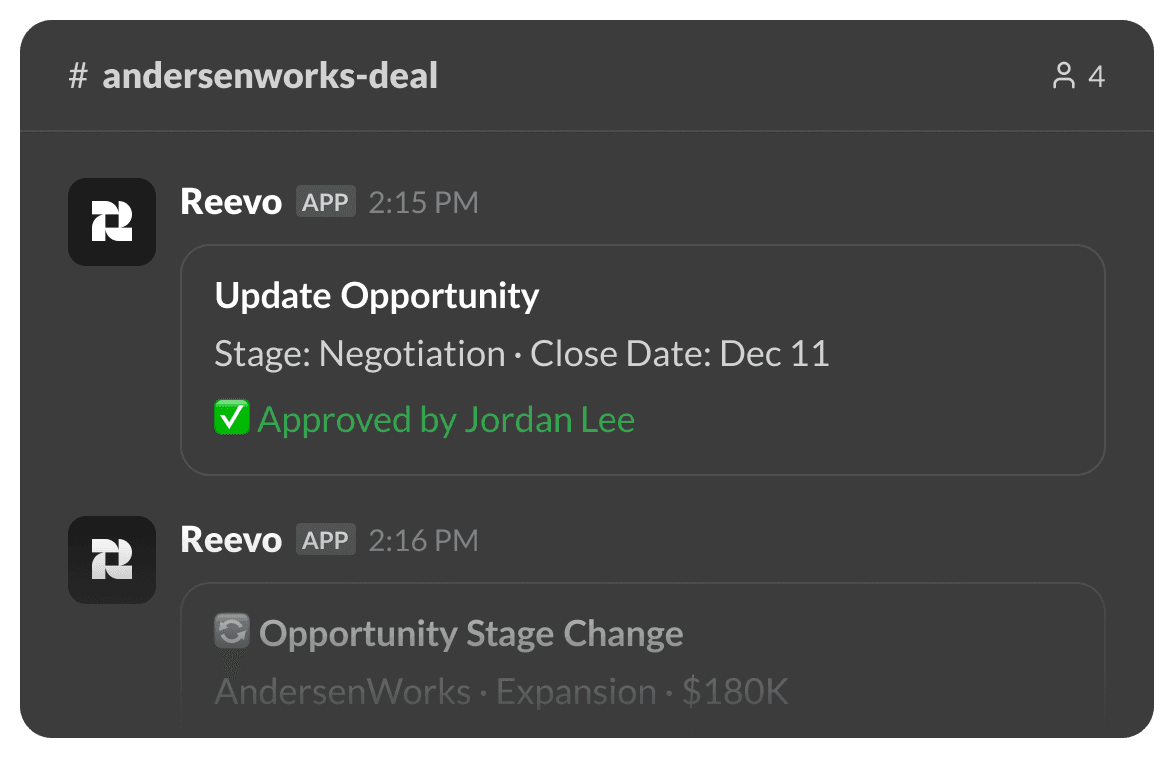
Say what changed. Reevo drafts the update, you click Approve, and the CRM is current before the thread scrolls away.
The update finds you.
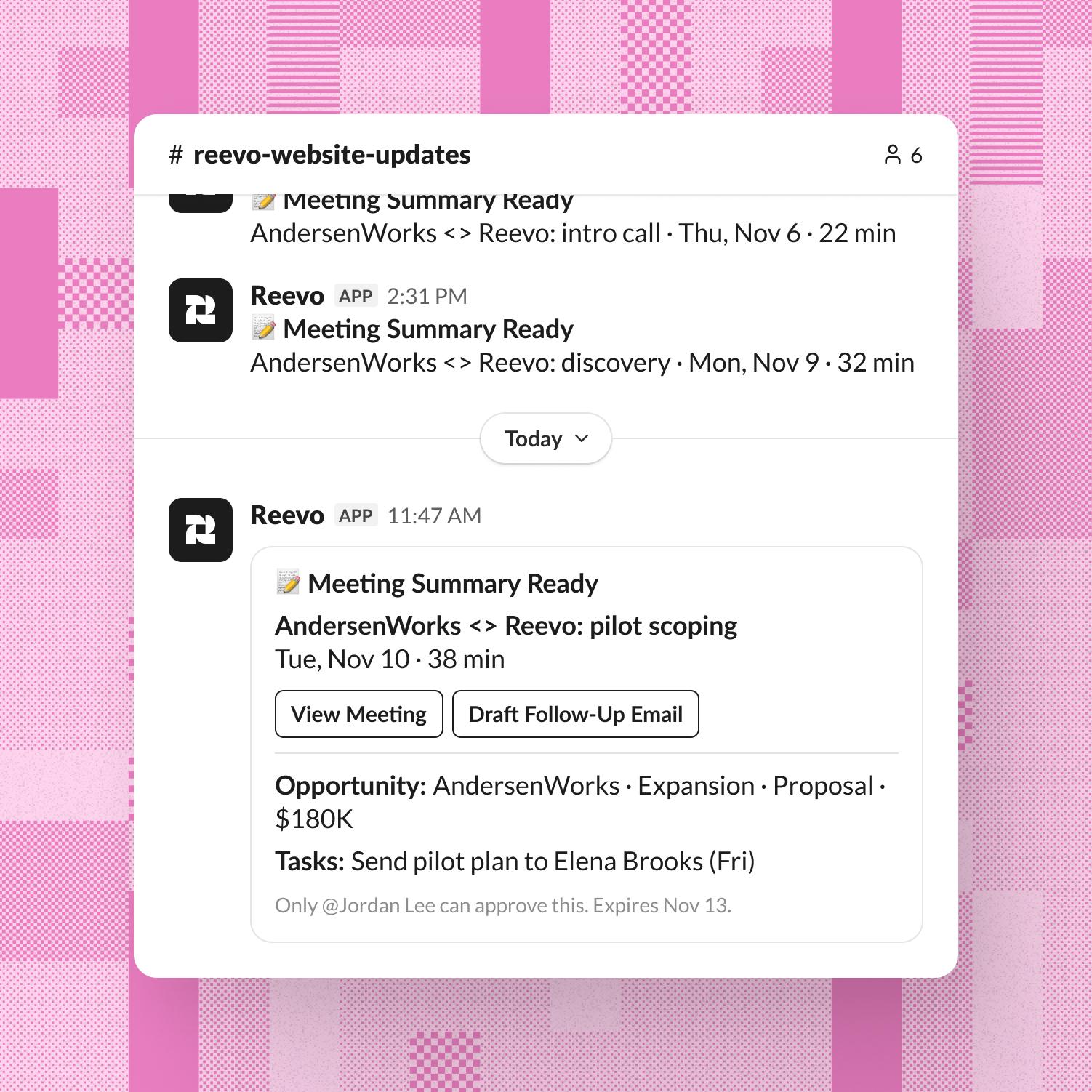
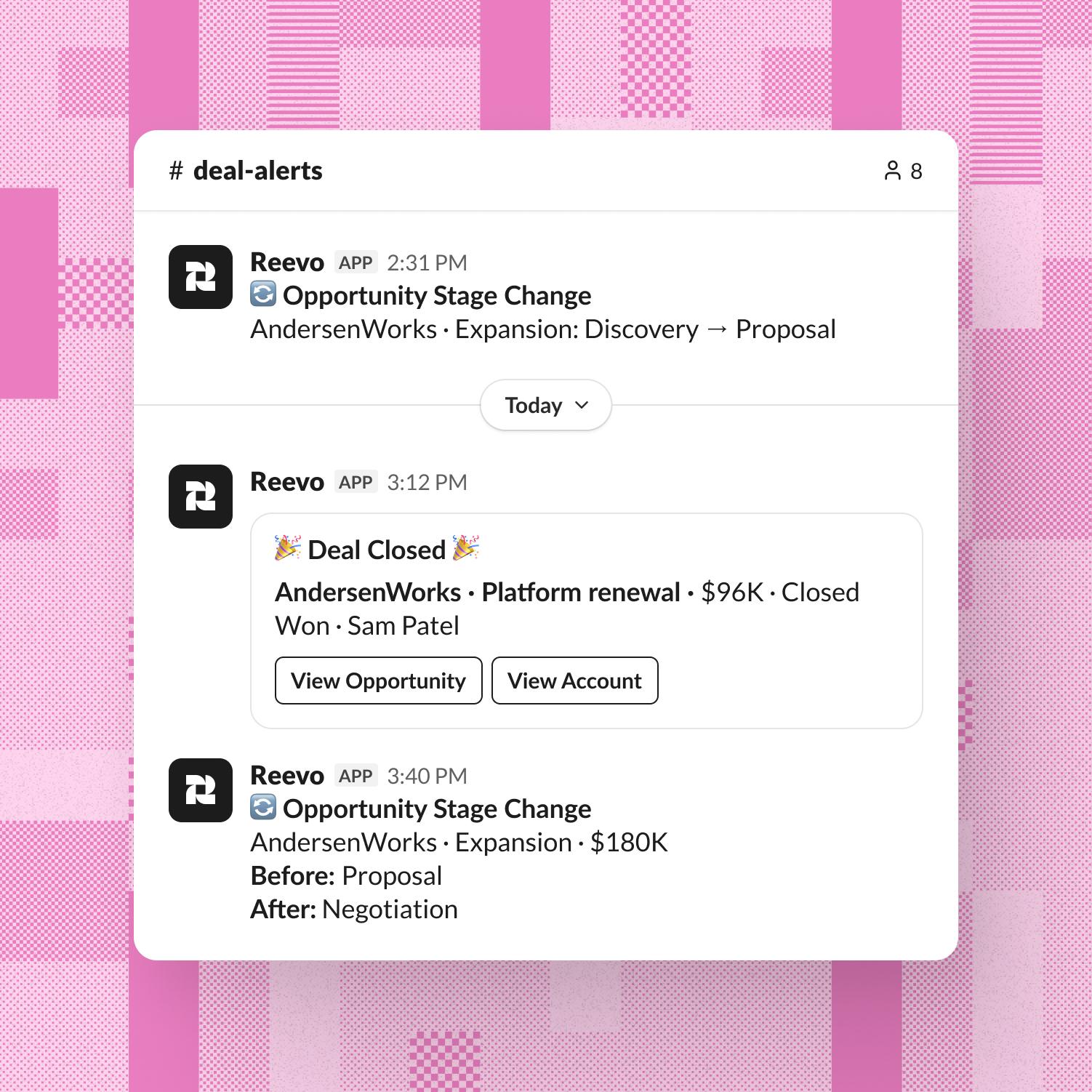
Recaps, wins, and warning signs show up in the channels your team already watches. No one has to go looking.
One deal. One thread. No one opens a report.
Reevo brings the CRM into the conversation, so managers get answers, reps get updates in, and the record keeps up without anyone chasing it.
Priya asks where AndersenWorks stands. Reevo answers in the thread before Jordan has found the right tab.
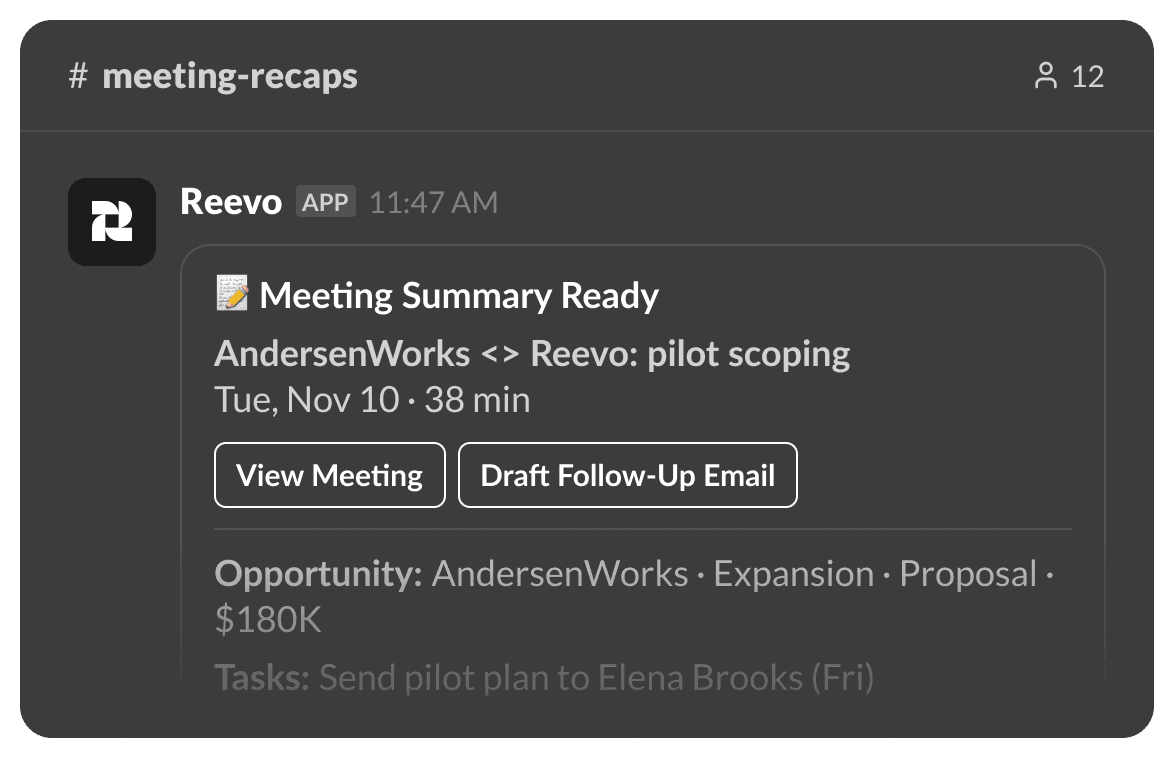
The meeting summary posts to #meeting-recaps with the opportunity, the people, and the next steps. Status update: skipped.
Jordan tells Reevo the pilot is approved. One click on Approve moves the deal, and #deal-alerts hears about it a minute later.
Frequently asked questions
Yes. Tag @Reevo in a channel, DM it, or open it in Slack’s assistant pane to ask about your accounts, deals, and meetings, update records with your approval, and get meeting summaries and deal alerts where your team already talks.
Asking Reevo questions and making updates from Slack is rolling out workspace by workspace. Meeting summaries and deal alerts are available to every workspace that connects Slack. Ask your Reevo contact if you’d like it turned on.
Mention @Reevo in any channel it’s been invited to, DM it, or open it from the assistant pane. Ask in plain English, like “What changed on this deal this week?”, and reply in the thread to follow up. Long answers come back as a Slack canvas.
Yes. Ask it to update an opportunity or create a task. Reevo posts the change as a card with Approve and Reject buttons, only the person who asked can approve it, and nothing changes in Reevo until they do.
Reevo answers from your Reevo account and reads the thread you ask in so follow-ups keep their context. Slack data is not used to train or fine-tune AI models.
Admins choose which channels get meeting summaries and Deal Closed, Deal Lost, and Opportunity Stage Change alerts. Each person can also get meeting prep in Slack and turn their own notifications on or off.
A Reevo admin connects Reevo Bot for Slack in Settings → Integrations, and a Slack workspace admin approves the install. Each person then links their Slack account, and you add Reevo to a channel with /invite @Reevo. The setup guide walks through every step.
Yes. Reevo for Slack is included with a Reevo account at no extra cost. Once your admin connects it, everyone on your team can link their Slack account.
Your CRM, now with a Slack handle.
Connect Slack, tag @Reevo in your next deal thread, and let the record keep up with the conversation for once.