List View Search 🕵
Find what you need faster
List views now have a search bar, making it much faster to find a specific record in a long list of results or interactions within Reevo.
Find what you need faster
List views now have a search bar, making it much faster to find a specific record in a long list of results or interactions within Reevo.
Reporting made easy
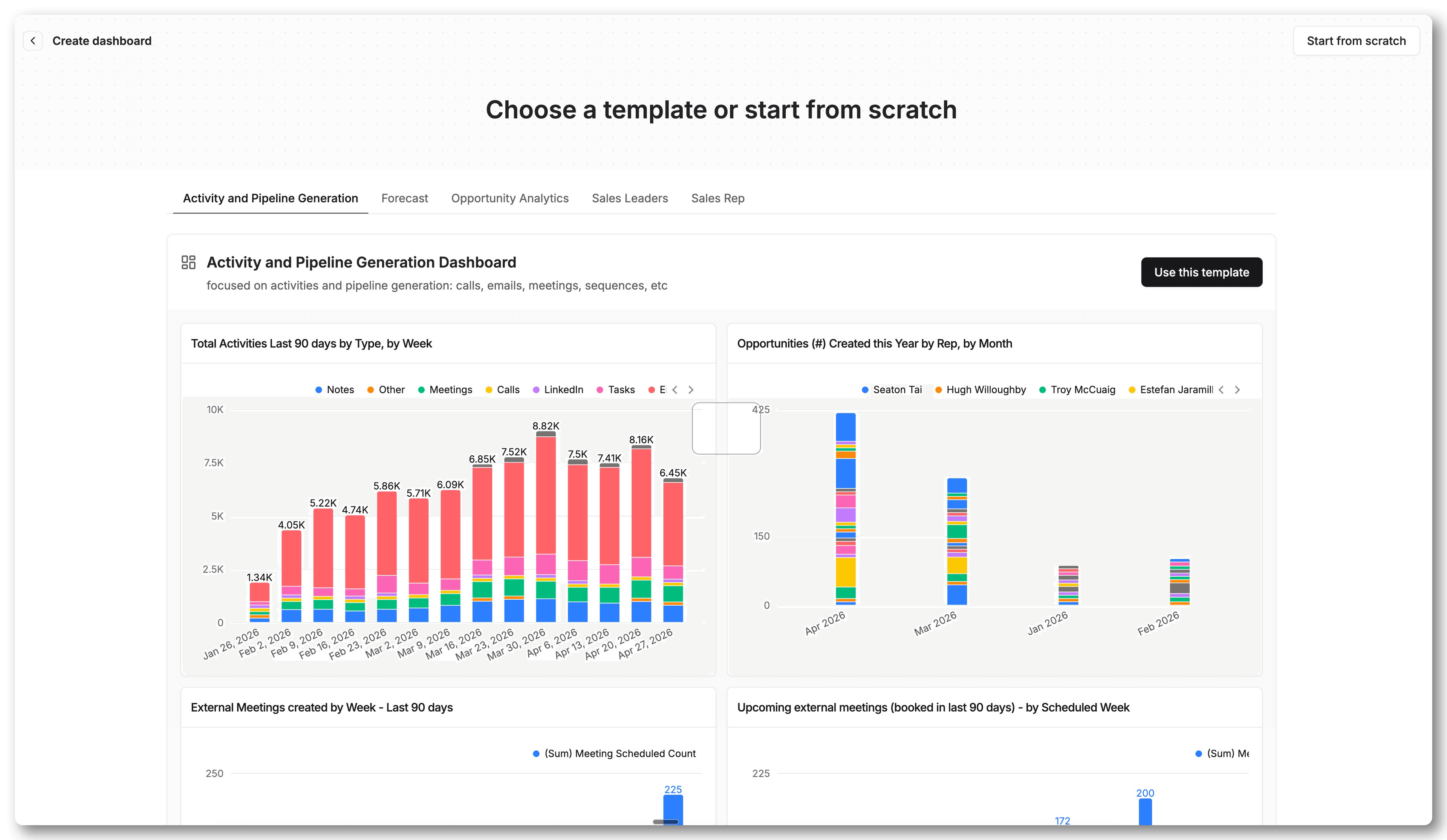
Creating a report or dashboard now opens a browsable gallery of prebuilt templates with live previews.
Now you can clone a ready made report in one click instead of starting from a blank builder.
What’s new?
Protecting your data is our priority
Reevo completed its latest SOC 2 Type 2 audit, providing a proof point about Reevo's data security.
Have confidence in trusting Reevo in the age of AI, trust Ask Reevo.
Why is this important? It shows that Reevo cares about the confidentiality (security), integrity, and availability of customer data.
Meet people IRL or online and get opportunities established fast via mobile
The Reevo Mobile app now connects to Ask Reevo, making your life easier.
Use the mobile app to take photos of content (LinkedIn profiles, business cards, etc.) and it can create contacts in Reevo.
This changes the game for field sales work, conferences, or anything in-person.
Eliminate tedious post event translation processes, cross referencing of contacts made, and conversations had with prospects. Accelerate how you go from that first handshake to booking that first meeting or demo!
We worked hard to make this useful, so the feature can also de-dupe contacts if you build an appropriate Skill, keeping that CRM clean and giving even, more context to the contacts you make.
Let us know what you think and make sure to download the Reevo app!
Set the foundation for better reporting and win/loss learnings
You can now select a single-select primary closed won/lost reason alongside multi-select additional reasons for opportunities.
With this release, you can configure four new fields
This enhancement improves data hygiene, reporting capabilities, and improves team/individual standing for why you are winning or losing deals.
This will help guide product, marketing, and executive level decisions while also helping identify trends across competitors.
More productivity, less switching between tabs and different views
See everything in one spot! Yes, you heard that right.
Previously, the old Details and Custom Fields tabs were separate. Now we have collapsed them into one place! Custom Fields used to live in their own isolated world within Reevo, but now everything can live in one customizable tab.
Administrators can now:
Give it a try:
Ask Reevo, now powered by external context
Your AI agent needs context to support you.
Now reps can give Ask Reevo additional external context — spreadsheets, documents, and screenshots — without copy-pasting content into the chat.
You can now attach files (CSVs, PDFs, images) directly in Ask Reevo. Your agent reads the attached content and will use it as additional context for answering questions and accelerating your deals.
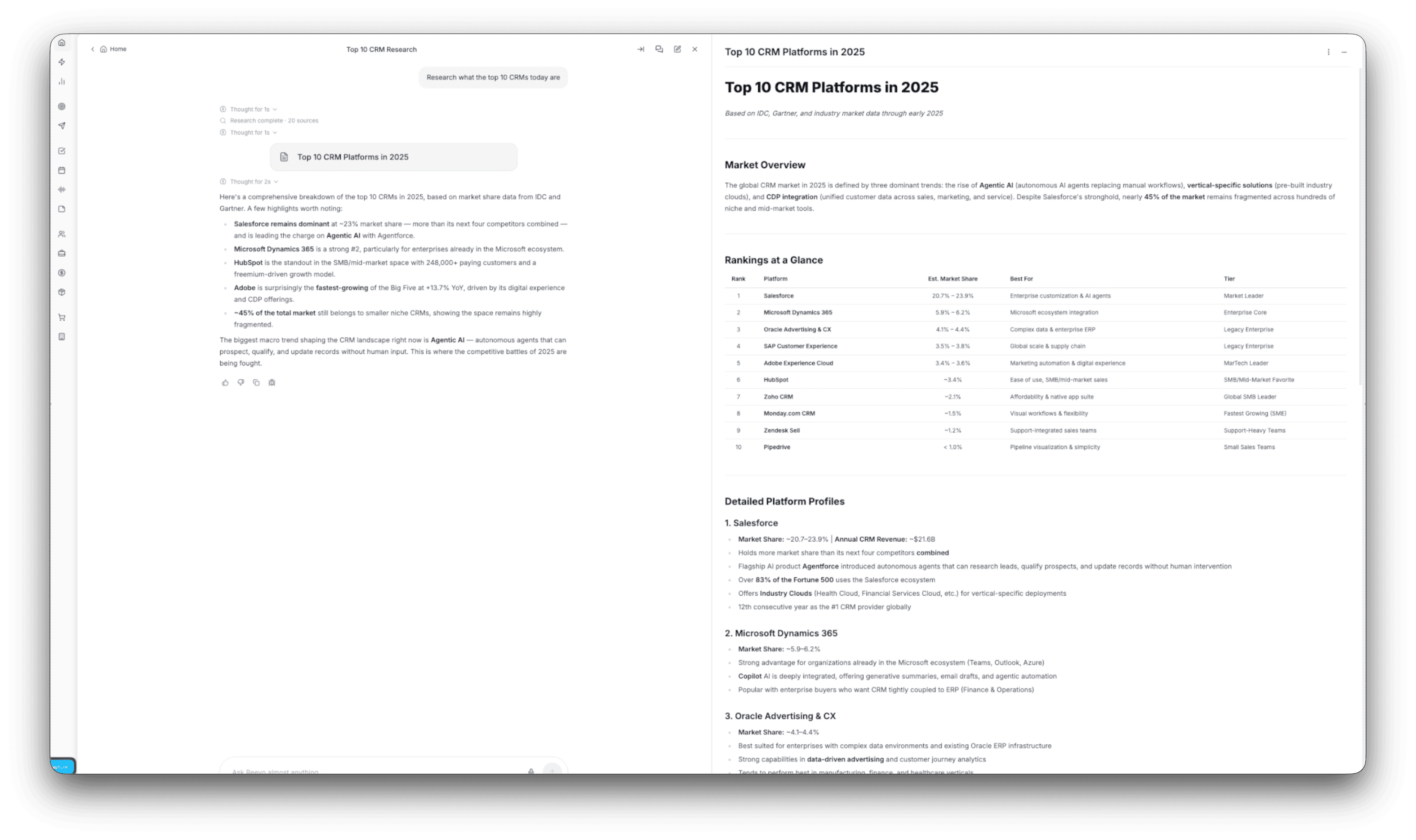
More research at your fingertips
Ask Reevo can now view and analyze any individual web page you share with it, beyond the previous existing web research capabilities.
Ask Reevo will continue to do deep research through the web, it will search through multiple web sources and analyze their contents, but you can now direct it as well to specific web pages or sources you have identified.
Track engagement, filter to to understand your portfolio
The sequence Contacts tab now shows a count of of per-contact engagement (opens, clicks, replies, bounces, and unsubscribes) with sorting and quick-filter options.
Learn more about how Contacts help track engagement here.
Increase focus, reply faster, close faster
Get notified via Slack and email the moment a prospect replies to a sequence, including instant alerts for accounts of interest and choose whether or not to receive a daily digest of all or select responses.
Previously, reps had to continuously refresh the Replies tab to know when a prospect responded to a sequence. No longer!
Sequence reply notifications surface replies to reps the moment they matter, according to their criteria, on the channel of their choosing:
Email and Slack notifications can also be configured on a per-prospect/customer basis to help reps prioritize their attention for high priority accounts.
Star & save critical Ask Reevo conversations for quick access later.
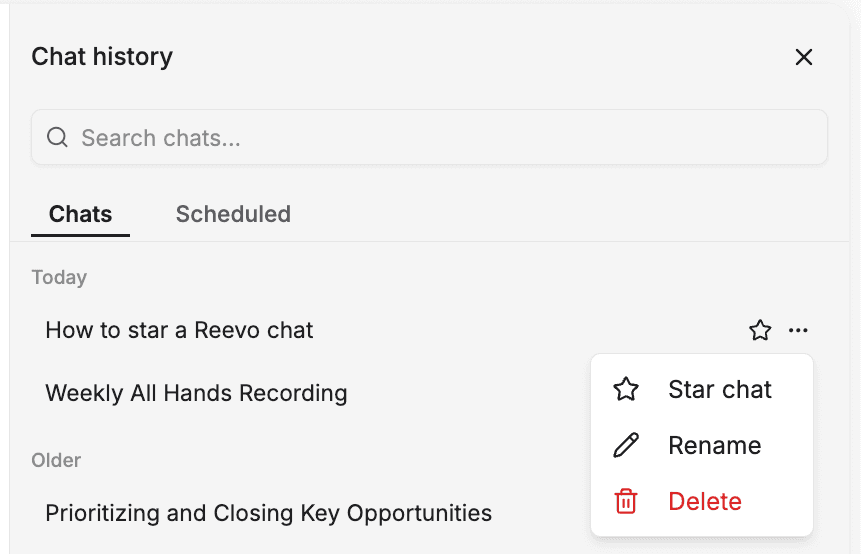
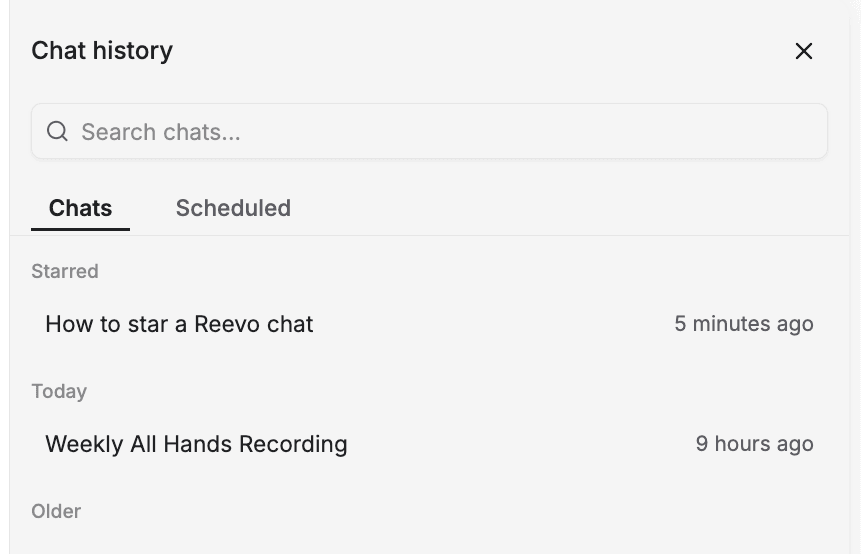
Starred chats are live! You can "star" (favorite) your Ask Reevo chats to pin them for quick access later, independent of skills or search. Just hit the star icon on any chat to save it.
Discover is under Chat history and use the "..." to access the "Star chat" ability. Give it a try and let us know what you think!
Schedule smarter, get booked, and close
Email templates and sequence steps now resolve scheduling links per sender at send time. This means one template works across an entire team without hardcoding a specific calendar URL.
Dynamic scheduler links introduce a variable that resolves to each sender’s own default scheduling link at send time, so one template works across the entire team.
Through dynamic scheduler links, you can:
Give it a try:
Anything you can do in a workflow, you can now do on a schedule!
Workflows can now run on a schedule (daily, weekly, monthly, or custom) without needing an event trigger, unlocking recurring reminders, data hygiene, and scheduled check-ins.
Previously, workflows only ran in response to something happening in the system (a deal closed, a meeting ended, a form was submitted, etc.). The Schedule trigger lets you run workflows on a clock — recurring or one-time — without waiting for anything to happen first.
Setup options: Pick the pattern that fits your needs:
Save prompts and schedule them for regular cadences
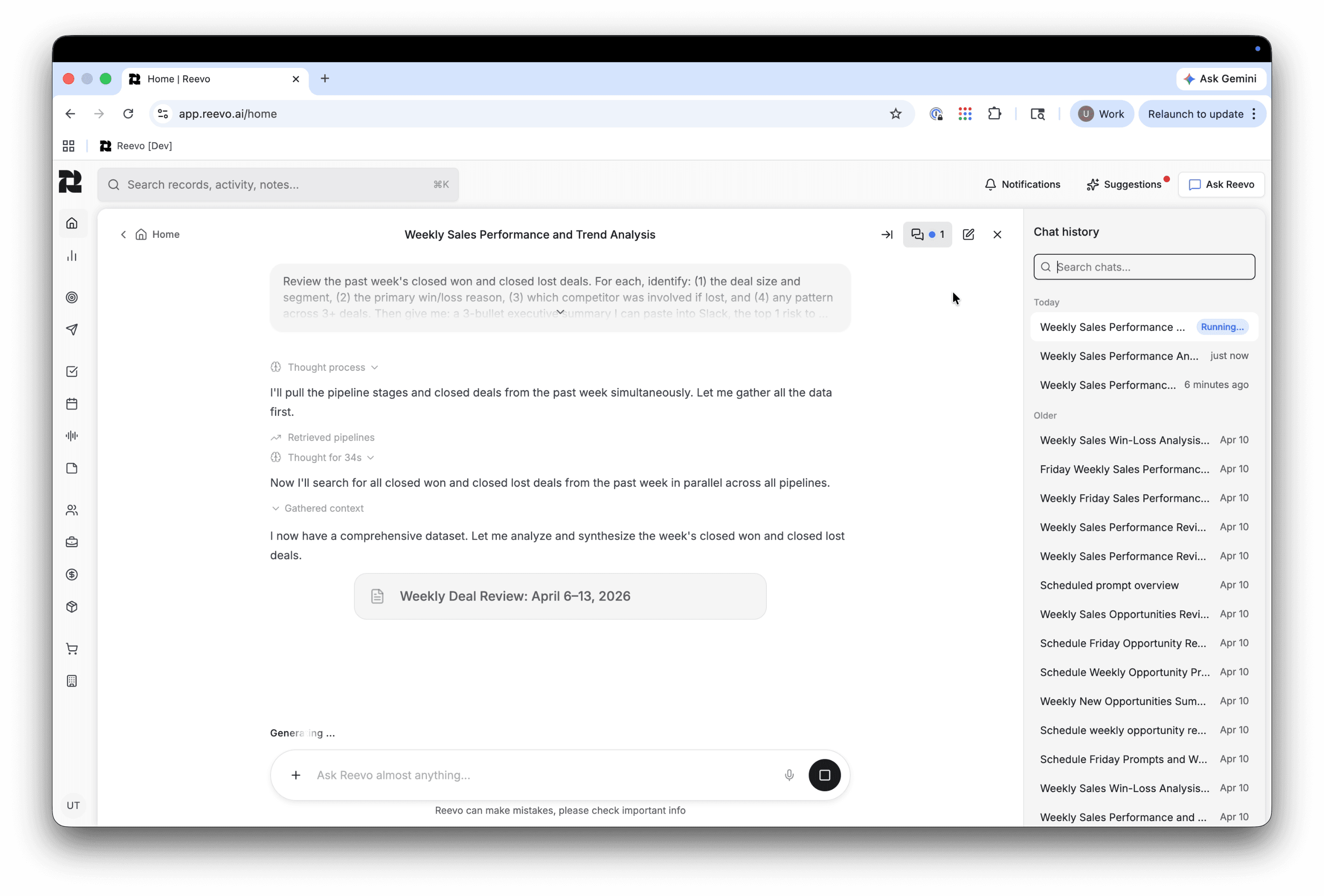
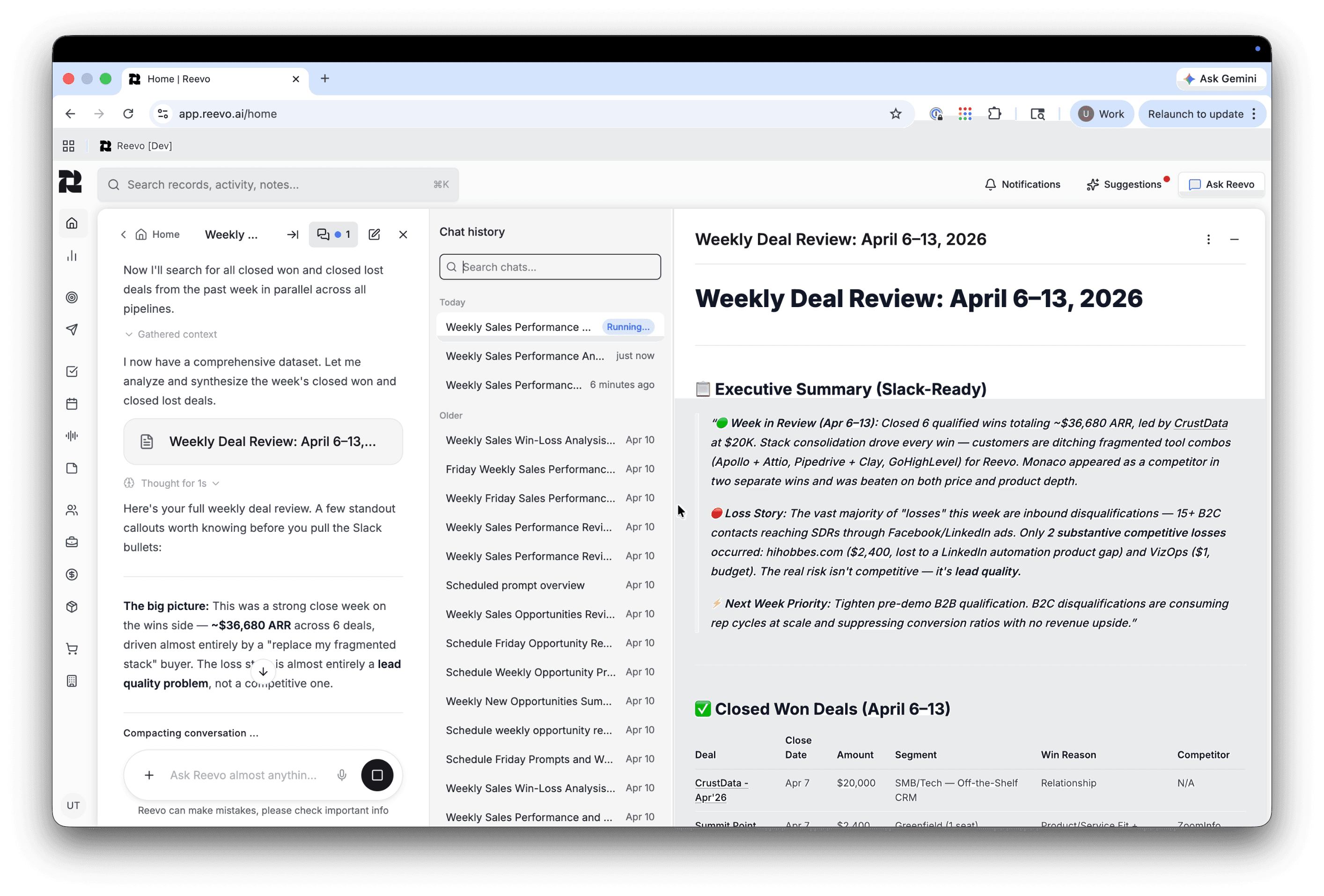
Schedule any Ask Reevo prompt to run automatically on a recurring basis. This is perfect for morning briefings, daily summaries, or weekly pipeline reviews. Take one less thing off your plate and reduce your cognitive load.
Scheduled prompts make managing your day to day that much easier. Set a prompt to run automatically on your schedule, and manage (pause, resume, or delete) those schedules as needed.
Manage this all through Ask Reevo. Test things to make sure it fits your preferences through the "Run Now" option - allowing you to immediately test a schedule when you configure it.
Get deeper research on contacts and accounts from across the web
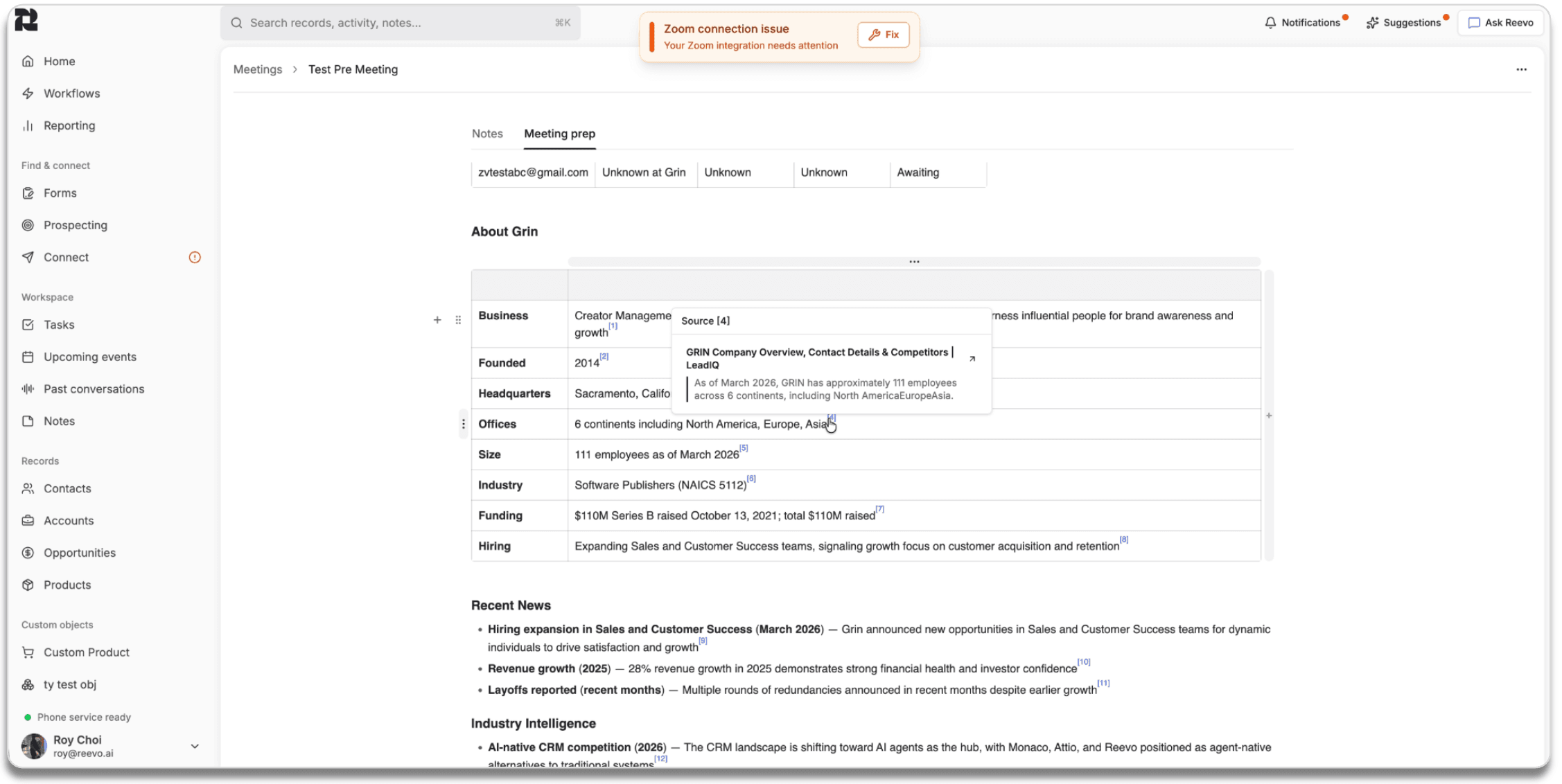
Pre-meeting prep now uses deeper web research to surface more personalized prospect insights. This includes citations so you can trust every claim is backed up by facts.
Operate with increased confidence when you go into meetings with prospects using citations to reinforce your claims, desk research, and meeting preparation.
Onboarding is easy. Get up and running in minutes.