Log inGet started

Release Notes

Ask Reevo in Slack

Get everything you want where you work.

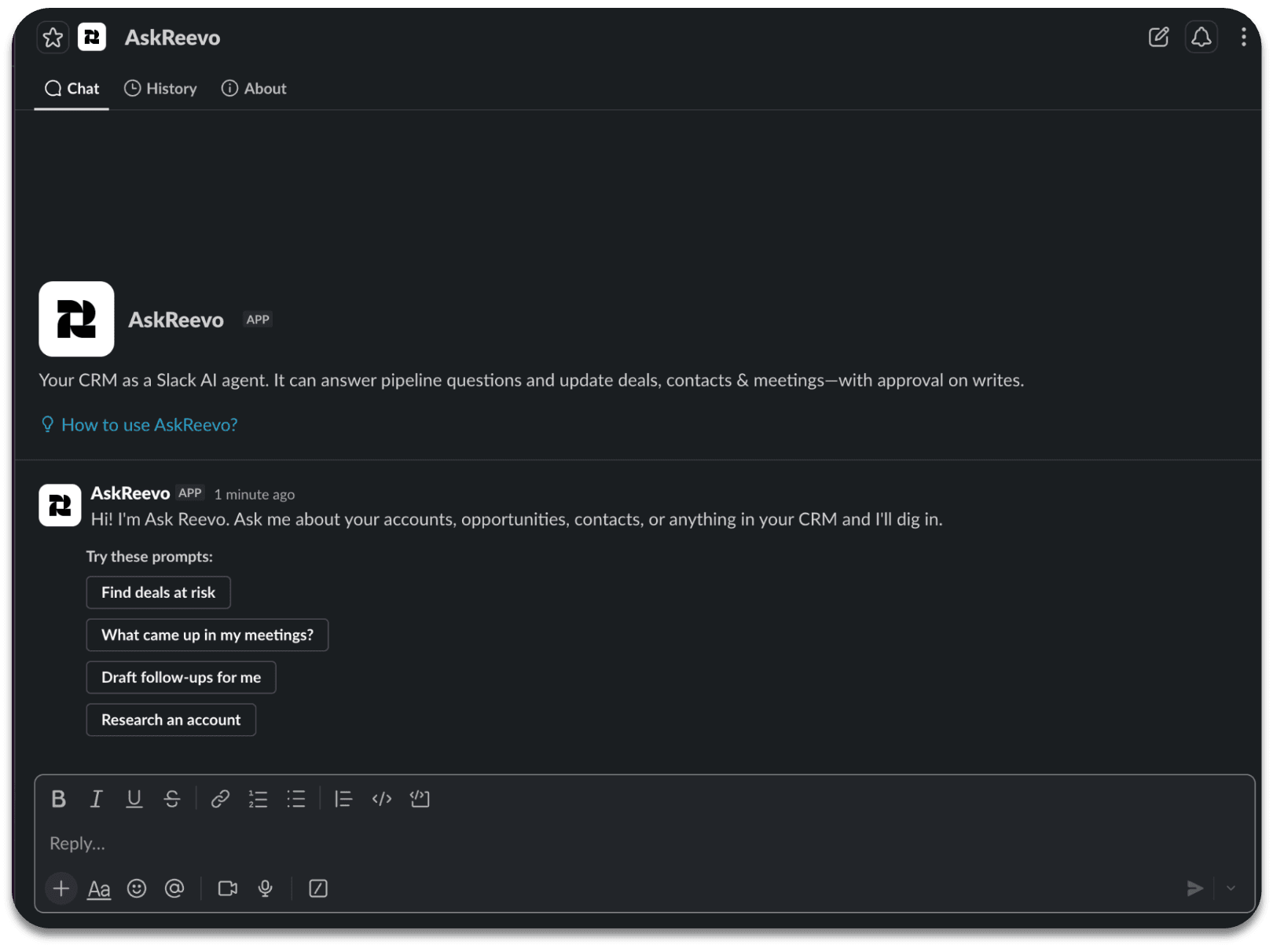
Ask Reevo is now available in Slack. Use the "@AskReevo" prompt in any Slack channel to chat with Reevo in one place.

This new bot will need to be intentionally added to channels you want it to be a part of. This feature also has the ability to look across threads and messages within the same channel once it is added.

Get integration installation instructions and more here.
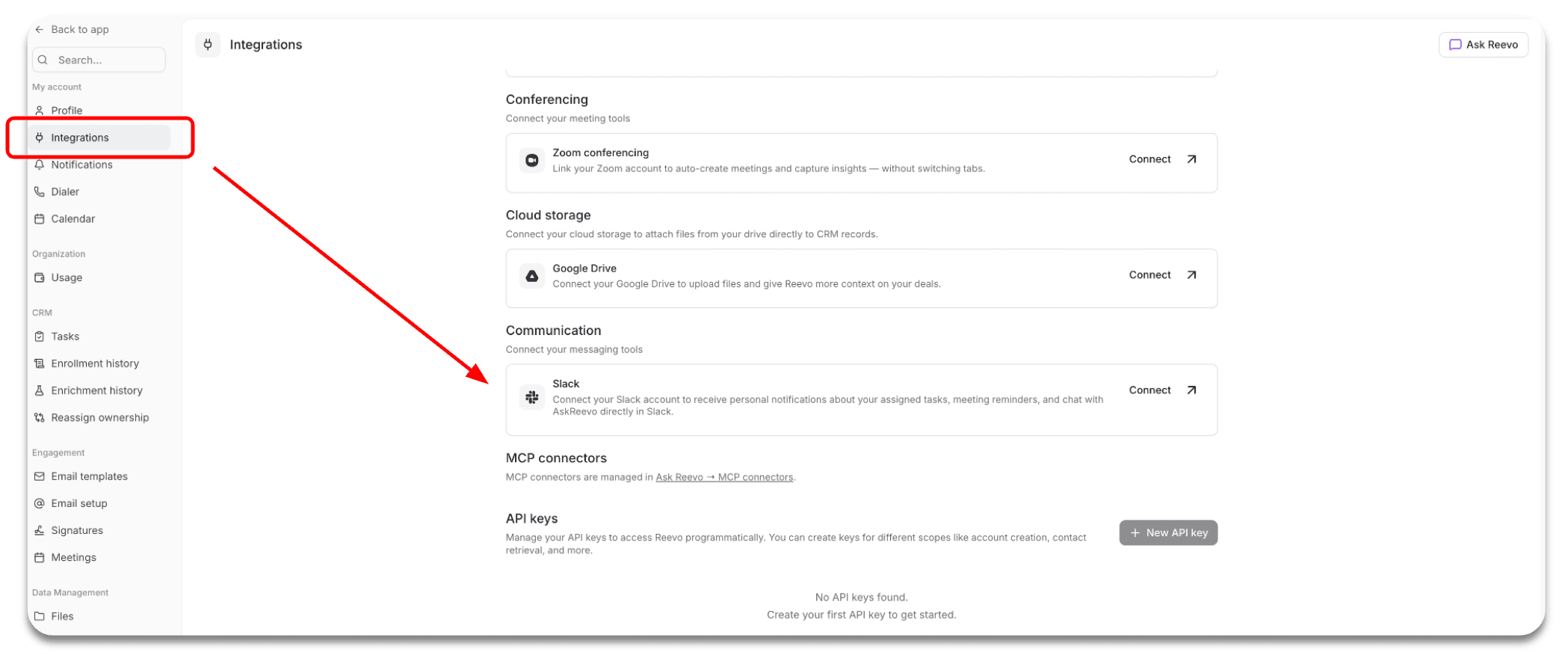
Where to find the Slack integration
Ask Reevo in Slack after integration

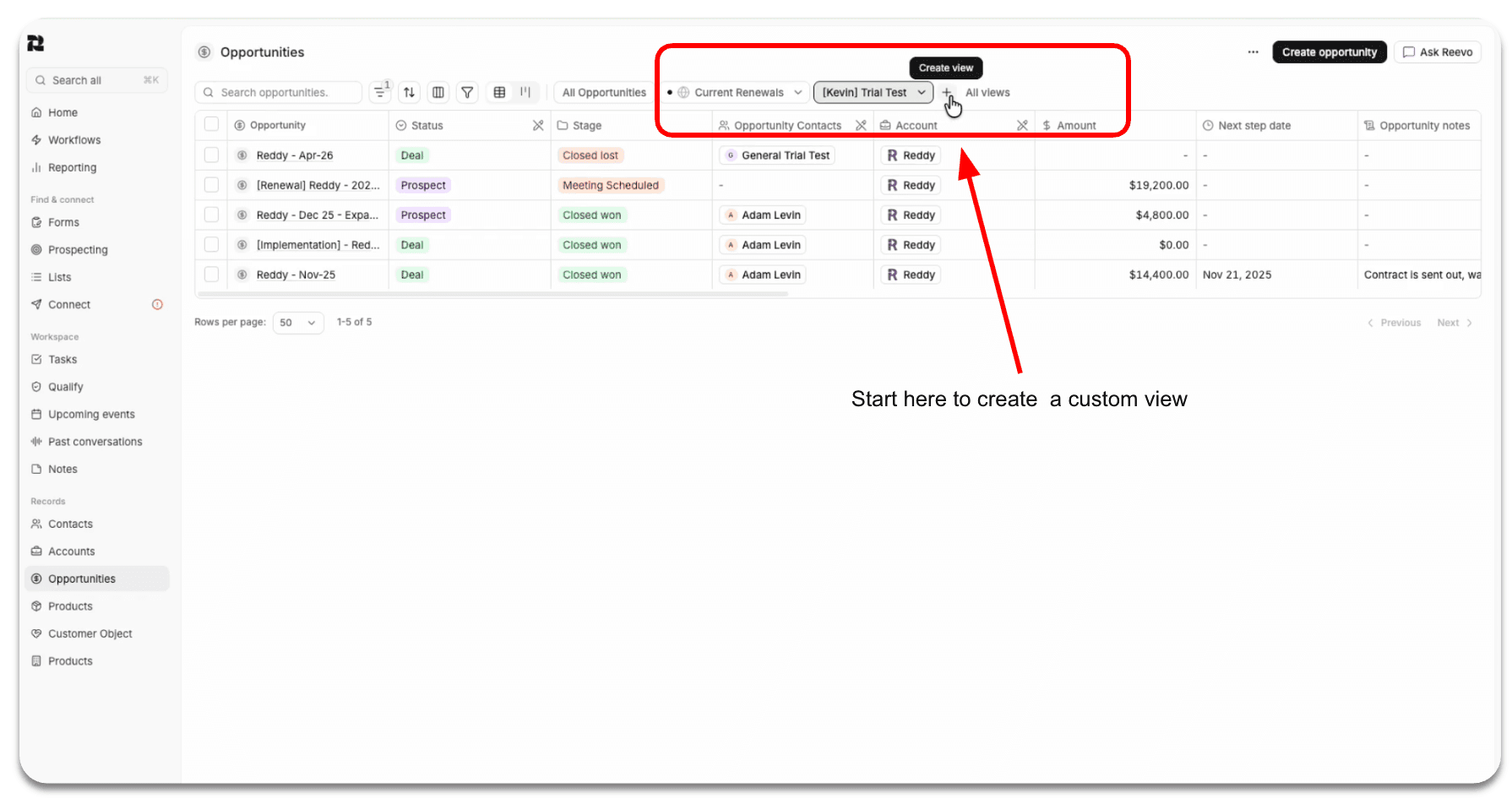
Custom CRM Views

Get the views you need via chat functionality

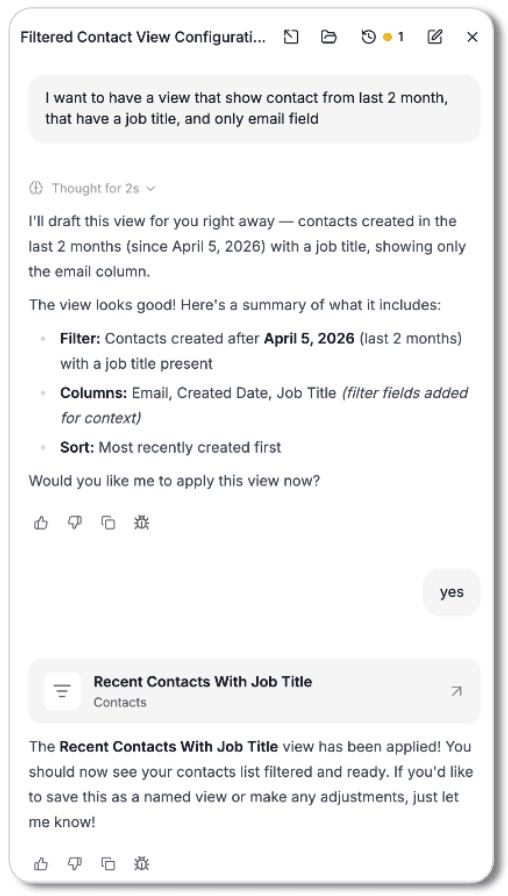
Build and apply CRM views within the Ask Reevo chat. Ask it to set up a view based on any contact, account, or opportunity page and let Reevo do the rest for you.

It fills in the filters, sort order, and columns, then you can decide to save the result or continue refining it in chat.

Example of how the chat can be used to create custom views

Assets on the Big Screen

Pivot from view to view with ease

Recent updates have enabled Reevo to build assets and different materials within the Ask Reevo chat.

Now you can move between viewing these assets with the entirety of the screen(s) available to you. Review what you need to with absolute clarity and pivot back to the chat if you need to without ever leaving Reevo or having to download a thing.

This will help you understand Reevo generated assets faster, making iterative refinements faster and more efficient.

Create Assets with Ask Reevo

Asset Creation with Reevo

Ask Reevo can now build a branded 6-10 slide meeting-ready pitch deck from a single prompt, pulling in CRM and meeting prep details.

Reevo will draw from previous meeting notes, available brand details, deal stage, company details and mission, email thread history, and organizational design to generate a pitch deck.

The file is generated directly in your Reevo chat and presented as a downloadable artifact in the canvas/output panel.

Sequence Pause and Resume Nodes

Automate how you engage with contacts

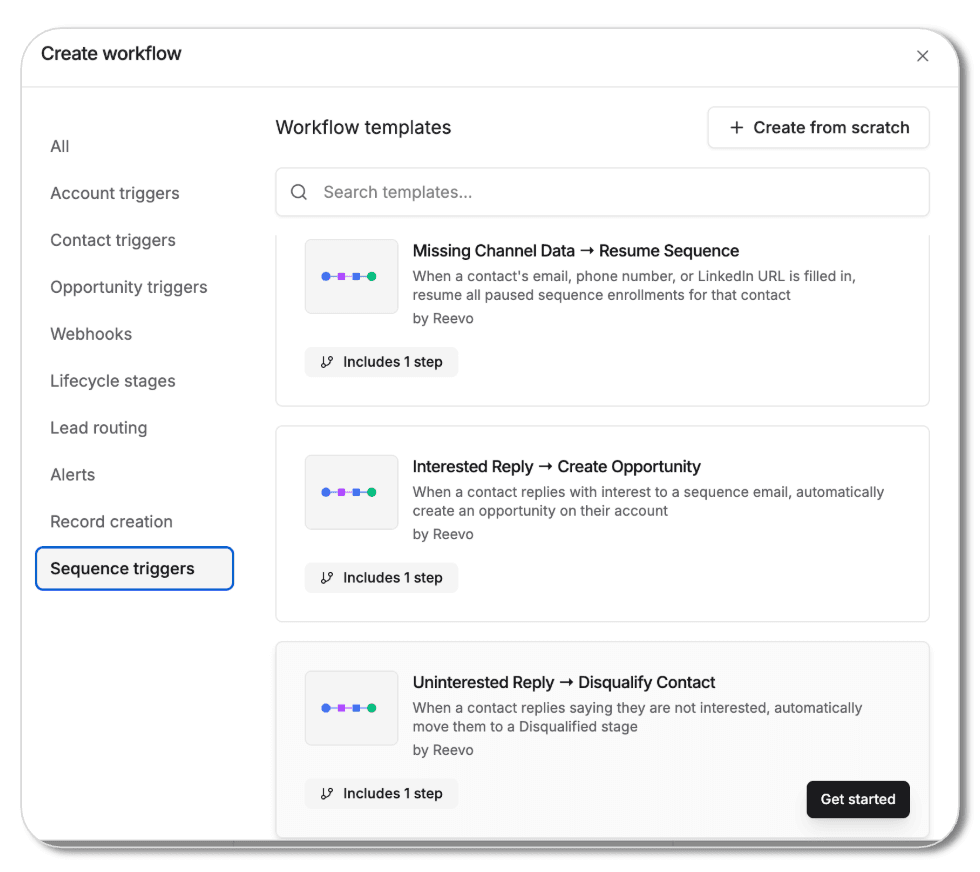
Workflows now supports a sequence enrollment trigger plus pause and resume sequence nodes, with ready-made templates, so you can automate how contacts move through sequences.

Ask Reevo - Update and Manage Accounts

Account management made easier

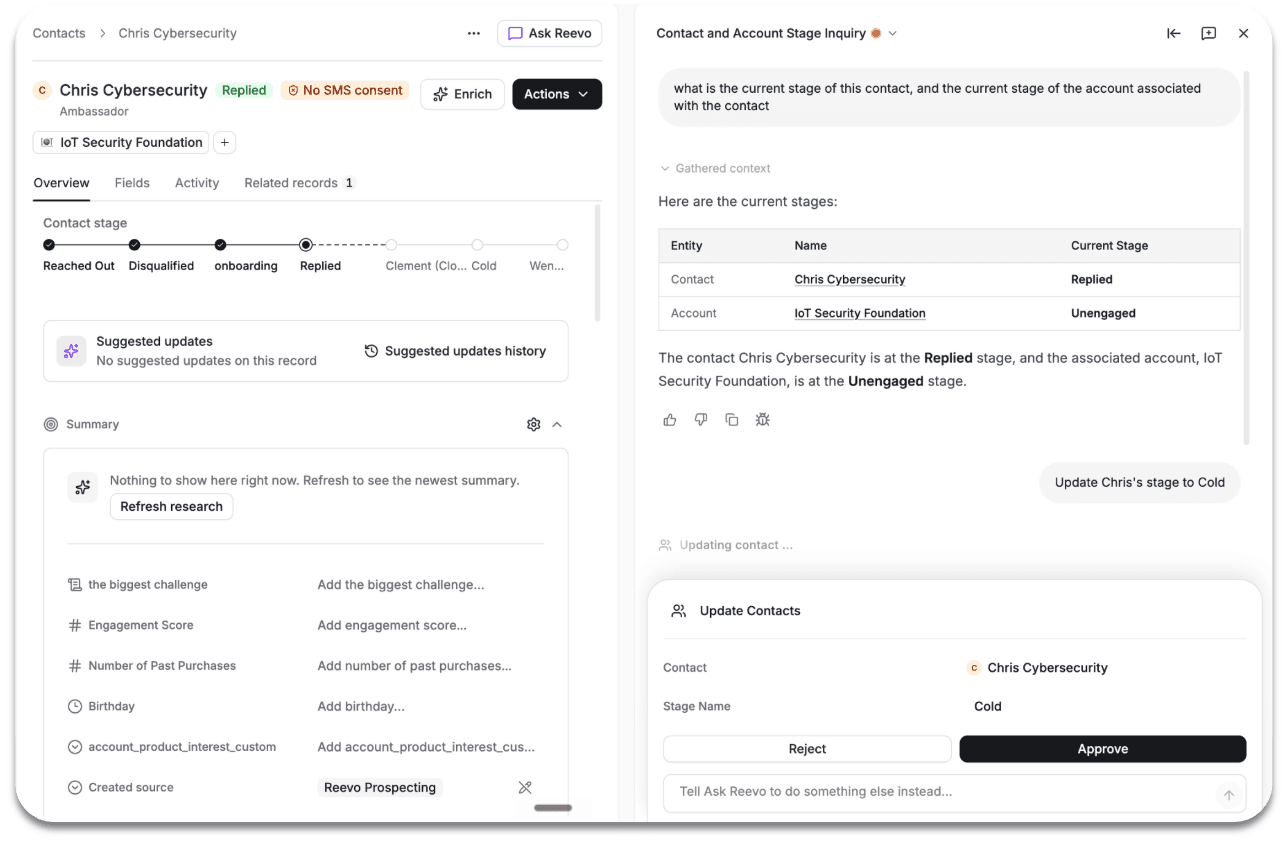
Ask Reevo can now understand, filter by, and update both contact and account stages straight from a prompt.

Ask Reevo can make updates to your contacts and filter based off prompts

Workflow Contact Enrich Node

Use Skills, enrich more contacts

Workflows within Reevo now include a Contact Enrich node, so contact data can get enriched automatically as part of an automation through Skills.

Learn more here.

Prospect & Filter by School

Capitalize on existing networks

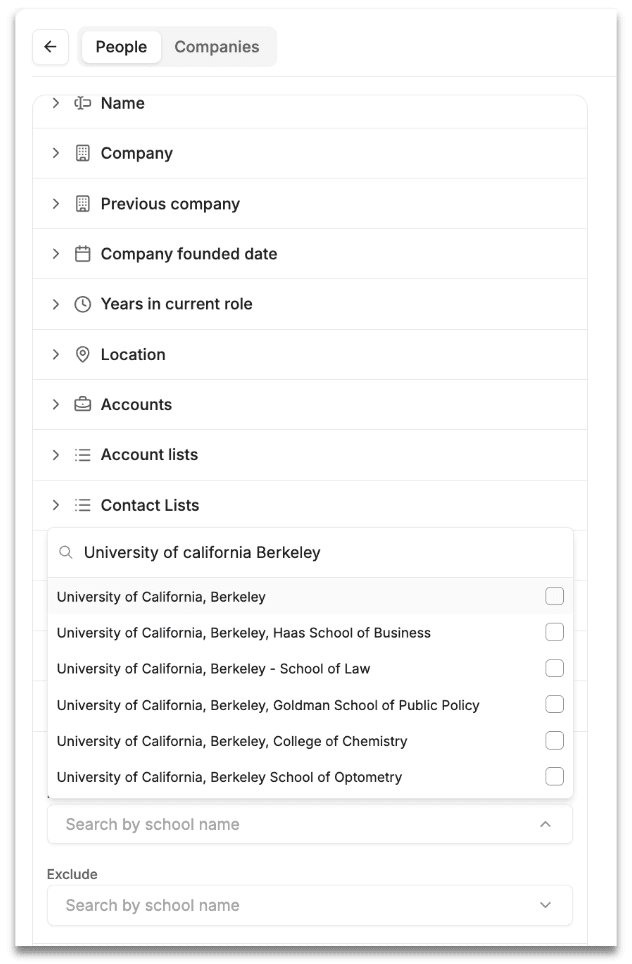
Now there is a School filter in the search tool!

People search now lets you filter by "School" and add a Schools column, so you can target prospects based on where they studied for their university or higher level education.

Filter by school, manage prospects or campaigns with specificity

CRM List View Management

Make Reevo you're own

Sales reps can now fully customize their list view toolbar. Reorder, hide, or unhide any view, including ones shared by teammates.

New functionalities available today:

  1. Rearrange the order of the views from both the tab and dropdown menus
  2. Hide/Unhide any views from tabs, including views shared by others
  3. See if a view is a shared view/default view

Email Send Workflow Node

Send emails natively without external integrations

Workflows now include a one-off Email Send node, letting team members send an email automatically as a step in any automation.

Now you can compose and send an email directly from any workflow step, both internally (team alerts, hand-offs, notifications) and externally (customer follow-ups, confirmations, reminders) use cases.

Saved View for Column Widths

Format as you see fit

Create more clarity and uniformity as needed.

Column widths on CRM saved views are now savable and scalable, so everyone within your organization viewing a shared view sees the same layout.

Custom Object Workflows, Nodes, and Triggers 🎨

Move customization forward

Workflows can now create, update, and search custom object records and fire when those records change. This means you can automate processes around any object type without manual steps or webhooks.

Use the new coordinated set of nodes and triggers to give workflows full read/write access to your custom object data to get the most out of Reevo.

This will work with any custom object type you have defined (Project, Subscription, Property, Plan, Price, etc.).

Account and Contact Lists Revised

Lists made different

Checkout the refresh for list creation, usage, and how prospects or contacts can be added to sequences. Sales representatives can now find contacts not attributed to any list, customize list columns, and export a list to CSV.

If you have ever asked yourself:

"How can I find contacts not in any lists so I can enroll them?"
"Why can't I customize the contact columns in the list view like the contacts table view?"
"How can I export the list into a CSV like the contacts table view?"

Fear no more, now you have the capability! Learn more here.

Reevo Desktop Changes

Desktop made that much more powerful

Download or update your Reevo desktop application!

The new desktop app brings bot and bot-less meeting recording capabilities to one place, with recording controls, settings, and Ask Reevo built in.

Find Reevo in the App Store or chrome web store today.

Inbound Forms

Automatically create new CRM records

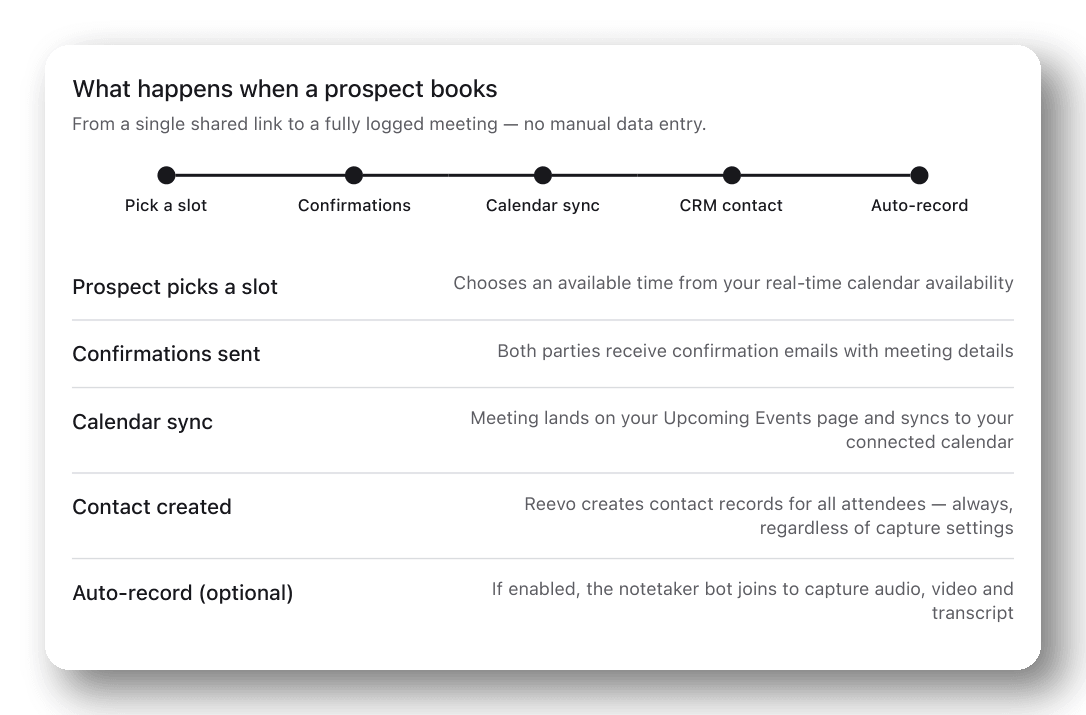
Build forms natively in Reevo or connect existing platforms like Typeform and HubSpot, map to CRM fields seamlessly, then automate next steps: round-robin routing, sequence enrollment, Slack alerts, criteria-based disqualifying, and more. Qualified leads can book a demo directly on the form, and forms embed seamlessly on any external site via iFrame.

How to book prospects with Reevo

Learn more here.

Every workflow. Full context. Compounding results.

Onboarding is easy. Get up and running in minutes.