Log inGet started

Release Notes

Activity Associations

Reevo now accurately attributes engagement activities to the appropriate accounts and opportunities, handling historical data and CRM record changes better.

Moving forward, all engagement activities should be associated to the correct CRM entity accurately and naturally. Please provide feedback if you encounter problems!

Finally - Small UI enhancements have also been introduced on the activity timeline to indicate the information source associated with specific activities.
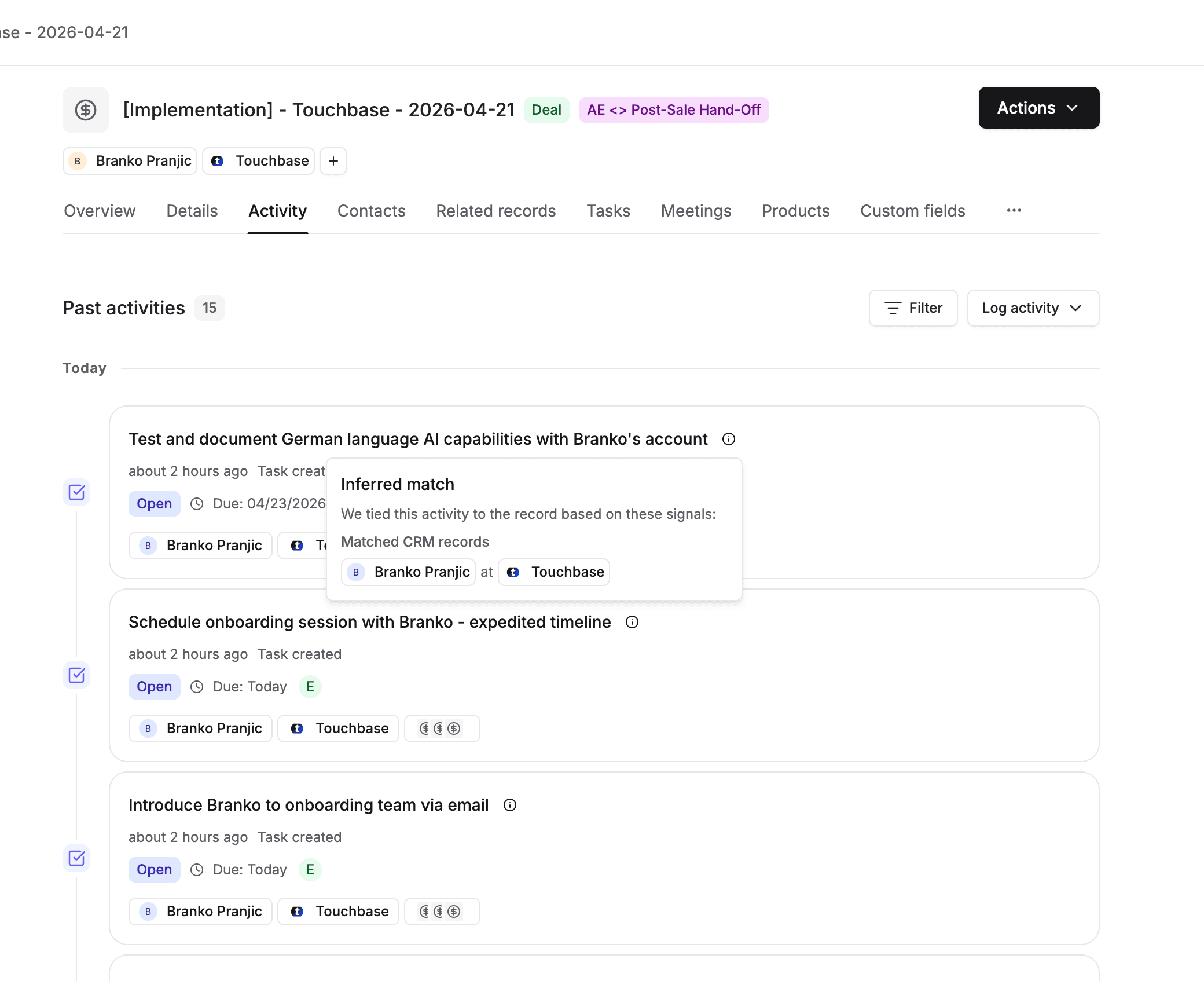
Example of UI enhancements on the activity timeline

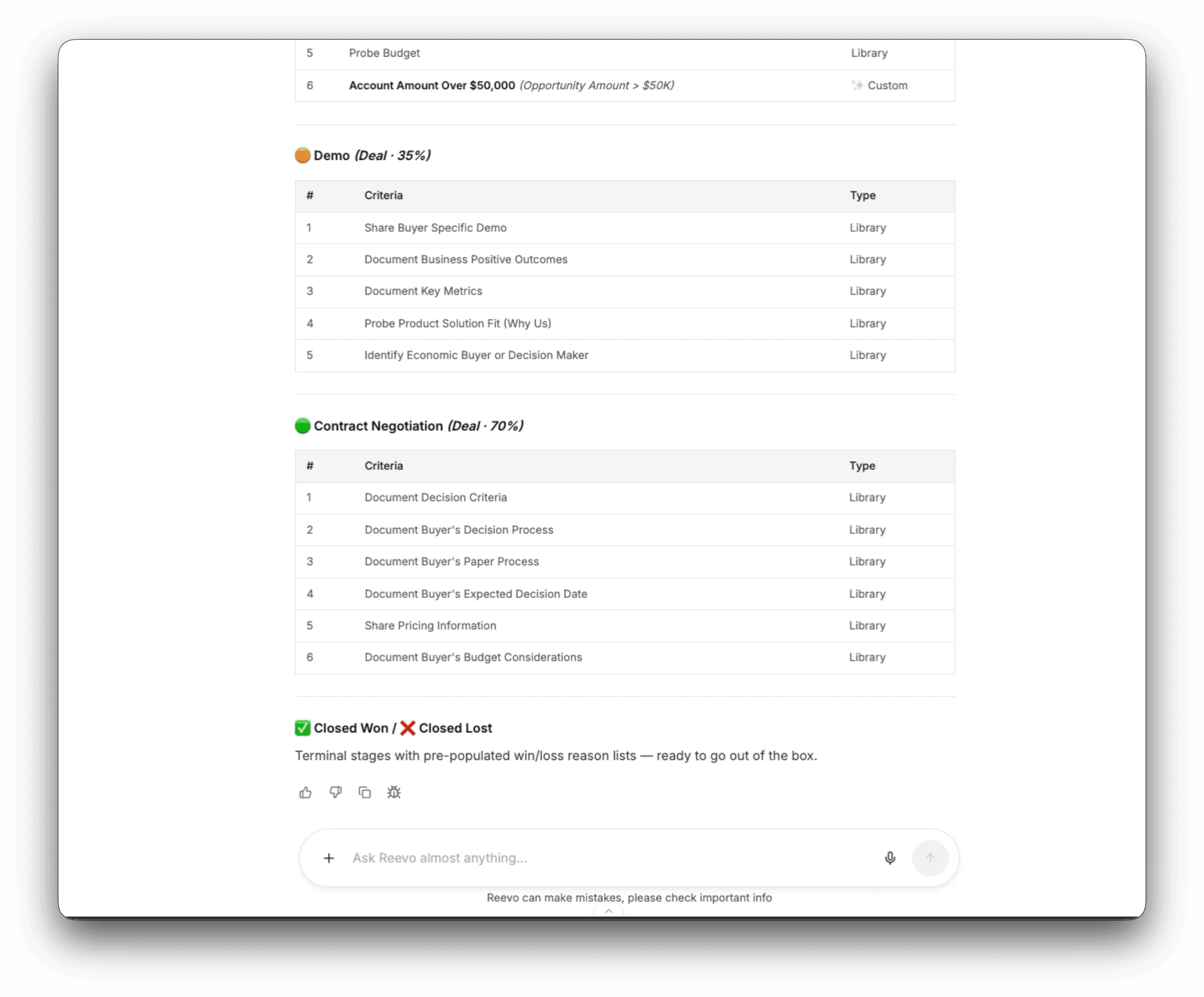
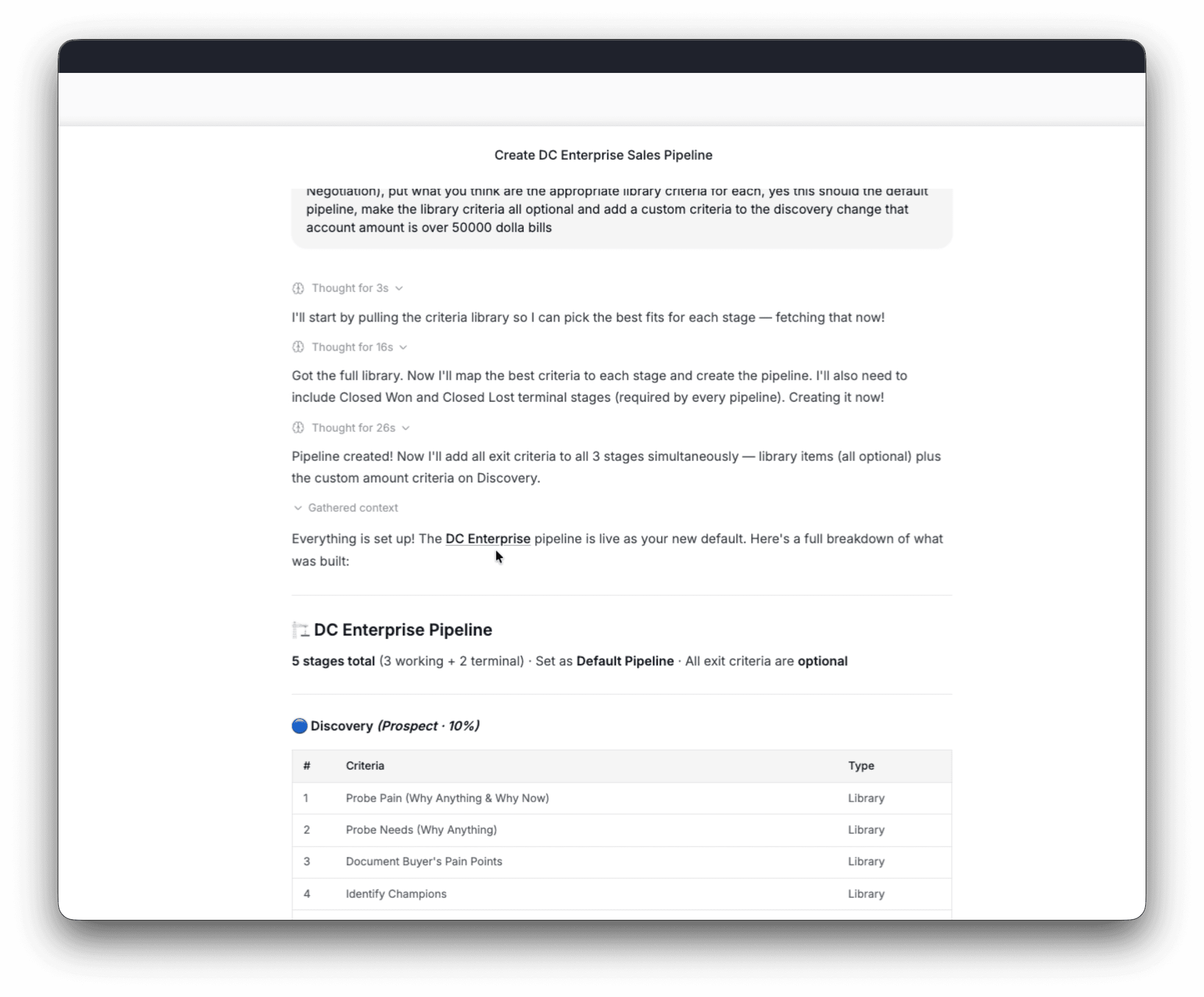
Ask Reevo Pipeline Creation

Update your pipeline via simple chats with Ask Reevo

Admins and reps can now build or update pipelines via chat with Ask Reevo. Use prompts from a description or guided step by step guidance.

Ask Reevo can now create and update your pipeline through simple conversational prompts or step-by-step guidance.

Describe what you want or need to Ask Reevo, refine the conversations, and it will ask you questions to understand how to best configure your pipeline updates.

Ask Reevo chat results for pipeline updates and configuration.

Workflow Versioning and New Editor Layouts

Greater visibility into version history and improved organization capabilities

See who changed any custom field, what the new value is, and when changes occurred. This provides full audit coverage for edits by rep, Ask Reevo, workflows, and AI suggestions.

Now you can capture snapshots of workflows automatically. Browse the full history, rename snapshots, view past versions, and split off previous states into new workflows or drafts.

This new workflow layout allows you to view workflows through a cleaner canvas with a new side panel and easier navigation between workflows, versions, and runs.

Major changes:

  • The Production / Draft toggle is gone. Move between production and draft via the banner at the top of the canvas and the version history side panel.
  • Ask Reevo compatibility with the AI workflow builder is coming soon.

Refresh on Workflows here in the Knowledge Base.

Field Change History for Custom Fields

Track changes made to your custom fields

Customers can now see who changed any custom field, what the new value is and when it was changed. This includes full audit coverage for edits by reps, Ask Reevo, workflows, and AI suggestions.

This means to can view who changed a field, to what value, and at what time.

Learn more about Custom Fields here.

Slack DMs and User Round Robin Workflow Nodes

Increase situational awareness with Slack DMs and new workflow nodes

Workflows can now DM users directly in Slack and round-robin route work across teams, making it easier to keep reps in the loop while distributing tasks automatically.

This keeps workloads balanced and the team abreast of business needs as they surface in real time.

This allows you to automatically distribute work across teams. Select a group of users, and each time the workflow runs, it will assign tasks to the next person on the list — so everyone gets an even share of the workload.

Bulk IMAP/SMTP Mailbox Importing

Bulk imports made available via CSV

Admins can now connect up to 50 outbound sending mailboxes at once with a single CSV upload. Set warmup and sending rules for the whole batch, and see pricing before they commit.

  • Upload a CSV to connect mailboxes in bulk — download a ready-to-fill template, drop it back in, and connect up to 50 mailboxes in a single import.
  • Set warmup and sending rules once for the whole batch — pick the owner, warmup, sending quota, and send delay, and they apply to every mailbox in the upload.

Meeting Workflow Triggers

Notifications the way you want them

New Meeting Created, Updated, Started, and Ended triggers let teams build workflows that fire on meeting events with filters by Contact, Account, Opportunity, Event Scheduler, and more.

Prospecting Renewed

Introducing a new way to prospect on Reevo

The renewed Prospecting experience gives reps a cleaner, faster way to find and engage new leads.

Whats available now:

  • Faster search: Results load immediately, no more waiting for batch fetches or hitting "Show All"
  • Ask Reevo language simplified: Describe who you're looking for in plain language, let Reevo translate it into filters
  • Saved and recent searches: Revisit past searches from a clearly organized home screen easily

Reporting Fiscal Year Support

Better reports, more customizable

Previously, Reports used only calendar months. Now we have more options for you.

Admins can configure a custom fiscal year start month so reports show fiscal periods (FY, FQ1, FQ2, etc.) instead of calendar quarters, with formatting carrying through to exports.

How to access: (Settings > Reporting, admin-only).

Citations for Meetings

Trust but verify

Reevo now does additional research to get more personalized information related to your prospects and meetings.

AI-generated meeting prep and post-meeting summaries now include source citations, so reps and customers can trust and verify every claim.

Ask Reevo Past Message References

Search history that is real.

Ask Reevo can now look through past conversations for information, so representatives get answers grounded in the team's actual discussion history.

This means you can now search universally with Ask Reevo to get insights across accounts and the sales team.

See more here for steps and how to give feedback.

Custom Field Creation on Objects

Ask Reevo gets even smarter.

Users can now create and edit custom fields directly on any standard or custom object easily, with no engineering support needed.

New capabilities:

  • Build and edit custom fields directly on any standard or custom object (with the exception of computed / rollup fields).
  • Move faster with insights from Bulk Meeting Analysis to see across your portfolio.

Access all these via Ask Reevo!

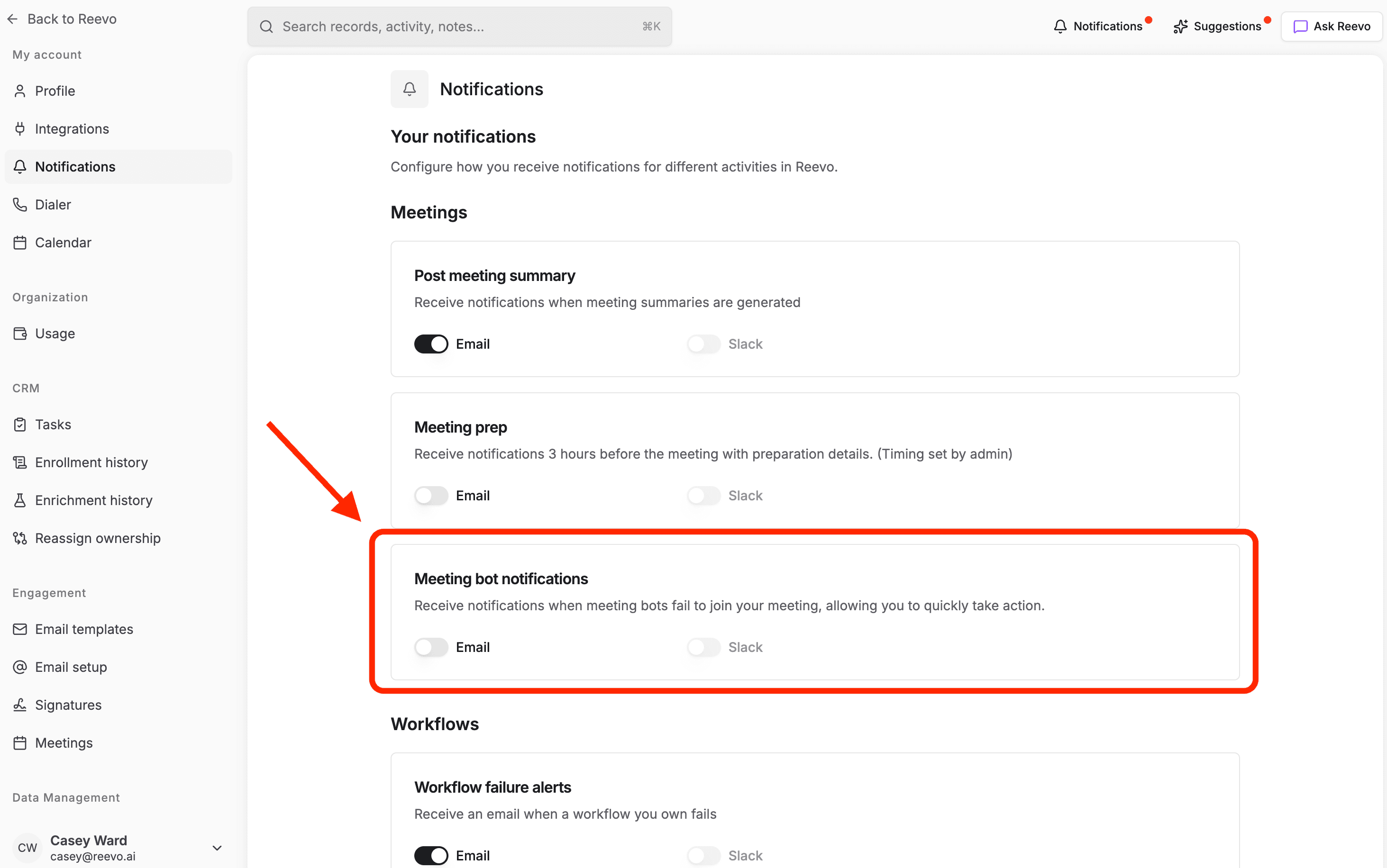
Bot Failure Notifications

Get more clarity on when your AI bots are involved or not.

Reps and customers now get automatic Slack and email alerts when a recording bot fails to join a meeting, so missed recordings can be caught and fixed quickly.

Whenever a bot fails to join a meeting due to permission issues, configuration settings, or host-related issues, Reevo will automatically send a Slack & email notification with details about the failure.

Access this via your Settings panel under the Notifications tab.


Every workflow. Full context. Compounding results.

Onboarding is easy. Get up and running in minutes.